1
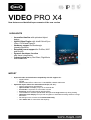
PERFORMANCE On average up to 3 times faster AVCHD export compared to previous version thanks to Hybrid Video Engine with full support for the following technologies: NVIDIA® CUDA™ AMD® OpenCL Intel® Quick Sync Video Improved preview rendering with automatic recognition of critical areas Drastically accelerated program processes: Noticeably accelerated program start Accelerated loading of projects and recording dialogs Accelerated closing of program settings after changes and accelerated initiation of export processes in large projects Shorter reaction time of the timeline play marker when "Image size and position" effects section is open Faster image generation in Media Pool for large media directories Prezise thumbnail depiction in timeline objects Optimized background processing: results in faster program reaction on marker movements, rewinds and editing operations on AVCHD material Optimized image stabilization for multicore CPUs: Up to 11-times faster on Intel®compared to the previous version Multicore optimization for image sharpness and feathering effects Use of expanded memory on 64-bit systems for GOP and bitmap caching Calculation of dynamic object effects on GPU with activated anti-flicker effect Video effect rendering on GPU (incl. special read back for NVIDIA® systems) Calculation of standard transition on GPU Navigation with keyboard and external controllers such as Contour shuttle is more fluid Improved performance when working with large DV-AVI files EDITING Full screen effect editing for more precise effect control Dynamic speed ramps for video clips Frame interpolation for drastically smoother slow motions Improvements to the travel route animation: ◦ Fully redesigned program layout with improved usability ◦ Detailed optimizations: waypoints, points of interest and much more ◦ New animated vehicles and objects Multicore optimized new blur effect Direct effect editing in the timeline for multi-object selections Improved integration of Xara Designer Pro Transfer current video frame directly into Xara Designer Pro: perfect for rotoscoping, creating custom masks, tracking and creating overlay vector graphics Addtional Menu structure in the object context menu and the effects menu STEREO3D SUPPORT Import function for MVC files, e. g. for Sony TD-10 and JVC TD-1 Export function for Multistream-AVCHD-Dateien (MVC) Improved Perspectical Correction in the Stereo3D alignment Configurable output for line-by-line interpolation New output modes "over/under" in order to take advantage of full resolution of devices with lineby-line interpolation Export for lens array images (lenticular, or "wiggle" images)