1
Part I: Getting Started
may have started from a web page and the conferencing application may have been started from your
web browser, it was actually running in a client-side application, which you allowed to be installed on
your computer, using advanced content-streaming technologies, allowing you to interact with the serverhosted conference.
What does this have to do with reporting? Quite a lot, actually.
Blurring the Application/Reporting Line
With Reporting Services, you can integrate reports into applications in such a way that users may not be
able to tell the difference between the two. With a little bit of programming code, reporting features can
be extended to look and act a whole lot like applications. Where do applications stop and reports begin?
When do reports start replacing application functionality? What, exactly, is the difference between a
report, a dashboard, and a scorecard? The lines have become quite blurred. Your task is to decide which
tool best meets the need. Many intranet sites run on web portals, rather than custom-programmed web
sites, and Reporting Services naturally plays well in practically any web portal environment — and now
it has native integration with Microsoft Office SharePoint Services.
The exciting news is that you now have a tool that can do some incredible things. As my favorite
superhero’s uncle said, “With great power comes great responsibility.” If you are a simple report
designer with simple needs, the good news for you is that using Reporting Services to design simple
reports is . . . well, simple. If you are a software developer and you intend to use this powerful
framework to explore the vast reaches of this impressive technology, welcome to the wonderful world of
creative, custom reporting.
Information, Now!
Imagine that you are sitting in a presentation meeting at the corporate office of a key customer. You are a
senior sales representative for a company that sells high-volume data backup systems, and the solution
they decide on will be implemented in several regional data centers around the world. Your team has
been preparing for this meeting for months. Your success depends on your ability to demonstrate your
competence to the customer and your clear understanding of their needs. Your team has done its
homework, and you know that the customer has a history of scanning printed medical records and
storing them as image files. Based on this information, you are certain that a particular product will
adequately provide the file backup facilities for their moderate volume of image files. You have made it a
point to familiarize yourself with the capabilities of the system that appears to be the best fit.
During your customer ’s opening presentation, they tell you that they have recently made a huge
investment in full-motion video-imaging equipment. Now they need a backup system that can handle
large file capacities. They are prepared to make an investment that is substantially larger than what you
had anticipated for a capable backup solution. Your company began to offer a large-scale solution just a
couple of weeks ago, but you aren’t very familiar with its capabilities. You’ve spent so much time
preparing to sell the smaller system that you haven’t had time to learn more about this new product.
Your associate is doing introductions, and it will be your turn in about 15 minutes.
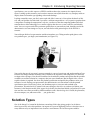
Discreetly, you open your Pocket PC Phone and access the World Wide Web. You log in to your
company’s secure report server, select the product catalog report, choose the product category, and then
drill down to the new product. The report has a drill-through option that lets you quickly view a
detailed specification report for the new, high-volume backup system. After noting the pertinent
8