1
Chapter 1
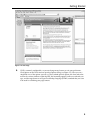
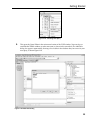
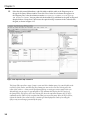
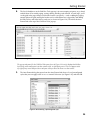
Notice that the URL in the address bar, and the icon for VWD’s built-in Web server that appears in the
notification area of the Windows taskbar, indicate that the page is running on your local machine
(localhost), but using a nonstandard port number (usually port 80 is used for a Web server). You will
see a different port number because VWD chooses one at run time. This means that you can run VWD
on a machine without a Web server installed to develop your site. And you can also run it on a machine
that does have a Web server such as Internet Information Server (IIS) installed without interfering with
the operation of that Web server.
Summar y
In this first chapter, you have seen how easy Visual Web Developer (VWD) 2005 Express Edition is to
install, configure, and use to create powerful and attractive Web pages — quickly and with very little
effort. Because the standard installation also includes SQL Server 2005 Express Edition, you don’t even
have to have a database server available to be able to build data-driven pages (although, as you saw, you
can use any database server or file-based database such as Microsoft Access if you prefer).
VWD is a remarkable tool for building a whole range of Web sites, Web applications, and Web Services,
as you will discover throughout the remainder of this book. You will also see and learn about the
amazing new features and capabilities of ASP.NET version 2.0, which make building high-performance
Web applications and Web sites so much quicker and easier than ever before.
In this chapter, you installed VWD and used it to access a database through SQL Server Express. You
also saw some of the features of the VWD interface and its capabilities. The discussion skipped over
much of the detailed working of these features so that you could quickly get a feel for how it works and
what it can do. You will, of course, see a lot more detail in later chapters of this book.
In summary, this chapter covered:
❑
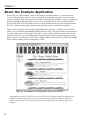
A preview of the completed example application
❑
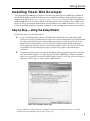
Installation and set up of Visual Web Developer 2005 and SQL Server 2005 Express Editions
❑
Installation of the example application files for this book
❑
Viewing the example database and executing a test query
❑
Generating a simple page that uses the example database
In Chapter 2, you will begin a more detailed journey through the features of VWD and ASP.NET 2.0 by
looking at the design of the PPQ Web site, how master pages can make things so much easier, and how
you can plan and implement navigation between the pages of your site.
30