1
8 Adjust volume
level and sound
effect
the volume, the lower the treble and bass
levels).
1
Adjust volume level
1
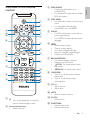
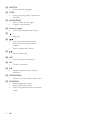
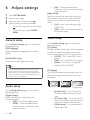
During play, press VOL +/- to increase/
decrease the volume level.
Mute sound
1
Select a sound effect
Note
• You cannot use different sound effects at the same
time.
Select a preset sound effect
1
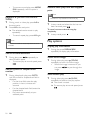
During play, press DSC repeatedly to
select:
• [Classic]
• [Rock]
• [Jazz]
• [Pop]
• [FLAT] (flat)
Enhance bass
1
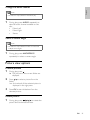
To turn on bass enhancement, press
LOUD/DBB repeatedly during play until
the DBB logo is displayed.
• To turn off bass enhancement, press
LOUD/DBB repeatedly until the DBB
logo disappears.
Select automatic loudness control
Automatic loudness control increases the treble
and bass effect at low volume levels (the higher
26
EN
To turn on automatic loudness control,
press LOUD/DBB during play until the
loudness icon is displayed.
• To turn off automatic loudness
control, press LOUD/DBB until the
loudness icon disappears.
During play, press MUTE to mute/unmute
sound.
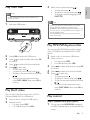
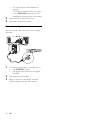
Listen through headphone
1
Plug a headphone into the
the unit.
socket on