1
BR-6424n
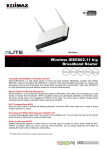
Wireless IEEE802.11 b/g/n
Broadband Router
Wireless-N Broadband Router
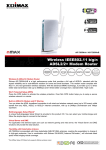
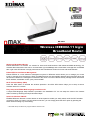
Edimax BR-6424n is a wireless 11n solution for home and small business. With advanced MIMO technology, it’s
wireless data transmission rate can be 12 times better (up to 300Mbps) and 5 times better coverage than a standard
802.11g/b router. BR-6424n is a high performance and cost-effective solution for home and small business.
Edimax EZView and Remote Management
Edimax EZView is a new enhanced management system in BR-6424n which allows you to manage your router
locally or remotely from the Internet. UPnP compatible devices are automatically detected and information about the
device will be listed in the management interface of the router. You will be able to directly manage device information
like IP address, bandwidth control, open ports and DMZ.
Wi-Fi Protected Setup (WPS)
Press the WPS button to activate the wireless protection. One-Click WPS button helps you to setup a secure
wireless network in a minute.
Easy Setup with EZMax Multi-language Installation CD*
A unique Multi-language Setup Wizard is provided in the installation CD. You can setup the router to the Internet
within minutes by following the simple animated steps.
Switch for Wireless ON/OFF
EDIMAX BR-6424n features a control button on its back panel to enable you easily switch on/off the Wi-Fi wireless
connection. When you want to use only wired connection, you can simply pause the Wi-Fi option by pressing the
button without making any extra setting .
* The EZMax Setup CD Wizard only supports Edimax wireless router.
FEATURES AND TECHNICAL SPECIFICATIONS
HARDWARE INTERFACE
1 x RJ-45 WAN Port
4 x RJ-45 Fast Ethernet LAN Ports
LED Indicators: Power, Wireless, WAN, LNK/ACT for LAN
2 x 3dBi Antenna
WPS / Reset Button
Switch for wireless on/off
WAN
Supports cable/xDSL modem
WAN protocol: PPPoE/Static IP/PPTP/Dynamic IP/
L2TP/Telstra Big Pond
SECURITY
NAT/NAPT IP Sharing
64/128-bit WEP Encryption and WPA-PSK, WPA2-PSK security
DHCP Server/Client
QoS
SPI Anti-Dos Firewall
FUNCTIONS
Supports AP , AP Client , Bridge , WDS and
Universal Repeater mode
Port Triggering for Special Applications
DDNS (DynDNS, TZO)
Virtual Server and DMZ
MAC/IP Filter and URL Blocking
Static Routing
UPnP
VPN Pass Through (IPSec/PPTP)
MANAGEMENT
Supports Remote Management
Supports EZView Management
System Status and Security Log (Web Interface)
Firmware Upgradeable
INSTALLATION
Multi-language EZMax Setup Wizard
Output Power & Receive Sensitivity
11n: 16±1dBm, 11g: 16±1dBm
11b:18±1dBm
11n (40MHz): -68dBm, 11n (20MHz):
-71dBm, 11g: -74dBm, 11b: -87dBm
DIMENSION
179 x 133 x 25 mm
POWER ADAPTER
DC 12V, 1A
MEMORY
4 MB NOR Flash
16 MB SDRAM
HUMIDITY &
TEMPERATURE
10-90%
(Non-condensing)
0~45 Degree Celsius
CERTIFICATIONS
CE, FCC, WiFi
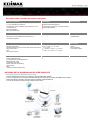
NETWORK SETUP DIAGRAM AND RELATED PRODUCTS
An example of how the BR-6424n can be setup:
• Connect the BR-6424n router to your Ethernet (RJ45) cable/xDSL modem.
• Connect a computer to the LAN port and setup the Internet connection by running the EZMax setup wizard.
• Share the Internet connection with other wired or wireless computers/devices.
• You can also share your printer using an Edimax print server.