1
Chapter 7: BIOS
Cache Extended Memory
If enabled, this feature will allow the data stored in the extended memory area to
be cached (written) into a buffer, a storage area in the Static DROM (SDROM)
or written into the L1, L2, L3 cache inside the CPU to speed up CPU operations.
Select Uncached to disable this function. Select Write Through to allow data
to be cached into the buffer and written into the system memory at the same
time. Select Write Protect to prevent data from being written into the extended
memory area above 1 MB. Select Write Back to allow the CPU to write data back
directly from the buffer without writing data to the System Memory for fast CPU
data processing and operation. The options are Uncached, Write Through, Write
Protect, and Write Back.
PnP Configuration
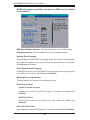
Access the submenu to make changes to the following settings for PCI devices.
PCI 32 Slot
Access the submenu for each of the settings above to make changes to the
following:
Option ROM Scan
When enabled, this setting will initialize the device expansion ROM. The options
are Enabled and Disabled.
Enable Master
This setting allows you to enable the selected device as the PCI bus master.
The options are Enabled and Disabled.
Latency Timer
This setting allows you to set the clock rate for Bus Master. A high-priority,
high-throughout device may benefit from a greater clock rate. The options are
Default, 0020h, 0040h, 0060h, 0080h, 00A0h, 00C0h, and 00E0h. For Unix,
Novelle and other Operating Systems, please select the option: other. If a drive
fails after the installation of a new software, you might want to change this setting
and try again. A different OS requires a different Bus Master clock rate.
PCI-X(s) Frequency
When set to Enabled, this feature allows the user to set the bus frequency for a
PCI-X slot for it to work properly. The default setting is Auto.
7-13