1
36 AXIS 241Q/S/QA/SA - Event Configuration
Please see the online help
for descriptions of each available option.
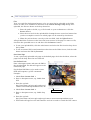
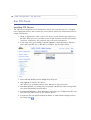
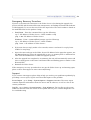
Motion Detection
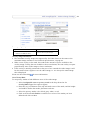
In the Motion Detection menu, you can configure the video source(s) for motion detection.
The motion detection feature is used to generate an alarm whenever movement occurs (or
stops) in the image. The AXIS 241Q/QA can use a maximum of 40 Include/Exclude
windows, whilst the AXIS 241S/SA can use a maximum of 10.
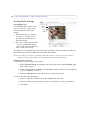
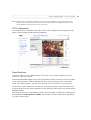
• Include windows target specific areas within the image
• Exclude windows are areas to be ignored within the Include window
Once configured, the motion detection windows will appear in a list when motion
detection is selected to trigger an event. See How to set up a triggered event above.
Note: Using the motion detection feature may decrease overall performance in the Video Server.
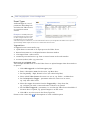
How to configure Motion Detection
This example describes how to configure Video 1 for motion detection:
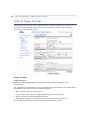
1. Click Motion Detection in the Event Configuration menu.
2. Select video source 1 from the menu (AXIS 241Q/QA only).
3. Click the Configure Included Windows radio button.
4. Click New.
5. Enter a descriptive name of your choice under Windows name.