1
Intel® Server System SR2500AL
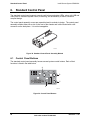
Standard Control Panel
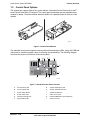
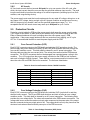
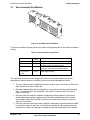
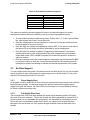
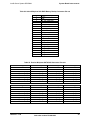
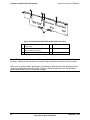
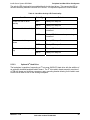
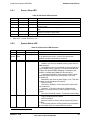
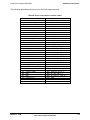
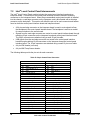
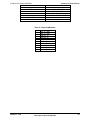
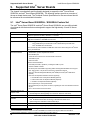
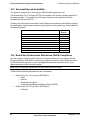
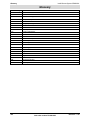
Table 42. Control Button and Intrusion Switch Functions
Reference
A
B
Feature
Power /
Sleep Button
ID Button
C
D
Reset Button
NMI Button
6.2
Function
Toggles the system power on/off. This button also functions as a Sleep
Button if enabled by an ACPI-compliant operating system.
Toggles the front panel ID LED and the server board ID LED on/off. The
server board ID LED is visible through the rear of the chassis and allows
you to locate the server you’re working on from behind a rack of servers.
Reboots and initializes the system.
Pressing the recessed button with a paper clip or pin puts the server in a
halt state for diagnostic purposes and allows you to issue a non-maskable
interrupt. After issuing the interrupt, a memory download can be performed
to determine the cause of the problem.
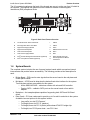
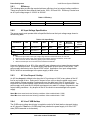
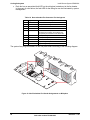
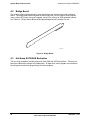
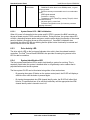
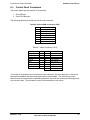
Control Panel LED Indicators
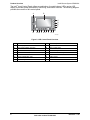
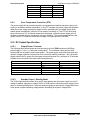
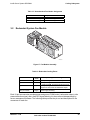
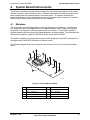
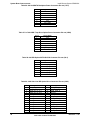
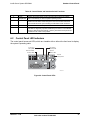
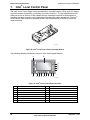
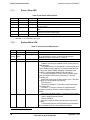
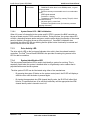
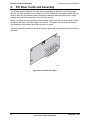
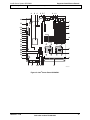
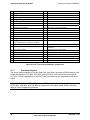
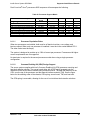
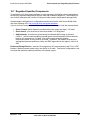
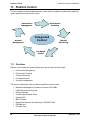
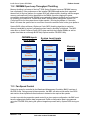
The control panel houses six LEDs, which are viewable with or without the front bezel to display
the system’s operating state.
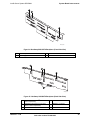
Power and
Sleep LED
NIC1 and NIC2
Activity LEDs
Hard Drive
Activity LED
System
Status LED
System
Identity LED
TP02112
Figure 40. Control Panel LEDs
Revision – 1.00
57
Intel order number D31980-004