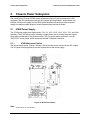
1
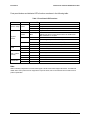
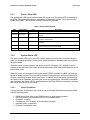
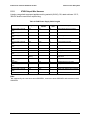
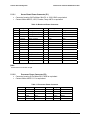
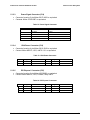
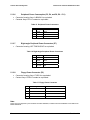
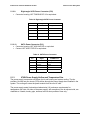
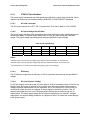
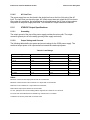
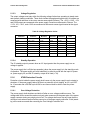
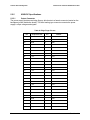
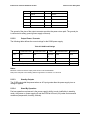
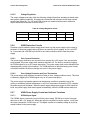
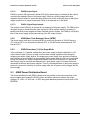
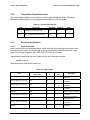
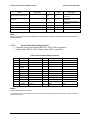
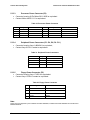
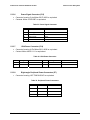
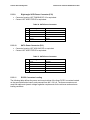
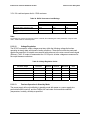
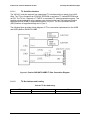
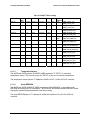
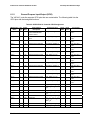
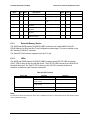
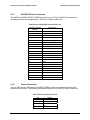
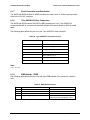
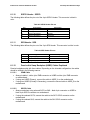
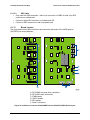
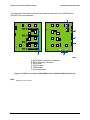
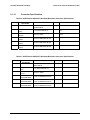
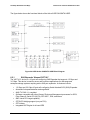
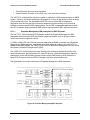
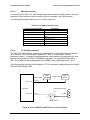
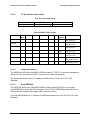
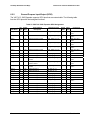
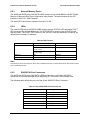
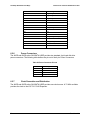
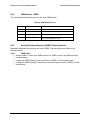
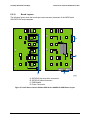
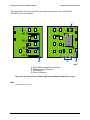
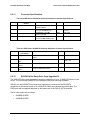
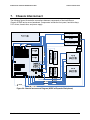
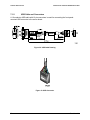
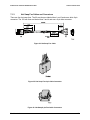
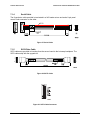
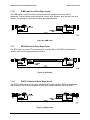
Intel® Server Chassis SC5400 5U Kit TPS 6.1.10 Hot Swap Hard Disk Drive Bays SGPIO Header - SGPIO The following table defines the pin-out of the 4-pin SGPIO Header. This connector is black in color. Table 48. SGPIO Header Pin-out Pin 6.1.11 1 Signal Name SGPIO_CLK Clock Description 2 SGPIO_LOAD Load 3 SGPIO_DATAOUT0 DATAIN 4 SGPIO_DATAOUT1 DATAOUT SES Header - SES The following table defines the pin-out of the 3-pin SES Header. This connector is white in color. Table 49. SES Header Pin-out Pin 6.1.12 1 Signal Name SMB_HBA_I2C_DAT Data Description 2 GND Ground 3 SMB_HBA_I2C_CLK Clock Passive Hot Swap Backplane (HSBP) Cables Explained Passive backplanes ship with three cables. Depending on the intended configuration, the cables should be utilized in the following manner: 6.1.12.1 Always Installed – white 4-pin IPMB connector on HSBP to white 4 pin IPMB connector on motherboard If using one HSBP (Primary), connect the cable to HSBP_A on the motherboard If using two HSBPs (Primary & Secondary), connect the second cable to HSBP_B on the motherboard 6.1.12.2 IPMB Cable SGPIO Cable Always used when using onboard SATA or SAS – black 4-pin connector on HSBP to black 4-pin SGPIO connector on motherboard If using the onboard SATA, connect the cable to the SATA GPIO connector on the motherboard If using the onboard SAS, connect the cable to the SAS GPIO connector on the motherboard Revision: 1.0 59