1
Network Analysis Module (NM-NAM)
show interfaces analysis-module
show interfaces analysis-module
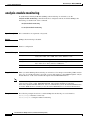
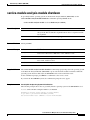
To display status, traffic data, and configuration information about the analysis module interface, use the
show interfaces analysis-module command in user EXEC or privileged EXEC mode.
show interfaces analysis-module slot/unit
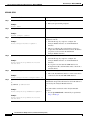
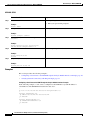
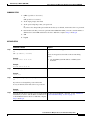
Syntax Description
slot
Number of the router chassis slot for the network module.
/unit
Number of the daughter card on the network analysis module (NAM). For
NAM, always use 0.
Command Modes
User EXEC
Privileged EXEC
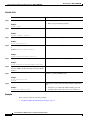
Command History
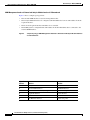
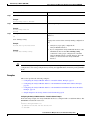
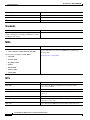
Release
Modification
12.3(4)XD
This command was introduced on the following platforms:
Cisco 2600XM series, Cisco 2691, Cisco 3660, Cisco 3725, and Cisco 3745.
12.3(7)T
This command was integrated into Cisco IOS Release 12.3(7)T.
12.3(8)T4
This command was implemented on the following platforms: Cisco 2811,
Cisco 2821, and Cisco 2851.
12.3(11)T
This command was implemented on the Cisco 3800 series.
Usage Guidelines
The analysis module interface is a Fast Ethernet interface on the router that connects to the internal
interface on the Network Analysis Module (NM-NAM).
Examples
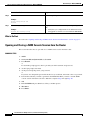
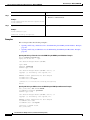
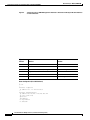
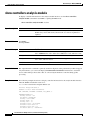
The command in the following example displays status, traffic data, and configuration information about
the analysis module interface when the NM-NAM is installed in slot 2 of a Cisco 3745.
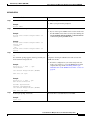
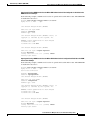
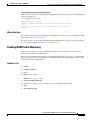
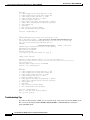
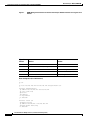
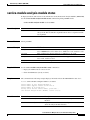
Router# show interfaces analysis-module 2/0
Network-Analyzer2/0 is up, line protocol is up
Hardware is I82559FE, address is 0001.a535.0920 (bia 0001.a535.0920)
Internet address is 10.1.1.1/24
MTU 1500 bytes, BW 100000 Kbit, DLY 100 usec,
reliability 255/255, txload 1/255, rxload 1/255
Encapsulation ARPA, loopback not set
Keepalive set (10 sec)
ARP type: ARPA, ARP Timeout 04:00:00
Last input 00:00:26, output 00:00:00, output hang never
Last clearing of "show interface" counters never
Input queue: 0/75/0/0 (size/max/drops/flushes); Total output drops: 4682
Queueing strategy: fifo
Output queue: 0/60 (size/max)
5 minute input rate 0 bits/sec, 0 packets/sec
5 minute output rate 36000 bits/sec, 22 packets/sec
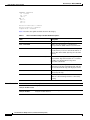
905 packets input, 38190 bytes, 0 no buffer
Received 0 broadcasts, 0 runts, 0 giants, 0 throttles
Cisco IOS Release: Multiple releases (see the Feature History Table)
69