1
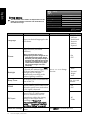
Picture
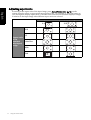
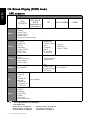
The available menu items are dependent on the
input source being selected. The illustration is
for reference only.
Standard
16
16
16
4
Normal
16
7.5 IRE
BACK
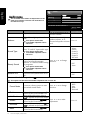
Item
Picture Mode
Function
To restore a factory preset or user
customised picture mode.
You can also press Preset/
yellow button
to jump to a
picture mode directly.
English
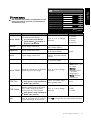
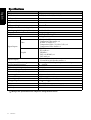
Picture menu
Picture Mode
Contrast
Brightness
Colour
Sharpness
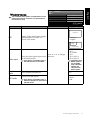
Colour TEMP.
NTSC Tint
NTSC Setup
Operation
Back
Range
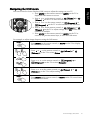
Press or to change
selection.
•
•
•
•
Dynamic
Standard
Cinema
Personal
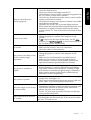
Press for brighter whites,
for darker whites.
Press for brighter blacks,
Brightness
Adjusts image black level.
for darker blacks.
0 to 64
Pressfor more intense
Colour
Adjusts image colour level.
colours, for less intense
colours.
Pressfor sharper image, 0 to 8
Sharpness
Adjusts image sharpness level.
for softer image.
• Cool: Biased
toward blue - for
PC input
•
Normal:
the colour tint of the black Press or to change
Colour TEMP. Adjusts
Standard video/
and white part of the image.
selection.
TV colour
temperature
• Warm: Biased
toward red
Adjusts colour tint
Pressfor redder tones,
NTSC Tint
0 to 32
This option is only available for for greener tones
Contrast
Adjusts image white level.
NTSC video sources.
NTSC Setup
Sets up the NTSC video display
format to match that of the input
NTSC video input from other
devices (such as a DVD player).
Press or to change
selection.
• 0 IRE
• 7.5 IRE
This option is only available for
NTSC video sources.
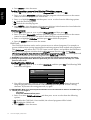
Auto
Automatically adjusts frequency,
phase, H. position and V. position
to place the image on the screen.
Press OK to begin the auto adjustment function.
On-Screen Display (OSD) menu
31