1
Working with a Flash Disk
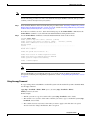
System# mkdir disk1:daily_dir
Created dir disk1:daily_dir
System# dir
Directory of disk1:/
1
drw-
0
Jul 25 1998 10:15:43
daily_dir
48755200 bytes total (48751104 bytes free)
System#
Note
If you create a directory and place a file in it that you plan to access or use later on, be sure to define the
entire directory path to the file as you enter the appropriate software commands.
For example, if you placed the file itsa.file into the directory daily_dir on the Flash Disk in PC Card slot
1, you must designate the entire directory path as follows: disk1:daily_dir/itsa.file. Otherwise, the
system might not be able to locate this file.
Using the rmdir Command
To remove a directory from the Flash Disk, use the rmdir command. The following example shows how
to remove the directory daily_dir from the Flash Disk in PC Card slot 1, and then verify that it was
removed:
System# rmdir disk1:daily_dir
Delete disk1:daily_dir? [confirm] y
Removed dir disk1:daily_dir
System# dir
Directory of disk1:/
No files in directory.
48755200 bytes total (48751104 bytes free)
System#
Using the delete Command
To delete a file from a Flash Disk, use the delete command. Use the dir command to find the file you
want to delete, and then use the delete command to delete it.
The following example shows how to find a file (called fun1) on the Flash Disk in PC Card slot 0, delete
the file, and then verify that it is deleted:
Step 1
Find the file you want to delete:
System# dir
Directory of disk0:/
1
drw-
0
May 10 1998 09:54:53 fun1
48755200 bytes total (48742912 bytes free)
Step 2
Delete the file fun1:
System# delete disk0:fun1
Step 3
Verify that the file fun1 is deleted:
System# dir
Using the Flash Disk
OL-6452-04
23