1
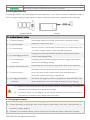
(4) Checking the battery life: When the battery is powered off; press and hold the battery power button for 5
seconds to check the battery life. The battery level indicators will show the life and the battery power indicator
will blink for 10 seconds, then all LEDs will light out and the intelligent battery will turn off. Refer to < Battery
Level Indicator Description> for details.
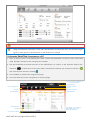
More battery information is available in the battery tab of the PHANTOM 2 Assistant.
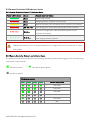
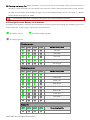
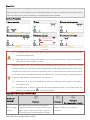
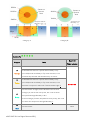
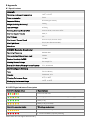
4.4 Description of the Battery Level Indicator
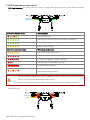
The battery level indicators will show the current battery level during both the charging and discharging process as
well as battery life. The following is a description of the indicators.
: The LED is solid on
: The LED will blink regularly
: The LED is light off
Charging process
LED1
LED2
LED3
LED4
Current battery level
0%~25%
25%~50%
50%~75%
75%~100%
Full charged
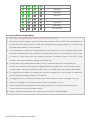
Discharging process
LED1
LED2
LED3
LED4
Current battery level
87.5%~100%
75%~87.5%
62.5%~75%
50%~62.5%
37.5%~50%
25%~37.5%
12.5%~25%
0%~12.5%
<0%
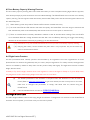
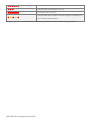
Battery life
LED1
LED2
LED3
LED4
Current battery life
90%~100%
©2013-2015 DJI. All Rights Reserved.21 |