1
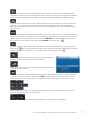
If you want to listen to an internet radio station, do the following: Go to the root menu with the key. There please move to the menu item Internet Radio with the keys and confirm your selection with the key OK. Now you see a menu list with several sorting criteria, which help you to find a desired radio station. E.g. in one menu you find only radio stations in the country the Stream Box DS net is connected to the internet (in the shown display Germany). In Genre you can find radio stations specialized to one music type. In Search Stations you can enter the name of the desired station with the alphanumeric keys of the remote control. For entering characters refer to the instructions for entering the WLAN key (page 10). A podcast is a radio program, that is not broadcasted live but stored on a computer. From there it can be retrieved over the internet. With the Stream Box DS net menu items Search Podcasts, Podcast by Location and Podcast by Genre the search for interesting programs is very convenient and easy. If you want to compile a favorites list on the vTuner internet site, you have to get the access code for this site first. In the menu Internet Radio go to the item Get access code with the keys of the remote control and confirm. © Pro-Ject Audio Systems · Stream Box DS net · Version: December 1st, 2014 15