1
Table of contents
Supplied accessories
The following are supplied with the HP-A3.
• USB cable x 1
• Rubber feet x 4
• Owner’s manual (this manual)
Safety instructions. . . . . . . . . . . . . . . . . . . E-2
Table of contents. . . . . . . . . . . . . . . . . . . . E-3
Introduction. . . . . . . . . . . . . . . . . . . . . . . . . E-3
Overview . . . . . . . . . . . . . . . . . . . . . . . . . . . E-3
Supplied accessories . . . . . . . . . . . . . . . . E-3
About power supply . . . . . . . . . . . . . . . . . E-3
FCC (U.S.A.) & ICES-003 (Canada)
Information . . . . . . . . . . . . . . . . . . . . . . . . . E-3
Names and functions
After purchasing the HP-A3, check all accessories
are included in the package. The four rubber feet
should be placed on the bottom panel yourself.
About power supply
The HP-A3 runs on USB bus power. Therefore
when you use the HP-A3, regardless of the input
source, it must be USB-connected to a computer
that is turned on.
Front panel. . . . . . . . . . . . . . . . . . . . . . . . E-4
Rear panel. . . . . . . . . . . . . . . . . . . . . . . . . E-4
Computer connection and settings
Computer requirement. . . . . . . . . . . . . . . E-5
Connection. . . . . . . . . . . . . . . . . . . . . . . . E-5
Basic computer setting. . . . . . . . . . . . . . . E-5
Mac OS. . . . . . . . . . . . . . . . . . . . . . . . . E-5
Windows Vista . . . . . . . . . . . . . . . . . . . E-6
Windows XP. . . . . . . . . . . . . . . . . . . . . E-6
Detail settings. . . . . . . . . . . . . . . . . . . . . . E-6
Mac OS. . . . . . . . . . . . . . . . . . . . . . . . . E-6
Windows Vista . . . . . . . . . . . . . . . . . . . E-6
Windows XP. . . . . . . . . . . . . . . . . . . . . E-6
Computer sound volume . . . . . . . . . . . . . E-6
Connection example. . . . . . . . . . . . . . . . . E-7
FCC (U.S.A.) & ICES-003 (Canada)
Information
1. IMPORTANT NOTICE
This product, when installed as indicated in the
instructions contained in this manual, meets FCC and
ICES-003 requirements. Changes or modifications
not expressly approved by Fostex Company for
compliance could void the user’s authority to operate
the equipment. DO NOT MODIFY THIS PRODUCT.
2. IMPORTANT
In order to comply with FCC and ICES-003
requirements, use high quality shielded cables for
connection to accessories and / or another products.
If any cables are supplied with this product, they
MUST be used. Follow all installation instructions.
Failure to do so could void your FCC / ICES-003
authorization to use this product in the USA / Canada.
HP-A3 settings
[INPUT SEL] switch setting. . . . . . . . . . . . E-7
[OUTPUT SEL] switch setting. . . . . . . . . . E-7
Volume setting . . . . . . . . . . . . . . . . . . . . . E-7
Specifications. . . . . . . . . . . . . . . . . . . . . . . E-7
Declaration of EC Directive . . . . . . . . . . . E-8
Fostex distributors list in Europe . . . . . . E-8
3. NOTE
This equipment has been tested and found to
comply with the limits for a Class B digital device,
pursuant to Part 15 of the FCC Rules. These limits are
designed to provide reasonable protection against
harmful interference in a residential installation. This
equipment generates, uses and can radiate radio
frequency energy and, if not installed and used in
accordance with instructions, may cause harmful
interference to radio communications. However, there
is no guarantee that interference will not occur in a
particular installation. If this equipment does cause
harmful interference to radio or television reception,
which can be determined by turning the equipment
off and on, the user is encouraged to correct the
interference by one or more of the following measures:
Introduction
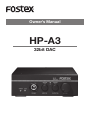
Thank you very much for purchasing the Fostex HPA3 32-bit DA converter.
To ensure the best performance, read this manual
thoroughly before using the unit. Keep this manual
handy for future reference.
Overview
The Fostex HP-A3 is the high performance 32-bit DA
converter with a high quality headphone amplifier.
The HP-A3 receives a digital audio signal from a
USB-connected computer or a digital audio device
connected by an optical cable and convert it to an
analog signal, which is fed from the analog line output connectors as well as the headphones output
connectors.
- Reorient or relocate the receiving antenna.
- Increase the separation between the equipment
and receiver.
- Connect the equipment into an outlet different
from that to which the receiver is connected.
E-3