1
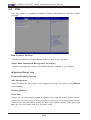
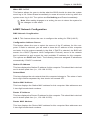
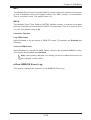
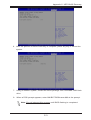
Chapter 4: AMI BIOS Load Onboard LAN Option ROM Select Enabled to enable the onboard LAN1 Option ROM~LAN5 or LAN7 Option ROM. This is to boot the computer using a network device. The default setting for LAN1 Option ROM is Enabled, and the default settings for the other LAN option ROMs Option are Disabled. ACPI Settings WHEA Support This feature Enables the Windows Hardware Error Architecture (WHEA) support for the Windows 2008 (or a later version) operating system. The options are Enabled and Disabled. Super IO Configuration Super IO Chip AST2400 Serial Port 1 Configuration /Serial Port 2 Configuration This submenu allows the user the configure settings of Serial Port 1 or Serial Port 2. Serial Port Select Enabled to enable the a selected onboard serial port. The options are Enabled and Disabled. Device Settings This item displays the status of a serial part specified by the user. Change Settings This feature specifies the base I/O port address and the Interrupt Request address of a serial port specified by the user. Select Auto to allow the BIOS to automatically assign the base I/O and IRQ address. The options for Serial Port 1 are Auto, (IO=3F8h; IRQ=4), (IO=3F8h; IRQ=3, 4, 5, 6, 7, 9, 10, 11, 12), (IO=2F8h; IRQ=3, 4, 5, 6, 7, 9, 10, 11, 12), (IO=3E8h; IRQ=3, 4, 5, 6, 7, 9, 10, 11, 12) and (IO=2E8h; IRQ=3, 4, 5, 6, 7, 9, 10, 11, 12). The options for Serial Port 2 are Auto, (IO=2F8h; IRQ=3), (IO=3F8h; IRQ=3, 4, 5, 6, 7, 9, 10, 11, 12), (IO=2F8h; IRQ=3, 4, 5, 6, 7, 9, 10, 11, 12), (IO=3E8h; IRQ=3, 4, 5, 6, 7, 9, 10, 11, 12) and (IO=2E8h; IRQ=3, 4, 5, 6, 7, 9, 10, 11, 12). Device Mode Use this feature to set the optimal setting for a super I/O device. The options are 24MHz/13 and 24MHz. 4-21