1
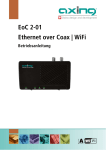
Operation Instructions | EoC 2-01 | Ethernet over Coax | WiFi
Contents
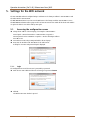
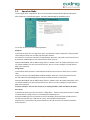
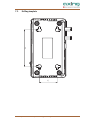
1. Product description ....................................................................................................................................... 4 1.1. Disposal of wastes ................................................................................................................................ 4 1.2. Scope of delivery................................................................................................................................... 4 1.3. Field of application ............................................................................................................................... 5 1.4. Connections, indications, operating elements ...................................................................................... 6 1.5. Application examples ........................................................................................................................... 7 1.5.1. Feeding in of IP data in a SAT-IF distribution structure: ............................................................... 7 1.5.2. Feeding in of IP data in a CATV distribution structure: ................................................................ 8 1.5.3. Feed in of IP data in a headend system: ....................................................................................... 8 2. Installation and commissioning .................................................................................................................... 9 3. Basic functions ............................................................................................................................................ 10 3.1. Standby mode: .................................................................................................................................... 10 3.2. EoC Reset button: ............................................................................................................................... 10 3.3. EoC Reset Function: ............................................................................................................................ 10 3.4. WiFi WPS/Reset button: ...................................................................................................................... 10 3.5. WiFi access: ........................................................................................................................................ 10 4. EoC network with encryption ...................................................................................................................... 11 4.1. Pair or group formation: ..................................................................................................................... 11 5. Settings for the WiFi network...................................................................................................................... 12 5.1. Accessing the configuration screen..................................................................................................... 12 5.1.1. Login .......................................................................................................................................... 12 5.2. Operation Mode ................................................................................................................................. 13 5.3. Wireless Settings ................................................................................................................................ 14 5.3.1. Wireless Basic Settings ............................................................................................................... 14 5.3.2. Wireless Security Setup .............................................................................................................. 14 5.3.3. Wireless Site Survey.................................................................................................................... 15 5.3.4. Wireless Advanced Settings........................................................................................................ 15 5.4. Wireless Schedule ............................................................................................................................... 16 5.5. TCP/IP Settings ................................................................................................................................... 16 5.5.1. LAN Interface Setup ................................................................................................................... 16 5.6. Management ...................................................................................................................................... 17 5.6.1. Access Point Status .................................................................................................................... 17 5.6.2. Statistics ..................................................................................................................................... 17 5.6.3. Time Zone Setting ...................................................................................................................... 18 5.6.4. System Log ................................................................................................................................. 18 5.6.5. Upgrade Firmware ...................................................................................................................... 19 5.6.6. Save / Reload Settings ................................................................................................................ 19 5.6.7. Password Setup .......................................................................................................................... 20 6. Troubleshooting .......................................................................................................................................... 21 6.1. LEDs .................................................................................................................................................... 21 7. Technical data ............................................................................................................................................. 22 7.1. Data sheet .......................................................................................................................................... 22 7.2. Drilling template ................................................................................................................................. 23 2
2015-01-1916 | © AXING AG Schweiz | Konstrukions -, Typenänderung, Irrtümer und Druckfehler vorbehalten