1
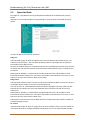
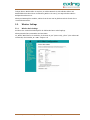
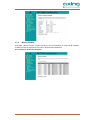
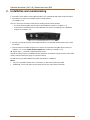
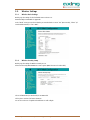
5. Settings for the WiFi network The EoC 2-01 WiFi modem is configured using a web browser. The factory IP address is 192.168.100.111 and the subnet mask is 255.255.255.0. The WiFi WPS/Reset button is used to reset the WiFi router to the factory IP address 192.168.100.111. Press the WiFi WPS/Reset button and keep it pressed for at least 10 seconds. Then switch off the device and switch it on again. The device is now in the delivery state again. 5.1. Accessing the configuration screen Change the IP address of the PC / laptop, for example to 192.168.100.11: Control panel > Network connections > LAN connection >Properties > Internet protocol version 4 TCP/IPv4 > Properties > Use the following IP address: Press OK to save. Connect the EoC 2-01 using a LAN patch cable to the PC / laptop. Now enter the IP address 192.168.100.111 in the web browser. A dialog for user name and password input is displayed. 5.1.1. Login The configuration screen of the EoC 2-01 is protected by a password. Enter the user name admin and then the ex-factory preset password 000000 Note: Change the default password (see 5.5.7 on page 21)! Click Ok. The Wireless AP router window is opened. 2015-10-05 | © AXING AG Schweiz | Konstrukions -, Typenänderung, Irrtümer und Druckfehler vorbehalten 13