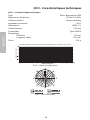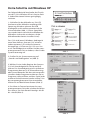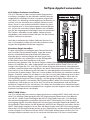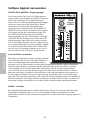
1
PROFESSIONAL MICROPHONES DYNAMIC USB MICROPHONE Copyright 2005 - 2006, Samson Technologies Corp. Printed November, 2007v2.0 Samson Technologies Corp. 45 Gilpin Avenue Hauppauge, New York 11788-8816 Phone: 1-800-3-SAMSON (1-800-372-6766) Fax: 631-784-2201 www.samsontech.com Table of Contents ENGLISH Introduction . . . . . . . . . . . . . . . . . . . . 1 Q1U Features . . . . . . . . . . . . . . . . . . . 1 Installing the Q1U . . . . . . . . . . . . . . . . 2 Getting Started with MAC OS X . . . . . . . 3 Getting Started with Windows XP . . . . . . 4 Using the Softpre Applet . . . . . . . . . . . 5 Setting a Good Level . . . . . . . . . . . . . . 5 Using the Softpre Applet . . . . . . . . . . . 6 Operating the Q1U . . . . . . . . . . . . . . . 7 Powering the Q1U . . . . . . . . . . . . . . . . 7 Polar Pattern . . . . . . . . . . . . . . . . . . . 7 Microphone Placement . . . . . . . . . . . . 7 Setting Up the Signal Level . . . . . . . . . . 8 P-Popping . . . . . . . . . . . . . . . . . . . . . 8 Stand Mounting the Q1U . . . . . . . . . . . 8 Q1U Specifications . . . . . . . . . . . . . . . 9 FRANÇAIS Introduction . . . . . . . . . . . . . . . . . . . Q1U — Caractéristiques . . . . . . . . . . . Installation du Q1U . . . . . . . . . . . . . . Mise en oeuvre sous MAC OS X . . . . . . Mise en oeuvre avec Windows XP . . . . . Utilisation du logiciel Softpre . . . . . . . . Obtention d’un niveau optimal . . . . . . Utilisation du logiciel Softpre . . . . . . . Utilisation du Q1U . . . . . . . . . . . . . . . Alimentation du Q1U . . . . . . . . . . . . . Structure polaire . . . . . . . . . . . . . . . . Positionnement du micro . . . . . . . . . . Réglage du niveau du signal . . . . . . . . Bruits de pop . . . . . . . . . . . . . . . . . . Installation du Q1U sur pied . . . . . . . . Q1U - Caractéristiques techniques . . . . DEUTSCHE Einleitung . . . . . . . . . . . . . . . . . . . . Q1U Features . . . . . . . . . . . . . . . . . . Q1U installieren . . . . . . . . . . . . . . . . Erste Schritte mit MAC OS X . . . . . . . . . Erste Schritte mit Windows XP . . . . . . . Softpre Applet verwenden . . . . . . . . . Softpre Applet verwenden . . . . . . . . . Q1U betreiben . . . . . . . . . . . . . . . . . Q1U mit Spannung versorgen . . . . . . . Richtcharakteristik . . . . . . . . . . . . . . Mikrofon-Platzierung . . . . . . . . . . . . . Signalpegel einstellen . . . . . . . . . . . . P-Popping . . . . . . . . . . . . . . . . . . . . Ständermontage des Q1U . . . . . . . . . . Q1U Technische Daten . . . . . . . . . . . . 10 10 11 12 13 14 14 15 16 16 16 16 17 17 17 18 19 19 20 21 22 23 24 25 25 25 25 26 26 26 27 ESPAÑOL Introducción . . . . . . . . . . . . . . . . . . Características del Q1U . . . . . . . . . . . . Instalación del Q1U . . . . . . . . . . . . . . Puesta en marcha con MAC OS X . . . . . Puesta en marcha con Windows XP . . . . Uso del programa Softpre Applet . . . . . Ajuste de un buen nivel . . . . . . . . . . . Uso del programa Softpre Applet . . . . . Manejo del Q1U . . . . . . . . . . . . . . . . Encendido del Q1U . . . . . . . . . . . . . . Patrón polar . . . . . . . . . . . . . . . . . . Colocación del micrófono . . . . . . . . . . Ajuste del nivel de señal . . . . . . . . . . . Petardeos o "P-Popping" . . . . . . . . . . . Montaje del Q1U sobre un soporte . . . . Especificaciones del Q1U . . . . . . . . . . ITALIANO Introduzione . . . . . . . . . . . . . . . . . . Q1U - Caratteristiche . . . . . . . . . . . . . L'Installazione del Q1U . . . . . . . . . . . . Come Iniziare con MAC OS X . . . . . . . . Come Iniziare con Windows XP . . . . . . L'uso dell'Applet Softpre . . . . . . . . . . . Come Ottenere un Buon Livello . . . . . . L'Uso dell'Applet Softpre . . . . . . . . . . L'Uso del Q1U . . . . . . . . . . . . . . . . . . L'Alimentazione del Q1U . . . . . . . . . . La Risposta Polare . . . . . . . . . . . . . . . Il Posizionamento del Microfono . . . . . La Regolazione del Livello del Segnale . . P-Popping . . . . . . . . . . . . . . . . . . . . Il Montaggio su Asta del Q1U . . . . . . . . Q1U - Specifiche . . . . . . . . . . . . . . . . 28 28 29 30 31 32 32 33 34 34 34 34 35 35 35 36 37 37 38 39 40 41 41 42 43 43 43 43 44 44 44 45 In these pages, you’ll find a detailed description of the features of the Q1U Dynamic USB Microphone, as well as step-by-step instructions for its setup and use, and full specifications. You’ll also find a warranty card enclosed—please don’t forget to fill it out and mail it in so that you can receive online technical support and so we can send you updated information about these and other Samson products in the future. With proper care, your Q1U will operate trouble free for many years. We recommend you record your serial number in the space provided below for future reference. Serial number: __________________________ Date of purchase: ________________________ Should your unit ever require servicing, a Return Authorization number (RA) must be obtained before shipping your unit to Samson. Without this number, the unit will not be accepted. Please call Samson at 1-800-3SAMSON (1-800-372-6766) for a Return Authorization number prior to shipping your unit. Please retain the original packing materials and if possible, return the unit in the original carton and packing materials. Q1U Features • Dynamic Microphone with USB Digital Output. •Compatible with any computer based Digital Audio Workstation. •The extremely detailed sound reproduction makes it ideal for recording vocals, acoustic instruments and just about any other sound source. •High Quality AD convertor with 16 Bit, 48K sampling rate. •Downloadable Softpre applet for MAC and PC provide additional features like Programmable Gain, LED Input Metering, Low Cut Filter, and Phase. • Super Cardioid pick-up pattern. • Solid Die Cast construction. •Mic Stand Mount and 10 foot USB cable included. ENGLISH Congratulations on your purchase of the Samson Q1U Dynamic USB Microphone. The Q1U features a smooth sounding neodymium element, capable of handling high SPL, cleverly interfaced to onboard high quality mic pre, Analog-to-Digital converter and USB output. The Q1U is perfect for recording your music, podcast or any acoustic audio source on your favorite DAW (Digital Audio Workstation). Just plug in the supplied USB cable, launch your DAW and start recording. For expanded control, install the Samson Softpre applet software and you'll have additional features like programmable GAIN, Low Cut Filter, Input Metering and Phase switch. The Q1U faithfully reproduces a variety of sound sources including vocals, acoustic instruments and overhead cymbals, to name a few and because the Q1U can handle high SPL you can use it on drums or in front of a loud guitar amp. The extended frequency and fast transient response insures an accurate reproduction with linear characteristics from bottom to top. ENGLISH Installing the Q1U Installing the Q1U is a simple procedure that takes just a few minutes. Since the Q1U is USB compliant, you can use either a MAC or PC, connect the included USB cable and plug and play. You will be able to control your Q1U using the standard audio interface controls in the MAC or Windows operating system. You will find detailed instructions on setting up with MAC OS and Windows in the following sections of this manual. For expanded control you can install the Samson Q1U Softpre applet software which will give you programmable Gain and a digital Input Meter so you can adjust the internal digital microphone pre-amplifier to the correct level. You can also use the Low Cut Filter to remove unwanted low frequency rumble. There's even a Phase switch so you can invert the signal polarity when using multiple microphones. Since it is possible to adjust the level of the signal from the operating system preferences, and in your recording software, it's a good idea to be familiar with these controls in the MAC or Windows operating system. Therefore, we recommend that you follow the section Getting Started with Windows XP or Getting Started with MAC OS X before installing the Samson Softpre applet software. IMPORTANT NOTE: The Softpre applet is not compatible with every recording software program, so we recommend that you install the microphone on your computer without the Softpre first. Then, please check our website for a list of programs that work with the Softpre applet. Getting Started with MAC OS X The following example is for setting up the Q1U in MAC OS X . ENGLISH 1. Plug in microphone. The LED will light to indicate it is receiving USB power. The MAC will recognize the USB audio device and automatically install a universal driver. 2. To select the Q1U as the computers audio input, open the System Preferences from the dock or the main Apple Menu (figure 1). Figure 1 3. Next open the Sound preference (figure 2). 4. Now, click in the Input tab and select Q1U (figure 3). Figure 2 SAMSON Q1U Figure 3 ENGLISH Getting Started with Windows XP The following example is for setting up the Q1U in Windows XP with Service Pack 2. Other versions may vary slightly. 1. Plug in microphone. The LED will light to indicate it is receiving USB power. Windows will recognize the USB audio device and automatically install the universal drivers (figure 1). (These balloons will not appear next time you plug it in, as the microphone drivers are already installed.) Figure 1 The Q1U is now recognized as a Windows audio device under the name Samson Q1U. Each additional Q1U will have a number added, such as Samson Q1U (2), and so on. To set it as the default device and change computer-controlled gain, access control panel. Figure 2 2. Access Sounds and Audio Devices through Control Panel (figure 2). 3. Select Samson Q1U as Sound recording Default device under the Audio tab. The default device is used in simple programs like those for teleconferencing or Sound Recorder. In most pro audio programs you can select which device (or multiple devices) to use within the program itself. To set computer-controlled gain, click the Volume button (figure 3). SAMSON Q1U Figure 3 4. The Wave In window sets the computercontrolled gain or mutes the microphone. The gain is from –62 dB to +48 dB (figure 4). Figure 4 Using the Softpre Applet Once you have the Softpre software installed you can operate your Q1U by following the simple instructions outlined in the following sections of this manual. Setting a Good Level One of the most important fundamentals of good audio engineering is setting proper levels. Even on a small typical mixer, or basic multi-track recorder, there are several controls that affect the level of a signal as it makes it’s way from your sound source to your speakers and then, ultimately, the level of your headphone or monitor system. These include pre-amp gain, EQ, aux sends and returns, channel fader level, bus or group levels, and finally, the master fader. That’s not to mention the level of the 5:15 train on its way to Pennsylvania station who’s thunderous crossing horn can be picked up from 5 miles away while miking a nylon string guitar, despite the use of double moving blankets over the windows of your project studio. But that’s another story with another set of disciplines. Start off by being aware that anytime you change any control in the audio path, you are probably affecting gain somewhere. Then, be sure to carefully monitor the levels on your input and output meters to avoid a clipped signal. You should never record any peaks in any digital recorder. Also, remember your ear is the most sophisticated and calibrated piece of test gear you have. So, setting a good level should be approached from a technical point of view, and then confirmed, by a creative point of view. INPUT GAIN – Fader The Q1U has an onboard, digitally controlled analog INPUT GAIN stage which is controlled by the Q1U software fader. The fader control provides a range of gain from -62 to +48 dB. The Q1U can accept levels from most any sound source by using the INPUT GAIN fader. You can use the INPUT GAIN control to adjust the level of your input signal. It is a good idea to start with the level low and raise it up as you need. Be sure to monitor the input digital VU METER and try to set the INPUT GAIN control so that the meter reads just below the CLIP indicator. If you see the CLIP indicator light you are “Over–Loading” and the sound may become distorted. If this happens, simply back down on the INPUT GAIN Fader. The CLIP indicator will stay red until you clear it by clicking on the CLIP icon. ENGLISH Installing the Q1U Softpre Software The Q1U can work with most audio software by simply connecting the microphone to your computer using the supplied USB cable. However, to take advantage of the advance features you should install the Samson Softpre software. Getting the software is easy. Just type samsontech.com into your favorite internet browser, look for the Softpre applet link and follow the on screen instructions to download the applet. After you download the applet software, run the installation program and start to use the Samson Softpre software. Using the Softpre Applet ENGLISH DIGITAL VU METER - Input Level To monitor the signal being sent from the Q1U, there is an digital VU METER with a scale from infinity to Digital Maximum or CLIP. The level displayed on the meter will be affected by the Input Gain Fader so be sure that you have that set to the correct position for your sound source. The digital VU METER features “VU” ballistics, which means it reacts to the signal based on an average level. Use the VU METER when you are setting your input level using the GAIN control. Try to set the level so that the meter reads about just below CLIP but so that it never goes to CLIP. If you see the CLIP indicator light you are “Over–Loading” and the sound may become distorted. If this happens, simply back down on the INPUT GAIN Fader. The CLIP indicator will stay red until you clear it by clicking on the CLIP icon. Using the Low Cut Filter Like any good mic pre, the Q1U software features a Low Cut, (or High Pass), filter for attenuating the bottom-end frequencies. The Low Cut filter allows you to remove the lower frequencies that you sometimes just don’t want to pick up. For example, when you are miking a high-hat you only want to capture the frequencies that the hi-hat is producing. Therefore, by using the Low Cut filter, you can reduce the amount of pickup from the low toms and bass drum that may leak into the hi-hat mic. You can use the same technique on other instruments like acoustic guitar, violin, piano and even on vocals. In live sound applications, the Low Cut filter is especially useful for removing stage rumble. The Softpre software provides a variable Low Cut filter that allows you to adjust the exact frequency at which the low frequencies begin to roll-off, or attenuate. PHASE – Switch For a variety of miking and mixing techniques, it may be necessary to invert the signal phase from the source you have plugged into your Q1U and Softpre software. When the PHASE switch is pressed in, the yellow LED will light showing that the input signal is now out-of-phase. Operating the Q1U Powering the Q1U Polar Pattern The most important characteristic of any microphone is its directionality or “pick-up pattern”. There are three basic categories of pick up patterns; omni, bi and uni-directional. Omni mics pick up sound from all directions, bi-directional (figure 8) mics pick up the sound directly in front and back of the microphone while rejecting the sound on the left and right sides, and uni-directional (cardioid) mics pick up the sound in front of the microphone. While omni and bi-directional microphones are very useful for a variety of applications, the majority of “miking” situations in recording and live sound require unidirectional or cardioid microphones. The Q1U's pick-up pattern is super-cardioid, or uni-directional, which offers more rejection at the rear of the mic. The uni-directional nature allows for better separation of instruments in the studio and more control over feedback in live sound reinforcement. When positioned correctly the super-cardioid pick-up pattern allows you to pick up more of the sound you want and less of the sound you don’t want. Microphone Placement In order to maximize the sound quality, you must pay careful attention to the placement of your Q1U and how it is positioned for the instrument or vocalist that you are miking. All microphones, especially uni-directional or cardioid microphones, exhibit a phenomenon known as “proximity effect.” Very simply put, proximity effect is a resulting change in the frequency response of a microphone based on the position of the mic capsule relative to the sound source. Specifically, when you point a cardioid mic directly at the sound source (on axis) you will get the best frequency response, however when you start pointing the microphone slightly away (off axis) you will notice the high frequency response dropping off and the microphone will start to sound more muffled. For most vocal applications you’ll want to position the microphone directly in front of the artist. The same may be true for miking instruments, however, you ENGLISH The Q1U is a dynamic microphone, however since it has internal electronics, e.g. digitally controlled mic pre and analog-to-digital convert, the microphone requires an active power supply. This is not a problem since the Q1U receives its power from the USB bus. Simply connect the microphone to the computers USB port and the microphone is ready to operate. The Q1U features a power on LED, which will illuminate when USB power is present. ENGLISH Operating the Q1U can make some pretty amazing equalization adjustments by slightly changing the angle of the capsule to the sound source. This can be a very useful technique in capturing the optimum sound of drum set, acoustic guitar, piano or other instruments in a live room or sound stage. Experimentation and experience are the best teachers in getting good sounds, so plug in! Setting Up the Signal Level You can adjust the Q1U's internal digitally controlled analog Input Gain stage by using the Softpre software, or you can control the input gain by using the software control in your computer's operating system. Some DAWS control the Q1U's analog pre amp, however some attenuate digitally, so it is better to use the Softpre or operating system level control. Either way, the purpose of the mic trim control is to optimize the amount of good signal to any associated noise. A good mic pre, like the Q1U's Softpre control panel, also will have a LEVEL or CLIP indicators. To set a good level on the mic, set the Q1U up in front of the desired sound source and slowly raise the input trim control until you see the CLIP or Peak indicator light up. Then, turn the input trim control down until the indicator does not light any more. For more information on setting the Input Gain with the Q1U software, see the section "INPUT GAIN - Fader" on page 5 in this manual. P-Popping P-Popping is that annoying pop that you can get when the microphone diaphragm gets a blast of air from a vocalist pronouncing words with the letter “P” included. There are a few ways to deal with the problem. Some famous engineers have relied on an old nylon stocking over a bent clothes hanger, which actually works very well, but can also smell really bad. A more clever solution is to use a external pop filter like the Samson PS01. You can also try placing the microphone slightly off axis (on a slight angle) from the vocalist. This can often solve the problem without using an external pop filter. However, for a more reliable solution, try an external pop filter like the Samson PS-01. Stand Mounting the Q1U The Q1U can be mounted to a standard microphone stand using the included mic clip. If you are using a U.S. 5/8” mic stand, you will need to remove, by unscrewing, the Euro stand adapter. Simply screw the mic clip on to your mic stand or boom arm. If nesccesary, tighten the mic clip screw using a flat head screw driver or coin to secure the microphone in place. Q1U Specifications Q1U Specifications Dynamic USB Microphone Frequency Response 50 Hz - 16 kHz Polar Pattern Super Cardioid Rated Impedance 90Ω Power Supply USB 5V Current < 30mA Connector USB B-type Dimensions Diameter 2.09 in. / 53 mm Total length 6.09 in. / 180 mm Weight 12 oz. / 370 g Specifications subject to change without notice. Q1U Frequency Response Q1U Polar Pattern ENGLISH Type FRANÇAIS Introduction Merci d’avoir choisi le micro dynamique USB Samson Q1U. Le Q1U est équipé d’une capsule au néodyme garantissant un son homogène avec les niveaux sonores élevés. Il est combiné de façon ingénieuse à un préampli micro et un convertisseur Analogique/Numérique intégrés de haute qualité, ainsi qu’à une sortie USB. Le Q1U est parfait pour l’enregistrement, les Podcasts ou toute source audio acoustique avec votre application d’enregistrement sur ordinateur. Il vous suffit de connecter le cordon USB fourni et de lancer l’application d’enregistrement. Pour disposer de réglages supplémentaires, installez le logiciel Samson Softpre : Vous bénéficiez alors d’un réglage de gain programmable, d’un filtre passe-haut, d’un afficheur de niveau et d’un sélecteur de phase. Le Q1U reproduit avec fidélité de nombreuses sources comme les chants, les instruments acoustiques, les Overheads de cymbales, etc. De plus, le Q1U peut supporter les niveaux sonores élevés, ce qui permet de l’installer devant les amplis guitare puissants ou sur une batterie. Sa réponse en fréquence très étendue et sa réponse ultra rapide aux transitoires vous garantissent une reproduction précise et linéaire sur la totalité du spectre. Dans ces pages, vous trouverez une description détaillée des fonctions du micro dynamique USB Q1U, des instructions de configuration et d’utilisation pas-à-pas et les caractéristiques techniques. Vous trouverez également une carte de garantie — prenez le temps de la remplir et de nous la renvoyer pour bénéficier de notre assistance technique. Nous vous ferons également parvenir des informations sur les nouveaux produits Samson. Avec un entretien adapté, le Q1U vous donnera satisfaction pendant de très nombreuses années. Prenez le temps de noter le numéro de série et la date d’achat ci-dessous pour toute référence ultérieure. Numéro de série : __________________________ Date d’achat : ________________________ Si vous devez faire réparer cet appareil, vous devez tout d’abord obtenir un numéro de retour auprès de nos services. Sans ce numéro, l’appareil ne sera pas accepté. Appelez Samson au : 1-800-3SAMSON (1-800-372-6766) pour obtenir ce numéro. Utilisez les emballages d’origine pour le retour. Q1U — Caractéristiques • Micro dynamique avec sortie numérique USB. •Compatible avec les systèmes d’enregistrement sur ordinateur. •La reproduction extrêmement fidèle du Q1U en fait le micro idéal pour l’enregistrement des chants, des instruments acoustiques ou de toute autre source. •Convertisseur A/N haute qualité en 16 Bits, à 48 kHz. •Logiciel Softpre (à télécharger) pour MAC et PC, offrant des réglages de gain, un afficheur de niveau, un filtre passe-haut et un inverseur de phase. • Structure polaire super-cardioïde. • Construction moulée ultra fiable. •Support et câble USB de 3 m fournis. 10 Installation du Q1U L’installation du Q1U est très simple et ne prend que quelques minutes. Le Q1U est compatible USB et vous pouvez l’utiliser directement sur un MAC ou sur un PC, en connectant simplement le câble USB fourni. Les réglages audio de vos systèmes d’exploitation MAC ou Windows permettent de contrôler le Q1U. Vous trouverez des instructions détaillées sur la configuration avec MAC OS et Windows dans les sections suivantes de ce mode d’emploi. Étant donné qu’il est possible de régler le niveau du signal depuis les préférences de votre système d’exploitation informatique, ainsi que depuis votre logiciel d’enregistrement, vous devez vous familiariser avec ces réglages dans votre environnement MAC ou Windows. Par conséquent, lisez les sections Mise en oeuvre sous Windows XP ou Mise en oeuvre sous MAC OS X, avant d’installer le logiciel Samson Softpre. REMARQUE : Comme le logiciel Softpre n’est pas compatible avec tous les logiciels d’enregistrement, nous vous conseillons d’installer le micro sur votre ordinateur avant d’installer Softpre. Vous pouvez obtenir la liste des programmes compatibles avec le logiciel Softpre sur notre site Internet. 11 FRANÇAIS Vous pouvez installer le logiciel Softpre du Samson Q1U pour obtenir des réglages supplémentaires. Vous disposez alors d’un réglage de gain programmable et d’un afficheur de niveau vous permettant d’adapter le préamplificateur interne du micro aux signaux enregistrés. Vous pouvez également utiliser le filtre passe-haut pour atténuer les bruits basse fréquence indésirables. De plus, l’inverseur de phase peut s’avérer très pratique lorsque vous utilisez plusieurs micros. Mise en oeuvre sous MAC OS X Cet exemple vous indique comment installer le Q1U avec MAC OS X. FRANÇAIS 1. Connectez le micro. La Led doit s’allumer pour indiquer qu’il reçoit l’alimentation USB. Le MAC reconnaît le périphérique audio USB et installe automatiquement un pilote universel. 2. Pour sélectionner le Q1U comme source audio de l’ordinateur, ouvrez les préférences système dans le Dock ou dans le menu Pomme principal (Figure 1). Figure 1 3. Ouvrez ensuite les préférences Son (Figure 2). 4. Cliquez maintenant sur l’onglet d’Entrée et sélectionnez le Q1U (Figure 3). Figure 2 SAMSON Q1U Figure 3 12 Mise en oeuvre avec Windows XP Cet exemple vous indique comment installer le Q1U avec Windows XP et le Service Pack 2. Les autres versions peuvent varier. 1. Connectez le micro. La Led doit s’allumer pour indiquer qu’il reçoit l’alimentation USB. Windows reconnaît le périphérique audio USB et installe automatiquement le Driver (Figure 1). (Les bulles d’aide contextuelle ne s’affichent que lors de la première installation). Figure 1 FRANÇAIS Le Q1U est reconnu comme un périphérique audio Windows dont le nom est Samson Q1U. Pour chaque Q1U supplémentaire installé, un chiffre est ajouté (par exemple, Samson Q1U (2), etc.). Pour le sélectionner comme périphérique par défaut et modifier le gain réglé par l’ordinateur, affichez le panneau de configuration. Figure 2 2. Affichez les périphériques de Son et Audio depuis le panneau de configuration (Figure 2). 3. Sélectionnez le Samson Q1U comme périphérique d’enregistrement par défaut dans l’onglet Audio. Le périphérique par défaut est utilisé par les programmes simples, comme ceux de téléconférence, ou par l’enregistreur de Windows. Dans la plupart des applications audio pro, vous pouvez sélectionner le(s) périphérique(s) à utiliser directement depuis le programme. Pour régler le gain depuis l’ordinateur, cliquez sur le bouton Volume (Figure 3). SAMSON Q1U Figure 3 4. La fenêtre Wave In détermine le gain et permet de couper le micro. Le gain est réglable de –62 dB à +48 dB (Figure 4). Figure 4 13 Utilisation du logiciel Softpre FRANÇAIS Installation du logiciel Softpre Vous pouvez utiliser le Q1U avec la plupart des logiciels audio en connectant simplement le micro au port USB de l’ordinateur. Ceci dit, pour tirer avantage des fonctions avancées, installez le logiciel Samson Softpre. Il est facile de télécharger ce logiciel : saisissez l’adresse samsontech.com dans votre navigateur Internet, recherchez le lien vers le logiciel Softpre et suivez les instructions à l’écran pour le télécharger. Après avoir téléchargé le programme, lancez l’installation et utilisez le logiciel Samson Softpre. Une fois le logiciel installé, vous pouvez utiliser le Q1U en suivant les conseils donnés dans les sections suivantes. Obtention d’un niveau optimal L’un des principes de base de l’audio réside dans l’obtention d’un niveau de travail convenable. Même les petits mélangeurs ou les enregistreurs multipistes de base sont équipés de réglages qui affectent le niveau du signal dans son trajet entre la source et les enceintes, ainsi que le niveau de votre casque ou de votre système d’écoute. Ces réglages sont : Gain de préamplification, égalisation, départs et retours Aux, Faders de voies, réglages de niveau de bus ou de groupe, et enfin, le Fader général. N’oublions pas le train de 5:15, dont la trompe est tellement bruyante que vous pouvez l’entendre 10 km à la ronde pendant que vous essayez de faire une prise de guitare classique, malgré le fait que vous ayez utilisé toutes les couvertures de la maison pour essayer d’isoler les fenêtres de votre studio. Mais c’est une autre histoire. Vous devez savoir qu’à chaque fois que vous modifiez un réglage dans le trajet du signal, vous modifiez probablement le gain quelque part en aval du trajet. Veillez à contrôler les afficheurs de niveau d’entrée et de sortie pour éviter de saturer le signal. Vous devez éviter d’enregistrer des crêtes avec les enregistreurs audionumériques. Souvenez-vous que votre oreille reste le meilleur outil d’appréciation. L’obtention d’un bon niveau doit être approchée de façon technique et contrôlée à l’écoute. Fader de GAIN D’ENTRÉE Le Q1U est équipé d’un étage interne de réglage du niveau d’entrée analogique, contrôlé de façon numérique par le Fader du logiciel du Q1U. La plage du Fader est réglable de -62 à +48 dB. Le Q1U peut accepter tous les types de niveaux à l’aide du réglage de GAIN D’ENTRÉE, qui sert à déterminer le niveau du signal d’entrée. Il est conseillé de commencer avec un niveau faible et de monter progressivement le réglage. Contrôlez le niveau d’entrée sur l’afficheur et essayez de régler le gain d’entrée de sorte que l’afficheur de niveau reste juste en dessous du niveau d’écrêtage CLIP. Le témoin CLIP s’allume lorsque vous surchargez les circuits, ce qui crée de la distorsion. Lorsque cela se produit, baissez le Fader de gain d’entrée. Le témoin CLIP demeure allumé en rouge jusqu’à ce que vous cliquiez dessus. 14 Utilisation du logiciel Softpre AFFICHEUR DE NIVEAU - Niveau d’entrée Utilisation du filtre passe-haut Comme tout préamplificateur micro de haute qualité, le logiciel du Q1U permet de contrôler un filtre passe-haut Low Cut (ou coupe-bas) servant à atténuer les basses fréquences. Ce filtre passe-haut permet d’atténuer les fréquences de votre choix. Par exemple, lorsque vous faites une prise de charleston, vous pouvez utiliser le filtre passe-haut pour atténuer les fréquences générées par les toms et la grosse caisse. Vous pouvez utiliser la même technique sur d’autres instruments comme les guitares acoustiques, le violon, le piano et même sur les chants. En sonorisation, le filtre passe-haut est très utile pour atténuer les bruits de scène. Le logiciel Softpre est donc équipé d’un filtre passe-haut à fréquence de coupure variable. Touche PHASE Pour de nombreuses applications de prise de son et de mixage, il est nécessaire d’inverser la phase du signal de la source reprise par le Q1U et le logiciel Softpre. Lorsque la touche PHASE est allumée en jaune, le signal d’entrée est déphasé de 180°. 15 FRANÇAIS Pour visualiser le niveau du signal transmis par le Q1U, vous disposez d’un afficheur de niveau avec une plage allant de l’infini à l’écrêtage (CLIP). Le niveau affiché est affecté par le Fader de gain — réglez le gain avec précision en fonction de la source enregistrée. L’afficheur de niveau indique le niveau moyen du signal. Utilisez-le lorsque vous déterminez le niveau d’entrée avec le Fader de gain. Réglez le niveau de sorte que l’affichage reste juste en dessous du témoin d’écrêtage CLIP, sans qu’il ne s’allume. Le témoin CLIP s’allume lorsque vous surchargez les circuits, ce qui crée de la distorsion. Lorsque cela se produit, baissez le Fader de gain d’entrée. Le témoin CLIP demeure allumé en rouge jusqu’à ce que vous cliquiez dessus. Utilisation du Q1U Alimentation du Q1U Le Q1U est un micro dynamique, mais comme il est équipé de circuits internes (préampli micro contrôlé de façon numérique et convertisseur Analogique/ Numérique), il nécessite une alimentation active. Le Q1U est alimenté par le bus USB. Vous n’avez donc qu’à connecter le micro au port USB de votre ordinateur pour l’utiliser. Le Q1U est équipé d’une Led de mise sous tension qui s’allume lorsque le micro est alimenté par le bus USB. FRANÇAIS Structure polaire La directivité est la caractéristique la plus importante des micros. Il existe trois principaux types de diagrammes polaires : omni-directionnel, bi-directionnel et uni-directionnel. Les micros omni-directionnels captent les signaux provenant de toutes les directions, les micros bi-directionnels (figure 8) captent ceux provenant de l’avant et de l’arrière et atténuent les sons latéraux (gauche, droite), et les micros uni-directionnels ne captent que ceux provenant de l’avant. Les micros omni-directionnels et bi-directionnels s’avèrent très pratiques pour bon nombre d’applications. Les situations de prises de son les plus courantes (scène et enregistrement) nécessitent néanmoins l’utilisation d’un micro uni-directionnel (ou cardioïde). Le micro Q1U est de type super-cardioïde (ou uni-directionnel), afin d’offrir une réjection maximale des sons latéraux. L’utilisation d’un micro uni-directionnel permet d’isoler le son des instruments en studio et de réduire les risques de Larsen sur scène. Lorsqu’il est bien positionné, le micro super-cardioïde vous permet de faire ressortir ce que vous souhaitez entendre et d’atténuer encore plus efficacement ce que vous ne souhaitez pas entendre. Positionnement du micro Le positionnement du Q1U par rapport à l’instrument ou au chanteur que vous enregistrez influence directement la qualité sonore finale. Tous les micros, et en particulier les micros uni-directionnels ou cardioïdes, sont très sensibles à un phénomène connu sous le nom “d’effet de proximité”. En termes simples, l’effet de proximité se caractérise par une variation de la réponse en fréquence du micro en fonction de la position de la capsule par rapport à la source sonore. Dans les faits, lorsque vous pointez un micro cardioïde en direction de la source sonore (dans l’axe), la réponse en fréquence s’améliore ; à l’inverse, lorsque vous désaxez le micro par rapport à la source, les hautes fréquences sont atténuées et le son devient plus sourd. Pour la plupart des applications de chant, on cherchera à placer le micro juste devant l’artiste. La même règle peut s’appliquer à la reprise d’instruments. 16 Utilisation du Q1U Cependant, de surprenantes nuances d’égalisation peuvent être obtenues en désaxant très légèrement la capsule par rapport à la source sonore. N’hésitez pas à faire appel à cette technique pour une prise optimale des sons de batterie, de guitare acoustique, de piano ou d’autres instruments, sur scène ou en studio. Rien ne saurait remplacer l’expérience dans le domaine de la prise de son, alors passez à la pratique ! Réglage du niveau du signal Bruits de pop Les “pops” sont des bruits désagréables produits par le micro lorsque le diaphragme reçoit le souffle d’un chanteur prononçant un “P”. Il existe différentes solutions permettant de pallier ce problème. Certains ingénieurs du son parmi les plus prestigieux emploient pour cela un bon vieux bas nylon enfilé sur un porte-manteau tordu et obtiennent d’excellents résultats. Pour de meilleurs résultats, utilisez un filtre anti-pop externe, tel le Samson PS01. Vous pouvez également désaxer légèrement le micro par rapport au chanteur ; cette technique, efficace dans bien des cas, offre l’avantage de rendre inutile le recours à un filtre anti-pop. Installation du Q1U sur pied Le Q1U peut être installé sur un pied standard au moyen de la pince de fixation fournie. Si vous utilisez un pied à la norme américaine 5/8”, dévissez l’adaptateur pour la norme européenne. Vissez simplement la pince du micro sur votre pied ou votre perche. Si nécessaire, utilisez un tournevis à tête plate pour serrer la vis de la pince afin de maintenir le micro en place. 17 FRANÇAIS Vous pouvez contrôler le gain analogique du Q1U à l’aide du logiciel Softpre, ou déterminer le gain d’entrée avec les réglages du système d’exploitation de votre ordinateur et/ou de votre logiciel d’enregistrement audionumérique. Certains logiciels d’enregistrement peuvent contrôler le préampli analogique du Q1U, alors que d’autres applications peuvent atténuer le gain. Il est donc préférable d’utiliser le réglage de niveau du logiciel Softpre ou du système d’exploitation. Dans un cas comme dans l’autre, le réglage de gain du micro vous permet d’optimiser le niveau du signal micro par rapport au bruit de fond induit. Un bon préamplificateur micro, comme celui offert par le panneau de configuration du logiciel du Q1U, est en outre équipé de témoins de niveau et d’écrêtage. Pour obtenir un niveau micro idéal, placez le Q1U en face de la source à enregistrer et augmentez progressivement le gain jusqu’à ce que le témoin CLIP ou PEAK s’allume. Baissez ensuite très légèrement le gain de telle sorte que le témoin reste éteint. Pour de plus amples informations sur le réglage de gain d’entrée du logiciel du Q1U, consultez la section "Fader de GAIN D’ENTRÉE" à la page 7. Q1U - Caractéristiques techniques Q1U — Caractéristiques techniques Type Micro dynamique USB Réponse en fréquence 50 Hz à 16 kHz Structure polaire Super-cardioïde Impédance nominale 90 Ω Alimentation USB, 5 V Consommation < 30 mA Type USB B Dimensions Diamètre Longueur totale Poids 53 mm 180 mm 370 g Ces caractéristiques techniques peuvent être modifiées à tout moment sans préavis. RÉPONSE RELATIVE (dB) FRANÇAIS Connecteur FRÉQUENCE (Hz) Q1U — Réponse en fréquence Q1U — Structure polaire 18 Einleitung Herzlichen Glückwunsch zum Kauf des Samson Q1U USB-Dynamikmikrofons. Das Q1U zeichnet sich aus durch ein ausgewogen klingendes Neodym-Element, das hohe Schalldruckpegel verkraftet und mit dem internen, hochwertigen Mikrofon-Preamp, dem Analog/Digital-Konverter und dem USB-Ausgang eine intelligente Einheit bildet. Das Q1U eignet sich perfekt zum Aufnehmen von Musik, Podcasts oder jeder anderen akustischen Audioquelle mit Ihrer Lieblings-DAW (Digital Audio Workstation). Einfach das mitgelieferte USB-Kabel einstecken, die DAW starten und mit der Aufnahme beginnen. Zur Erweiterung der Steuerungsmöglichkeiten können Sie die Samson Softpre Applet Software installieren und zusätzliche Funktionen, wie programmierbares GAIN, Low Cut-Filter, Input-Anzeige und Phasen-Schalter nutzen. Das Q1U reproduziert mit hoher Klangtreue die verschiedensten Klangquellen, inklusive Gesang, Akustikinstrumente, Overhead-Becken u. v. m. Und da das Q1U hohe Schallpegel verarbeiten kann, ist es auch für Drums oder vor einem lauten Gitarren-Amp einsetzbar. Der erweiterte Frequenzgang und die schnelle Transientenansprache garantieren eine präzise Reproduktion mit linearer Klangcharakteristik über das gesamte Frequenzspektrum. Auf diesen Seiten finden Sie eine detaillierte Erläuterung der Funktionen des Q1U USB Dynamikmikrofons sowie schrittweise Anleitungen für die Einrichtung und Anwendung plus umfassende Spezifikationen. Bitte vergessen Sie nicht, die beiliegende Garantiekarte ausgefüllt an uns zurückzusenden, damit Sie online technischen Support erhalten und wir Ihnen zukünftig aktuelle Informationen über dieses und andere Samson-Produkte zukommen lassen können. Seriennummer: __________________________ Kaufdatum: _____________________________ Sollte Ihr Gerät einmal gewartet werden müssen, besorgen Sie sich vor der Rücksendung an Samson bitte eine Return Authorization Number (RA) (Rückgabeberechtigungsnummer). Ohne diese Nummer wird das Gerät nicht angenommen. Bitte rufen Sie Samson unter der Nummer 1-800-3SAMSON (1-800-372-6766) an, um eine RA-Nummer vor der Rücksendung zu erhalten. Heben Sie bitte das Original-Verpackungsmaterial auf und schicken Sie das Gerät möglichst im Originalkarton und mit dem Originalverpackungsmaterial zurück. Q1U Features • Dynamikmikrofon mit USB Digitalausgang. •Kompatibel mit jeder computerbasierten Digital Audio Workstation. •Durch die extrem detaillierte Klangreproduktion ist das Q1U ideal für das Aufnehmen von Gesang, Akustikinstrumenten und praktisch jeder anderen Klangquelle geeignet. •Hochwertiger AD-Wandler mit einer Samplingrate von 16 Bit, 48 kHz. •Das via Download erhältliche Softpre Applet für MAC und PC bietet zusätzliche Funktionen, wie programmierbares Gain, Input LED-Anzeige, Low Cut-Filter und Phase. • Supernieren-Richtcharakteristik. • Massive Spritzguss-Konstruktion. •Inklusive Ständerhalterung und 3 m USB-Kabel. 19 DEUTSCHE Bei sorgsamer Behandlung wird Ihr Q1U viele Jahre störungsfrei funktionieren. Die Serien nummer sollten Sie für den zukünftigen Bedarf in der folgenden Zeile eintragen. Q1U installieren Das Q1U lässt sich in wenigen Minuten problemlos installieren. Da das Q1U dem USBStandard entspricht, können Sie es über das mitgelieferte USB-Kabel an einen MAC oder PC anschließen und – wie bei Plug&Play üblich – sofort anfangen. Sie können Ihr Q1U mit den standard Audio Interface-Reglern des MAC- oder Windows-Betriebssystems steuern. Detaillierte Anleitungen zum Einrichten des Geräts mit MAC OS und Windows finden Sie in den folgenden Abschnitten dieses Handbuchs. Für eine erweiterte Kontrolle lässt sich das Samson Q1U Softpre Applet installieren, das programmierbares Gain und eine digitale Eingangsanzeige bereitstellt, damit Sie den internen, digital gesteuerten Mikrofon-Vorverstärker auf den korrekten Pegel einstellen können. Mit dem Low Cut-Filter kann man außerdem unerwünschte, tieffrequente Rumpelgeräusche entfernen. Es ist sogar ein Phasen-Schalter verfügbar, mit dem sich beim Einsatz mehrerer Mikrofone die Signalpolarität umkehren lässt. DEUTSCHE Da Sie den Signalpegel mit der Systemsteuerung und der Aufnahme-Software regeln können, sollten Sie sich mit diesen Reglern im MAC- oder Windows-Betriebssystem vertraut machen. Lesen Sie daher am besten zunächst den Abschnitt „Erste Schritte mit Windows XP“ oder „Erste Schritte mit MAC OS X“, bevor Sie die Samson Softpre Applet Software installieren. WICHTIGER HINWEIS: Da das Softpre Applet nicht mit jeder Aufnahme-Software kompatibel ist, sollten Sie das Mikrofon zuerst ohne das Softpre in Ihrem Computer installieren. Auf unserer Webseite finden Sie dann eine Liste der Programme, mit denen das Softpre Applet funktioniert. 20 Erste Schritte mit MAC OS X Das folgende Beispiel beschreibt das Einrichten des Q1U in MAC OS X . 1. Schließen Sie das Mikrofon an. Die LED leuchtet und das Mikrofon empfängt USBSpannung. Der MAC erkennt das USB Audio gerät und installiert automatisch einen Universaltreiber. 2. Um das Q1U als Audio-Eingang des Compu ters zu wählen, öffnen Sie die Systemsteuerung (System Preferences) aus dem Dock oder dem Apple-Hauptmenü (Abb. 1). Abb. 1 3. Öffnen Sie die Sound-Einstellungen (Abb. 2). 4. Klicken Sie dann auf das Input-Register und wählen Sie Q1U (Abb. 3). SAMSON Q1U Abb. 3 21 DEUTSCHE Abb. 2 Erste Schritte mit Windows XP Das folgende Beispiel beschreibt das Einrich ten des Q1U in Windows XP mit Service Pack 2. Andere Versionen können geringfügig variieren. 1. Schließen Sie das Mikrofon an. Die LED leuchtet und das Mikrofon empfängt USBSpannung. Windows erkennt das USB Audiogerät und installiert automatisch die Universaltreiber (Abb. 1). (Diese Sprechblasen werden beim nächsten Anschließen des Mikrofons nicht mehr erscheinen, da die Mikrofontreiber bereits installiert sind.) Abb. 1 DEUTSCHE Das Q1U wird jetzt als Windows-Audiogerät unter dem Namen „Samson Q1U“ erkannt. Jedem weiteren Q1U wird eine Nummer hinzugefügt, z. B. Samson Q1U (2) usw. Um es als Standardgerät zu wählen und das computergesteuerte Gain zu ändern, rufen Sie die Systemsteuerung auf. Abb. 2 2. Greifen Sie via Systemsteuerung auf „Sounds und Audiogeräte“ zu (Abb. 2). 3. Wählen Sie im Audio-Register das Samson Q1U als Standardgerät für die Sound-Aufnahme. Das Standardgerät wird in einfachen Programmen benutzt, z. B. Teleconferencing oder Sound Recorder. Bei den meisten professionellen Audio-Programmen können Sie im Programm selbst wählen, welches Gerät (oder mehrere Geräte) benutzt werden soll(en). Um das computergesteuerte Gain einzustellen, klicken Sie auf den Volume-Button (Abb. 3). SAMSON Q1U Abb. 3 4. Das Wave In-Fenster bestimmt das com putergesteuerte Gain oder schaltet das Mikro fon stumm. Der Gain-Bereich beträgt –62 dB bis +48 dB (Abb. 4). Abb. 4 22 Softpre Applet verwenden Q1U Softpre Software installieren Das Q1U arbeitet mit den meisten Audio-Programmen zusammen, nachdem Sie das Mikrofon einfach über das mitgelieferte USB-Kabel an Ihren Computer angeschlossen haben. Um allerdings die komplexeren Funktionen zu nutzen, müssen Sie die Samson Softpre Software installieren. Diese ist sehr einfach erhältlich. Geben Sie „www. samsontech.com“ in Ihren bevorzugten Internet Browser ein, suchen Sie nach dem Softpre Applet Link und befolgen Sie die angezeigten Anleitungen zum Herunterladen des Treibers. Nachdem Sie die Applet Software heruntergeladen und installiert haben, können Sie die Samson Softpre Software verwenden. Nach der Installation der Softpre Software können Sie das Q1U betreiben, indem Sie nach den einfachen Anlei tungen der folgenden Abschnitte vorgehen. Korrekten Pegel einstellen INPUT GAIN–Fader Das Q1U verfügt über eine interne, digital gesteuerte, analoge INPUT GAIN-Stufe, die mit dem Q1U Software-Fader geregelt wird. Die Fadersteuerung bietet einen Gain-Bereich von -62 bis +48 dB. Durch Nachregeln des INPUT GAIN-Faders kann das Q1U die Pegel der meisten Klangquellen verarbeiten. Mit dem INPUT GAIN-Regler lässt sich der Pegel des Eingangssignals einstellen. Beginnen Sie mit einem niedrigen Pegel und erhöhen Sie ihn bei Bedarf. Überwachen Sie die digitale VU-ANZEIGE des Eingangs und stellen Sie den INPUT GAIN-Regler möglichst so ein, dass die Werte knapp unter der CLIP-Anzeige liegen. Wenn die CLIP-Anzeige leuchtet, kommt es zur „Überlastung“ und der Klang wird eventuell verzerrt. Regeln Sie in diesem Fall den INPUT GAIN-Fader einfach etwas zurück. Die CLIPAnzeige leuchtet weiterhin rot, bis Sie sie durch Anklicken des CLIP Icons zurücksetzen. 23 DEUTSCHE Zu den wichtigsten Grundlagen guter Tontechnik zählt das Einstellen von korrekten Pegeln. Sogar bei einem kleinen standard Mischer oder einfachen MehrspurRecorder gibt es mehrere Regler, die den Pegel eines Signals beeinflussen, während es von der Klangquelle zu den Boxen bzw. den Kopfhörern oder dem Monitorsystem geleitet wird. Zu diesen Reglern zählen Preamp Gain, EQ, Aux Sends und Returns, Kanalfader, Bus- oder Subgruppen und schließlich Master Fader. Ganz zu schweigen vom Pegel des 5:15-Uhr-Zugs auf seinem Weg zum Mannheimer Hauptbahnhof und dem markerschütternden Signalhorn, das beim Aufnehmen einer klassischen Gitarre auch noch in 5 km Entfernung wahrnehmbar ist, trotz doppelter Dämmmatten an den Fenstern des Projekt-Studios. Aber das ist eine andere Geschichte mit wiederum anderen Regeln. Zunächst sollten Sie sich bewusst sein, dass Sie mit jeder Änderung eines in den Signalweg geschalteten Reglers auch irgendwo die Verstärkung ändern. Dann müssen Sie sorgfältig die Pegel auf Ihren Eingangs- und Ausgangsanzeigen überwachen, um übersteuerte Signale zu vermeiden. Mit Digitalrecordern sollten Sie niemals Pegelspitzen aufnehmen. Und vergessen Sie nicht, dass Ihr Gehör das komplexeste und am besten kalibrierte Testgerät ist, das Sie besitzen. Sie sollten das Einstellen eines korrekten Pegels also von einem technischen Standpunkt aus angehen und das Ergebnis dann von einem kreativen Standpunkt aus bestätigen. Softpre Applet verwenden DIGITALE VU-ANZEIGE - Eingangspegel Zum Überwachen des vom Q1U übertragenen Signals gibt es eine digitale VU-ANZEIGE mit einer Skala von „unendlich“ bis „Digital Maximum“ oder CLIP. Der auf der Anzeige dargestellte Pegel wird vom Input Gain-Fader beeinflusst, daher sollte dieser auf die für die Klangquelle geeignete Position eingestellt sein. Die digitale VUANZEIGE simuliert eine “VU” Ballistik und reagiert auf Signale auf der Basis gemittelter Pegel. Die VU-ANZEIGE hilft Ihnen beim Einstellen des Eingangspegels mit dem GAIN-Regler. Der Pegel sollte sich auf der Anzeige etwas unter der CLIPMarke bewegen, aber diese nie erreichen. Wenn die CLIP-Anzeige leuchtet, tritt eine „Überlastung“ ein und der Klang könnte verzerrt werden. Regeln Sie in diesem Fall einfach den INPUT GAIN Fader zurück. Die CLIP-Anzeige leuchtet rot, bis Sie sie durch Anklicken des CLIP Icons zurücksetzen. DEUTSCHE Low Cut-Filter verwenden Wie jeder gute Mikrofon-Preamp verfügt auch die Q1U Software über ein Low Cut (oder High Pass) Filter zum Bedämpfen des tiefen Bassbereichs. Mit dem Low Cut-Filter können Sie die tiefen Frequenzen entfernen, die Sie manchmal einfach nicht aufnehmen möchten. Bei der Mikrofon-Abnahme eines HiHats möchte man beispielsweise nur die Frequenzen aufzeichnen, die das HiHat erzeugt. Mittels Low Cut-Filter lassen sich die Einstreuungen der tiefen Toms und Bassdrum ins HiHatMikrofon verringern. Die gleiche Technik können Sie auch bei anderen Instrumenten, z. B. Akustikgitarre, Violine, Piano und sogar Gesang, verwenden. Bei Live-Beschallungen dient das Low Cut-Filter besonders zum Entfernen von Rumpelgeräuschen, die häufig auf Bühnen entstehen. Die Softpre Software bietet ein variables Low Cut-Filter, mit dem sich die exakte Frequenz einstellen lässt, ab der die Bässe entfernt oder bedämpft werden. PHASE – Schalter Bei vielen Mikrofonabnahme- und Mischtechniken müssen Sie eventuell die Phase der Signalquelle umkehren, die ins Q1U und die Softpre Software eingespeist wird. Bei gedrücktem PHASE-Schalter leuchtet die gelbe LED und die Phase des Eingangssignals ist umgekehrt. 24 Q1U betreiben Q1U mit Spannung versorgen Das Q1U ist zwar ein Dynamikmikrofon, aber da es eine interne Elektronik besitzt, z. B. digital gesteuerter Mikrofon-Preamp und Analog/Digital-Wandler, benötigt es eine aktive Spannungsversorgung. Dies ist kein Problem, da das Q1U seine Spannung über den USBBus empfängt. Schließen Sie das Mikrofon einfach an den USB-Port des Computers an und schon ist es betriebsbereit. Die Einschalt-LED des Q1U leuchtet, sobald USB-Spannung anliegt. Richtcharakteristik Die wichtigste Eigenschaft jedes Mikrofons ist seine Richtcharakteristik. Es gibt drei Grund kategorien von Richtcharakteristiken: Omni, bi- und uni-direktional. Omni-Mikrofone nehmen Klänge aus allen Richtungen auf. Bidirektionale (Achter-) Mikrofone nehmen Klänge direkt vor und hinter sich auf und unterdrücken die Klänge der linken und rechten Seite. Unidirektionale (Nieren-) Mikrofone nehmen nur von vorne kommende Klänge auf. Mikrofon-Platzierung Um die Klangqualität zu maximieren, müssen Sie genau darauf achten, wie Ihr Q1U platziert und bezüglich des abzunehmenden Instruments oder Sängers aufgestellt ist. Alle Mikrofone und besonders unidirektionale oder Nierenmikrofone zeichnen sich durch ein Phänomen namens „Nahbesprechungseffekt“ aus. Dieser entsteht durch die Änderung des Frequenzgangs eines Mikrofons, der wiederum auf der Entfernung (und Position) zwischen Mikrofonkapsel und Klangquelle basiert. Wenn Sie ein Nierenmikrofon direkt (axial) auf die Klangquelle richten, erhalten Sie den besten Frequenzgang. Wenn Sie das Mikrofon jedoch etwas neben die Klangquelle richten (außer-axial), werden Sie feststellen, dass die Höhenansprache nachlässt und das Mikrofon zunehmend dumpf klingt. Bei den meisten Gesangsanwendungen werden Sie das Mikrofon direkt vor dem Künstler aufstellen. Das gleiche gilt für die Mikrofonabnahme von Instrumenten, aber man kann ziemlich erstaunliche EQ-Einstellungen vornehmen, indem man den Winkel zwischen Kap sel und Klangquelle nur leicht ändert. Dies ist eine nützliche Technik, um den optimalen Sound von Drumsets, Akustikgitarren, Pianos oder anderen Instrumenten in einem akustisch lebendigen Raum oder auf einer Bühne einzufangen. Experiment und Erfahrung sind die besten Lehrmeister beim Erstellen guter Sounds – also schließen Sie Ihr Mikrofon an! 25 DEUTSCHE Während Mikrofone mit Omni- und bidirektionaler Charakteristik für die verschieden sten Anwendungen nützlich sind, erfordert die Mehrzahl von Mikrofonabnahmen bei Aufnahmen und Live-Beschallungen unidirektionale oder Nieren-Mikrofone. Die unidirektionale oder Supernieren-Charakteristik des Q1U bietet eine stärkere Unterdrückung von rückseitig auftreffendem Schall. Die unidirektionale Eigenschaft ermöglicht eine bessere Trennung von Instrumenten im Studio und eine bessere Feedback-Kontrolle bei der LiveBeschallung. Bei korrekter Positionierung des Mikrofons können Sie mit der SupernierenCharakteristik größere Anteile des gewünschten Klangs und geringere Anteile des unerwünschten Klangs aufnehmen. Q1U betreiben Signalpegel einstellen Sie können die interne, digital gesteuerte, analoge Input Gain-Stufe des Q1U mit der Softpre Software einstellen oder Sie können das Eingangs-Gain mit dem Software-Regler des Betriebssystems Ihres Computers regeln. Manche DAWs steuern den analogen Preamp des Q1U, während andere digital bedämpfen. Sie sollten daher lieber den Pegelregler des Softpre Applets oder Betriebssystems verwenden. In beiden Fällen besteht der Zweck des Mic Trim-Reglers darin, den Anteil an gutem Signal gegenüber begleitenden Störgeräuschen zu optimieren. Ein guter Mikrofon-Vorverstärker, wie das Q1U SoftpreBedienfeld, besitzt auch LEVEL- oder CLIP-Anzeigen. Um einen guten Pegel am Mikrofon einzustellen, bauen Sie das Q1U vor der gewünschten Klangquelle auf und drehen den Input Trim-Regler langsam auf, bis die CLIP- oder Peak-Anzeige aufleuchtet. Drehen Sie dann den Input Trim-Regler etwas zurück, bis die Anzeige nicht mehr leuchtet. Weitere Infos über das Einstellen von Input Gain mit der Q1U Software finden Sie in Abschnitt "INPUT GAIN - Fader" auf Seite 5 dieses Handbuchs. DEUTSCHE P-Popping Dieses störende Pop-Geräusch entsteht, wenn die Mikrofon-Membran von Luftstößen getroffen wird, die beim Aussprechen von Wörtern mit dem Vokal "P" (und anderen Explosivlauten) durch den Sänger entstehen. Dieses Problem kann man auf verschiedene Weise lösen. Manche berühmten Tontechniker verlassen sich auf einen alten Nylonstrumpf, den sie über einen zurechtgebogenen Draht-Kleiderbügel gezogen haben – was tatsächlich sehr gut funktioniert, aber manchmal auch ziemlich streng riecht. Eine geschicktere Lösung stellen externe Pop-Filter dar, z. B. Samson PS01. Sie können das Mikrofon auch probeweise leicht außer-axig (mit einem kleinen Winkel) auf den Sänger richten. Dies löst häufig das Problem auch ohne externen Pop-Filter. Allerdings bieten externe Pop-Filter, wie der Samson PS-01, zuverlässigere Lösungen. Ständermontage des Q1U Das Q1U lässt sich mit dem mitgelieferten Mikrofon-Clip an standard Mikrofonständern montieren. Bei einem amerikanischen 5/8” Mikrofonständer müssen Sie vorher den EuroStänderadapter abschrauben. Schrauben Sie den Mikrofon-Clip dann einfach auf den Mikrofonständer oder Galgenständerarm. Drehen Sie die Schraube des Mikrofon-Clips nötigenfalls mit einem Schraubenzieher oder einer Münze fest, um die Mikrofonposition zu sichern. 26 Q1U Technische Daten Q1U Technische Daten Typ USB Dynamikmikrofon Frequenzgang 50 Hz - 16 kHz Richtcharakteristik Superniere Nennimpedanz 90 Ω Spannungsversorgung USB 5V Leistungsaufnahme < 30mA Anschluss USB B-Typ Abmessungen Durchmesser Gesamtlänge 53 mm / 2.09" 180 mm / 6.09" Gewicht 370 g / 12 oz. Technische Daten können unangekündigt geändert werden. Q1U Richtcharakteristik 27 DEUTSCHE Q1U Frequenzgang Introducción Felicidades y gracias por su compra del micro dinámico USB Samson Q1U. El Q1U dispone de un elemento de neodimio con un sonido suave, capaz de manejar elevados niveles SPL, perfectamente integrado a un previo de alta calidad interno, un convertidor A-D y una salida USB. El Q1U resulta perfecto para grabar su música, podcast o cualquier fuente de audio analógica en su DAW (workstation audio digital) preferido. Simplemente conecte el cable USB incluido, arranque su DAW e inicie la grabación. Para un mayor control, instale el software controlador Samson Softpre applet con el que dispondrá de funciones adicionales como la ganancia programable, filtro de corte de graves, medición de entrada y conmutador de fase. El Q1U reproduce con absoluta fidelidad una amplia gama de fuentes de sonido incluyendo voces, instrumentos acústicos y platillos, por citar unos pocos y dado que el Q1U puede manejar manejar elevados niveles SPL, puede usarlo en baterías o delante de un amplificador de guitarra potente. La rápida respuesta a transitorios y de frecuencia le aseguran una reproducción precisa con una características lineales en todo el rango. En estas páginas encontrará una descripción detallada de todas las características del micrófono dinámico USB Q1U, instrucciones paso-a-paso para su montaje y uso y una completa tabla con las especificaciones. También encontrará una tarjeta de garantía—no se olvide de rellenarla y enviárnosla por correo para que pueda recibir soporte técnico online y para que podamos enviarle información actualizada sobre este y otros productos Samson en el futuro. Con unos cuidados mínimos, su Q1U funcionará sin problemas durante muchos años. Le recomendamos que apunte aquí abajo el número de serie de este aparato para cualquier consulta en el futuro. Número de serie: __________________________ Fecha de compra: ________________________ En el improbable caso de que su unidad tenga que ser reparada en algún momento, necesitará conseguir un número de Autorización de devolución (RA) para poder enviar su unidad a Samson. Sin este número, ninguna unidad es aceptada en fábrica. Póngase en contacto con Samson en el teléfono 1-800-3SAMSON (1-800-372-6766) para que le facilitemos este número de autorización de devolución antes de enviarnos la unidad. Le recomendamos que guarde el embalaje original de este aparato y, si es posible, utilice este embalaje para devolvernos la unidad en caso de reparación. ESPAÑOL Características del Q1U • Micrófono dinámico con salida digital USB. •Compatible con cualquier workstation audio digital con base en ordenador. •Una reproducción del sonido extremadamente detallada hace que sea perfecto para la grabación de voces, instrumentos acústicos y casi cualquier otra fuente de sonido. •Convertidor AD de alta calidad con 16 bits y frecuencia de muestreo de 48K. •Programa descargable Softpre applet para MAC y PC que le ofrecen funciones adicionales como ganancia programable, medidor de entrada, filtro de corte de graves y fase. • Patrón de captura supercardioide. • Construcción sólida y robusta. •Incluye pinza para soporte y cable USB de 3 metros. 28 Instalación del Q1U La instalación del Q1U es un proceso muy sencillo que solo requerirá unos minutos. Dado que el Q1U es un dispositivo USB, puede usarlo tanto en un MAC como en un PC, a los que tras conectarles el cable USB ya podrá funcionar. Podrá controlar su Q1U usando los controles del interface audio standard del sistema operativo MAC o Windows. En las siguientes secciones de este manual encontrará instrucciones concretas acerca de cómo configurar este aparato con MAC OS y Windows. Para un mayor control, puede instalar el programa controlador Softpre applet que hará que disponga de ganancia programable y de un medidor de entrada digital para que pueda ajustar el preamplificador digital interno del micrófono al nivel correcto. También podrá usar el filtro de corte de graves para eliminar murmullos no deseados de bajas frecuencias. Incluso hay un interruptor de fase que le permite invertir la polaridad de la señal cuando use varios micrófonos. Dado que es posible ajustar el nivel de la señal en las preferencias del sistema operativo y en su programa de grabación, es una buena idea que se familiarice con esos controles en el sistema operativo MAC o Windows. Por ello, le recomendamos que lea la sección Puesta en marcha con Windows XP (y 98) o Puesta en marcha con MAX OS X antes de instalar el controlador de software Q1U. NOTA IMPORTANTE: El programa Softpre applet no es compatible con todos los programas de grabación, por lo que le recomendamos que instale primero el micro en su ordenador sin el Softpre. Acceda después a nuestra página web y localice la lista de programas que funcionan sin problemas con el Softpre applet. ESPAÑOL 29 Puesta en marcha con MAC OS X A continuación le mostraremos un ejemplo de la configuración del Q1U en MAC OS X . 1. Conecte el micrófono. El piloto se iluminará para indicarle que está recibiendo corriente a través de la conexión USB. El MAC reconocerá el dispositivo audio USB e instalará de forma automática un controlador universal. 2. Para elegir el Q1U como la entrada audio del ordenador, abra las preferencias del sistema en el dock o en el menú Apple principal (figura 1). Figura 1 3. Después abra las preferencias de sonido (figura 2). 4. Ahora, haga clic en la pestaña de entrada y elija el Q1U (figura 3). ESPAÑOL Figura 2 SAMSON Q1U Figura 3 30 Puesta en marcha con Windows XP En el ejemplo siguiente puede ver la configuración del Q1U en Windows XP con el Service Pack 2. En el caso de otras versiones, el proceso puede variar ligeramente. Figura 1 1. Conecte el micrófono. El piloto se iluminará para indicarle que el micro está recibiendo corriente a través de la conexión USB. Windows reconocerá el dispositivo de audio USB e instalará de forma automática los controladores universales (figura 1). (Estos globos informativos no aparecerán la siguiente vez que conecte el micro, dado que los controladores ya estarán instalados). El Q1U será reconocido a partir de ahora como un dispositivo audio Windows con el nombre Samson Q1U. A cada Q1U adicional que añada se le asignará un número, del tipo Samson Q1U (2), etc. Para configurarlo como el dispositivo por defecto y cambiar la ganancia controlada por ordenador, vaya al panel de control. Figura 2 2. Vaya después a Dispositivos de sonido y audio en el panel de control (figura 2). Figura 3 4. La ventana Wave In ajusta la ganancia controlada por el ordenador y permite la anulación del micrófono. El rango de ganancia va de –62 a +48 dB (figura 4). Figura 4 31 ESPAÑOL 3. Elija el Samson Q1U como dispositivo de grabación audio por defecto dentro de la pestaña Audio. El dispositivo por defecto se usa en programa sencillos como los de teleconferencia o grabación de sonido. En la mayoría de los programas audio podrá elegir qué dispositivos (o cuales si puede elegir varios) usar con ese programa concreto. Para ajustar la ganancia controlada por ordenador, haga clic en el botón Volumen (figura 3). SAMSON Q1U Uso del programa Softpre Applet Instalación del programa Q1U Softpre El Q1U puede funcionar con la mayoría de programas audio, simplemente conectando el micrófono a su ordenador por medio del cable USB incluido. No obstante, para sacar el máximo partido de las funciones avanzadas debería instalar el programa Samson Softpre. El conseguir este programa es muy sencillo. Simplemente teclee samsontech.com en su navegador preferido de internet, busque el enlace del Softpre applety siga las instrucciones de pantalla para descargar ese controlador. Una vez que haya descargado el software, ejecute el programa de instalación y comience a usar el software. ESPAÑOL Una vez que tenga instalado el programa Softpre podrá usar su Q1U a través de las sencillas instrucciones que le describimos a continuación. Ajuste de un buen nivel Uno de los puntos más importantes para un buen técnico de sonido es ajustar los niveles de forma adecuada. Incluso en una pequeña mesa de mezclas o en una grabadora multipistas básica, hay varios controles que afectan al nivel de la señal desde la fuente de sonido a sus altavoces o al nivel de sus auriculares o sistema de monitorización. Entre estos controles se incluye la ganancia de pre-amplificador, EQ, envíos y retornos auxiliares, nivel del fader de canal, niveles de grupo o bus, y finalmente el fader master... y eso sin mencionar el tren que pasa justo al lado de su casa y hace sonar la bocina en el momento de captar con su micro el sonido de una cuerda de nylon de guitarra, y que se oye a pesar de haber cubierto con cortinas las ventanas de su estudio casero... pero eso es otra historia y requiere a otro tipo de disciplinas. Comencemos teniendo en cuenta que cada vez que cambie cualquier control en la ruta de señal, probablemente estará afectando a la ganancia en algún punto. Por tanto, asegúrese de monitorizar cuidadosamente los niveles en sus medidores de entrada y salida para evitar una señal saturada con demasiados picos. Además, recuerde que sus oídos son el tester más calibrado y preciso que tendrá jamás. Por ello, el ajuste de un buen nivel debería ser ajustado partiendo de un punto de vista técnico, pero debería confirmarlo después usando su criterio personal. INPUT GAIN – Fader El Q1U tiene una fase de GANANCIA DE ENTRADA analógica interna y controlada digitalmente que es controlada por el fader de software Q1U. El control de este fader le ofrece un rango de ganancia de -62 a +48 dB. El Q1U puede aceptar niveles de la mayoría de micrófonos por medio del fader INPUT GAIN. Puede usar el control con un nivel bajo y después ir subiendo hasta donde necesite. Asegúrse de controlar el MEDIDOR de entrada VU digital y tratar de ajustar el control INPUT GAIN de forma que el medidor le ofrezca lecturas por debajo del indicador CLIP. Si observa que el piloto CLIP se ilumina eso será que la señal está "sobrecargada" y que el sonido puede que distorsione. Si ocurre eso, simplemente baje el fader INPUT GAIN. El indicador CLIP seguirá iluminado en rojo hasta que lo reinicie pulsando sobre el icono CLIP. 32 Uso del programa Softpre Applet MEDIDOR DIGITAL VU - Nivel de entrada Para monitorizar la señal enviada desde el Q1U, dispone de un MEDIDOR digital VU con una escala que va desde infinito al máximo digital o CLIP. El nivel que aparezca en el medidor se verá afectado por el fader de ganancia de entrada, por lo que asegúrese de ajustar la posición correcta para su fuente de sonido. El MEDIDOR digital VU ofrece una balística “VU”, lo que implica que reacciona a la señal en base a u nivel medio. Use el MEDIDOR VU cuando esté ajustando su nivel de entrada usando el control GAIN. Trate de ajustar el nivel de forma que el medidor de ofrezca lecturas cercanas al CLIP pero sin hacer que se ilumine ese piloto. Si se ilumina el piloto CLIP estará "sobrecargando" la señal y el sonido distorsionará. Si esto ocurre, baje el fader INPUT GAIN. El indicador CLIP seguirá iluminado en rojo hasta que lo reinicie pulsando sobre el icono CLIP. Uso del filtro de corte de graves PHASE – Interruptor Para una amplia gama de técnicas de mezcla y microfonía, puede que necesite invertir la fase de las señal de la fuente que haya conectado a su Q1U y programa Softpre. Cuando pulse el interruptor PHASE, el piloto amarillo se encenderá para indicarle que la señal de entrada está ahora fuera de fase. 33 ESPAÑOL Al igual que cualquier buen previo de micro, el programa Q1U dispone de un filtro de corte de graves (o pasa-altos) para atenuar las frecuencias supergraves. Este filtro le permite eliminar las frecuencias graves que a veces no querrá captar. Por ejemplo, cuando esté capturando el sonido de un hi-hat solo querrá captar las frecuencias que producen esos platillos. Por tanto, usando este filtro podrá reducir la cantidad de captura de sonido de los timbales y bombo que puedan desviarse al micro del hihat. Puede usar esta misma técnica en otros instrumentos como guitarras acústicas, violines, piano o incluso en voces. En aplicaciones de sonido directo, el filtro de corte de graves es especialmente útil para eliminar los murmullos de escenario. El programa Softpre software le ofrece un filtro de corte de graves variable que le permite ajustar la frecuencia exacta en la que las bajas frecuencias empezarán a ser reducidas o atenuadas. Manejo del Q1U Encendido del Q1U El Q1U es un micrófono dinámico, pero dado que dispone de circuitos electrónicos internos, el previo de micro digital y el convertidor A-D, requiere de una fuente de alimentación activa. Esto no es ningún problema dado que el Q1U recibe su corriente del bus USB. Simplemente conecte el micrófono al puerto USB de su ordenador y ya estará listo para funcionar. El Q1U dispone de un piloto de encendido que se iluminará en cuanto el micro reciba corriente a través de la conexión USB. Patrón polar La característica de mayor importancia de cualquier micro es su direccionalidad o "patrón de captura". Existen tres categorías básicas de patrones de captura; omni, bi y unidireccional. Los micros omni captan el sonido de todas las direcciones; los bidireccionales (o de forma de 8) captan el sonido procedente directamente de delante y atrás de ellos, rechazando el de los lados y los micros unidireccionales (cardioides) captan el sonido procedente de la parte frontal. Aunque los micrófonos omni y bidireccionales son muy útiles para una amplia gama de aplicaciones, la mayoría de las situaciones de “microfonía” en entornos de grabación y dirección requieren micros unidireccionales o cardioides. El patrón de captura del Q1U es supercardioide, o unidireccional, lo que le ofrece un mayor rechazo en la parte trasera del micro. La naturaleza unidireccional ofrece la mejor separación de instrumentos en el estudio y un mayor control de la realimentación en refuerzo de sonido directo. Cuando lo haya colocado correctamente, este patrón le permitirá captar el máximo del sonido que quiera y el mínimo de los que no quiera. ESPAÑOL Colocación del micrófono De cara a maximizar la calidad del sonido debe poner una especial atención en la ubicación de su Q1U y en su colocación con respecto al instrumento o cantante que quiera captar. Todos los micrófonos, especialmente los unidireccionales o cardioides, sufren un fenómeno conocido como "efecto de proximidad" que, de forma resumida, se puede definir como el cambio en la respuesta de frecuencia de un micro en base a la posición de la cápsula del mismo en relación a la fuente de sonido. En especial, cuando coloque un micro cardioide apuntando directamente a la fuente de sonido (en el eje) obtendrá la mejor respuesta de frecuencia, mientras que si separa ligeramente el micro hacia otro lado (fuera del eje) observará que la respuesta en agudos empieza a caer y que el micrófono tiene un sonido más apagado y oscuro. Para la mayoría de las aplicaciones vocales querrá colocar el micro directamente delante del cantante. Esto mismo se cumplirá para la microfonía de instrumentos, si bien, puede producir algunos ajustes de ecualización interesantes modificando el ángulo de la cápsula con respecto a la fuente de sonido. Esto puede ser una técnica de captura muy útil para optimizar el sonido de un kit de batería, guitarra acústica, piano u otro instrumento en una sala o escenario. La experimentación es la mejor escuela para conseguir un buen sonido, así que ¡pruebe! 34 Manejo del Q1U Ajuste del nivel de señal Puede ajustar la fase de ganancia de entrada analógica con control digital del Q1U usando el programa Softpre applet, o también puede controlar la ganancia de entrada usando el control de software del sistema operativo de su ordenador. Algunos DAW le permiten controlar el previo analógico del Q1U, si bien otros aplican una atenuación digital, por lo que lo mejor es usar el control del nivel a través del Softpre o del sistema operativo. Sea cual sea la forma que elija, el propósito de este retoque es optimizar la cantidad de señal útil en relación al ruido asociado. Un buen previo de micro, como el panel de control de software del Softpre, también deberá tener indicadores LEVEL o CLIP. Para ajustar un buen nivel en el micro, coloque el Q1U delante de la fuente de sonido elegida y suba lentamente el control de retoque (trim) de entrada hasta que observe que el indicador CLIP o Peak se ilumina. Después, baje ligeramente ese control hasta que el indicador ya no se encienda. Para más información acerca del ajuste de la ganancia de entrada con el programa Softpre applet, vea la sección "INPUT GAIN - Fader" en la página 5 de este manual. Petardeos o "P-Popping" El "P-Popping" es ese molesto petardeo que aparece cuando el diafragma del micro recibe el golpe de aire de un cantante que pronuncia palabras que incluyen la "P". Existen algunas formas de solucionar este problema, incluyendo el uso de un filtro externo. Algunos técnicos famosos usan una media puesta en un colgador, con unos resultados bastante buenos. También puede probar a colocar el micro ligeramente fuera del eje (algo angulado) con respecto al cantante. Esto hay veces que puede llegar a solucionar el problema sin que tenga que usar un filtro. No obstante, para una solución más fiable, pruebe un filtro exterior como el Samson PS-01. Montaje del Q1U sobre un soporte 35 ESPAÑOL Puede montar el Q1U en un soporte de micro standard por medio de la pinza de micro incluida. Si está usando un soporte de micro americano con rosca de 5/8”, deberá quitar primero el adaptador para soportes europeos (desenroscándolo). Simplemente enrosque el adaptador en el soporte de micro o jirafa que vaya a usar. Después, afloje el tornillo de giro y ajuste el micrófono al ángulo al que quiera usarlo. Una vez elegido el ángulo, fije el tornillo para asegurar la posición. Especificaciones del Q1U Especificaciones técnicas del Q1U Tipo Micrófono USB dinámico Respuesta de frecuencia 50 Hz - 16 kHz Patrón polar Supercardioide Impedancia media 90 Ω Fuente de alimentación USB 5 V Consumo < 30 mA Conector USB tipo B Dimensiones Diámetro Longitud total Peso 2.09 pulgadas / 53 mm 6.09 pulgadas / 180 mm 12 onzas / 370 g RESPUESTA RELATIVA EN dB Estas especificaciones están sujetas a cambios sin previo aviso. FRECUENCIA EN ESPAÑOL Respuesta de frecuencia del Q1U Patrón polar del Q1U 36 Introduzione Ci congratuliamo con voi per l'acquisto del Microfono Dinamico USB Q1U Samson. Il Q1U dispone di un elemento al neodimio dal suono lineare, capace di sopportare valori elevati di SPL, interfacciato con intelligenza al preampli microfonico interno di qualità elevata, al convertitore Analogico-Digitale e all'uscita USB. Il Q1U è perfetto per il podcast, per la registrazione della vostra musica o di qualsiasi sorgente audio acustica sulla vostra DAW (Digital Audio Workstation) preferita. Vi basta collegare il cavo USB in dotazione, lanciare la DAW ed iniziare a registrare. Per espandere le capacità di controllo, installate il software applet Softpre Samson e disporrete di funzioni addizionali come il Guadagno (Gain) programmabile, il Filtro Passa-Alto, la Misura di Ingresso ed il Commutatore di Fase. Il Q1U riproduce fedelmente svariate sorgenti sonore tra cui voci, strumenti acustici e piatti in ambiente, per citarne alcune. Inoltre, essendo in grado di sopportare valori di SPL elevati, potete usarlo sulla batteria o davanti ad un ampli per chitarra a tutta manetta. La risposta veloce ai transienti ed estesa in frequenza assicura una riproduzione accurata con caratteristiche lineari dai bassi agli acuti. In queste pagine troverete una descrizione dettagliata delle caratteristiche del Micro fono Dinamico USB Q1U, istruzioni passo a passo per la sua configurazioni di collegamento e d'uso e le specifiche complete. Troverete anche inclusa la garanzia che vi preghiamo di compilare e inviare per posta, per permettervi di ricevere supporto tecnico in linea e informazioni aggiornate su questo e su altri futuri prodotti Samson. Se lo trattate con cura, il vostro Q1U sarà in grado di funzionare senza problemi per molti anni. Vi raccomandiamo di registrarne il numero di serie nell'apposito spazio che segue, a memoria futura. Numero di Serie: __________________________ Data d'acquisto: __________________________ Dovesse mai accadere che il vostro microfono necessiti di assistenza, contattate il distributore Samson Italiano m. casale bauer via mail all'indirizzo [email protected] oppure telefonicamente allo 051 - 766.648. Vi preghiamo di conservare i materiali di imballo originali e di usarli in caso di spedizione. Q1U - Caratteristiche • Microfono Dinamico con Uscita Digitale USB. •Compatibile con qualsiasi Workstation Audio Digitale basata su computer. •La riproduzione sonora estremamente dettagliata lo rende perfetto per la registrazione di voci, strumenti acustici e praticamente qualsiasi altra sorgente sonora. •L'applet Softpre per MAC e PC scaricabile dalla rete gli fornisce caratteristiche aggiuntive come Guadagno Programmabile, Misura LED dell'Ingresso, Filtro PassaAlto e Inversione di Fase. • Risposta Polare Super Cardioide. • Solida realizzazione in Pressofusione. •Supporto per asta e cavo USB da 3 m. in dotazione. 37 ITALIANO •Convertitore AD di Alta Qualità a 16 bit con frequenza di campionamento a 48K. L'Installazione del Q1U L'installazione del Q1U è una procedura semplice che richiede solo pochi minuti. Dato che il Q1U rispetta le specifiche USB, potete usare sia un MAC che un PC e collegare il cavo USB in dotazione: si tratta di una operazione “plug and play” (collegalo e usalo). Potrete controllare il vostro Q1U dall'interfaccia audio standard dei sistemi operativi MAC OS e Windows. Troverete istruzioni dettagliate sulla configurazione con MAC OS e Windows nei successivi capitoli di questo manuale. Per estendere le capacità di controllo potete installare il software applet Softpre Q1U Samson che fornisce Guadagno programmabile e la Misura digitale dell'Ingresso, per permettervi di regolare il preamplificatore microfonico digitale interno al livello corretto. Potete anche usare il Filtro Passa-alto per eliminare dal segnale rumori indesiderati di bassa frequenza. È perfino disponibile un Commutatore di Fase con cui invertire la polarità del segnale quando si usano più microfoni. Dato che è possibile regolare il livello del segnale sia dalle preferenze di sistema del sistema operativo che dal software di registrazione, è una buona idea prendere confidenza con i rispettivi controlli dei sistemi operativi MAC o Windows. Per questo, prima di installare il software di controllo del Q1U, vi raccomandiamo di seguire le apposite istruzioni su Come Iniziare con Windows XP o su Come Iniziare con MAC OS X. ITALIANO NOTA IMPORTANTE: l'applet Softpre non è compatibile con tutti i software di registrazione per computer, per cui vi raccomandiamo prima di tutto di installare il microfono sul vostro computer senza il Softpre. Effettuata l'installazione, vi preghiamo poi di controllare sul nostro sito web l'elenco dei programmi in grado di operare con l'applet Softpre. 38 Come Iniziare con MAC OS X L'esempio che segue spiega la regolazione del Q1U in MAC OS X . 1.Collegate il microfono. Vedrete il suo LED illuminarsi, ad indicare che riceve l'alimentazione USB. Il MAC riconoscerà l'apparecchio audio USB ed installerà automaticamente il software di controllo (“driver”) universale. 2.Per scegliere il Q1U come ingresso audio del computer, aprite le Preferenze di Sistema dal dock o dal Menu Apple principale (figura 1). Figura 1 3.Aprite le preferenze del Suono (figura 2). 4.Cliccate sulla etichetta “Ingresso” e scegliete il Q1U (figura 3). Figura 2 ITALIANO Figura 3 39 Come Iniziare con Windows XP L'esempio che segue spiega la regolazione del Q1U in Windows XP con Service Pack 2. Altre versioni possono presentare leggere variazioni. 1.Collegate il microfono. Vedrete il suo LED illuminarsi, ad indicare che riceve l'alimentazione USB. Windows riconoscerà la periferica audio USB ed installerà automaticamente il software di controllo (“driver”) universale (figura 1; notate che, la prossima volta che collegherete il microfono, il “fumetto” non comparirà più, dato che il driver sarà stato installato). Il Q1U a questo punto viene riconosciuto come periferica audio Windows con il nome di Samson Q1U. Ad ogni Q1U addizionale verrà aggiunto un numero, a partire da Samson Q1U (2). Per sceglierlo come periferica predefinita e poter cambiare il guadagno controllato dal computer, andate nel pannello di controllo. Figura 1 Figura 2 ITALIANO 2.Dal pannello di controllo scegliete “Suoni, voce e periferiche audio” (figura 2). 3.A partire dall'etichetta Audio, scegliete Samson Q1U come periferica predefinita per la registrazione suoni. La periferica predefinita viene usata nei programmi elementari come quelli per la teleconferenza o la Registrazione dei Suoni. Nella maggior parte dei programmi audio professionali, potete scegliere quale periferica (anche più di una) usare all'interno del programma stesso. Per regolare il guadagno controllato dal computer, cliccate sul tasto del Volume (figura 3). Figura 3 4.La finestra di Wave In regola il guadagno controllato dal computer oppure disattiva il microfono. Il guadagno può variare da –62 dB a +48 dB (figura 4). Figura 4 40 L'uso dell'Applet Softpre Come Installare il Software Softpre del Q1U Il Q1U è subito in grado di lavorare con la maggior parte del software audio, basta semplicemente collegarlo al computer tramite il cavo USB in dotazione. Però, per poter trarre vantaggio dalle sue funzioni avanzate, è necessario installare il software Softpre Samson. Ottenere il software è facile. Per scaricarlo vi basta digitare samsontech.com nel vostro programma di navigazione internet preferito, cercare il collegamento all'applet Softpre e seguire le istruzioni sullo schermo. Dopo averlo scaricato, lanciate il programma di installazione e potrete usare subito il software Softpre Samson. Installato il software Softpre, potrete usare il Q1U tramite le semplici istruzioni che trovate nei paragrafi che seguono di questo manuale. Come Ottenere un Buon Livello Uno dei fondamenti più importanti dell'ingegneria del suono è la corretta regolazione dei livelli. Anche in un tipico mixer di dimensioni contenute, o in un registratore multitraccia elementare, ci sono diversi controlli che intervengono sul livello del segnale nel suo percorso dalla sorgente sonora alle casse acustiche; in ultimo, va regolato poi il livello della cuffia o del sistema di monitorizzazione. Tra i controlli ci sono il guadagno del preamplificatore, l'EQ, le mandate ed i ritorni ausiliari, i livelli dei fader di canale, di bus e di gruppo e, infine, il volume generale. Per non parlare del volume del treno delle 5 e 15 la cui tromba che tuona al passaggio a livello a 8 km di distanza può essere ripresa dalla registrazione che state tentando di fare con una chitarra con le corde in nylon, a dispetto del doppio strato di coperte che avete messo sulla finestra del vostro studio personale. Ma questa è un'altra storia che coinvolge un altro gruppo di discipline. Come punto di partenza, tenete a mente che ogni volta che modificate un qualsiasi controllo nel percorso audio, probabilmente state modificando un guadagno da qualche altra parte. Per cui, fate in modo di controllare con attenzione le misure dei livelli in ingresso ed in uscita, per evitare di mandare in distorsione il segnale con picchi troppo elevati. In un registratore digitale non dovreste mai registrare con i livelli in condizione di picco. Ricordate inoltre che le vostre orecchie sono l'apparecchio di misura più sofisticato e meglio calibrato di cui disponete. Perciò, la regolazione ottimale del livello va prima affrontata dal punto di vista tecnico e poi confermata dal punto di vista creativo. 41 ITALIANO GUADAGNO IN INGRESSO – Il Fader Il Q1U dispone a bordo di uno stadio analogico di GUADAGNO IN INGRESSO controllato digitalmente dal Fader del suo software. Il fader di controllo fornisce un intervallo di guadagno da -62 a +48 dB. Tramite l'uso del fader di GUADAGNO IN INGRESSO, il Q1U è in grado di accettare livelli paragonabili a quelli della maggior parte degli altri microfoni. Potete usare il controllo di GUADAGNO IN INGRESSO per regolare il livello del segnale in ingresso. È una buona idea iniziare con un livello contenuto, da alzare poi a seconda delle necessità. Controllate il VU METER dell'ingresso digitale e cercate di regolare il controllo di GUADAGNO IN INGRESSO in modo che la misura letta sia appena sotto l'indicatore di DISTORSIONE (CLIP). Se l'indicatore di CLIP si accende, siete in “Sovraccarico” ed il suono potrebbe essere distorto. Se questo accade, semplicemente abbassate il fader del GUADAGNO IN INGRESSO. L'indicatore di CLIP rimarrà acceso fino a quando non lo spegnerete cliccando sull'icona CLIP. L'Uso dell'Applet Softpre VU METER DIGITALE - Il Livello in Ingresso Per monitorare il segnale inviato dal Q1U è presente un VU METER digitale con una scala che va da meno infinito al Massimo Livello Digitale, ovvero al CLIP. Sul livello riportato in misura interviene il Fader di Guadagno in Ingresso, per cui fate in modo di averlo regolato correttamente rispetto alla sorgente sonora. Il VU METER digitale dispone di lettura balistica, il che significa che reagisce in base al livello medio del segnale. Usate il VU METER per controllare il livello in ingresso che regolate tramite il controllo di GUADAGNO. Cercate di regolare il livello in modo che la misura letta sia appena sotto il CLIP, senza mai raggiungerlo. Se l'indicatore di CLIP si accende siete in “Sovraccarico” ed il suono può andare in distorsione. Se questo accade, semplicemente abbassate il Fader di GUADAGNO IN INGRESSO. L'indicatore di CLIP rimarrà acceso fino a quando non lo spegnerete cliccando sull'icona di CLIP. L'Uso del Filtro Passa-alto (Low Cut) Come qualsiasi buon preampli microfonico, il soft ware del Q1U dispone di un filtro Passa-alto che permette di attenuare il segmento inferiore della risposta in frequenza, per eliminare quelle basse frequenze che a volte non volete riprendere. Per esempio, se riprendete un charleston, volete catturare esclusivamente le frequenze prodotte dai suoi piatti. In questo caso, usando il filtro Passa-alto, potete ridurre la quantità di suono dai tom e dalla cassa ripreso dal microfono dell'hi-hat. Potete usare questa stessa tecnica su altri strumenti come la chitarra acustica, il violino, il pianoforte e perfino sulle voci. Nelle applicazioni dal vivo, il filtro Passa-alto è particolarmente utile per eliminare il rumore del palco. Il software Softpre dispone di un filtro Passa-alto regolabile che vi permette di scegliere la frequenza esatta a partire dalla quale le basse frequenze vengono attenuare. ITALIANO FASE – Commutatore Per un gran numero di applicazioni di ripresa microfonica e di missaggio, può essere necessaria l'inversione della fase del segnale in sorgente ripreso dal Q1U e dal software Softpre. Quando il commutatore di FASE è attivato, se ne illumina il LED giallo, ad indicare che il segnale è “fuori fase”. 42 L'Uso del Q1U L'Alimentazione del Q1U Il Q1U è un microfono dinamico ma, dato che dispone al suo interno di componenti elettronici, ovvero il preamplificatore a controllo digitale ed il convertitore da analogico a digitale, richiede una alimentazione attiva. Questo non è affatto un problema dato che il Q1U riceve la sua alimentazione dal bus USB. Basta semplicemente collegarlo alla porta USB del computer ed il microfono è pronto per funzionare. Il Q1U dispone di un LED di alimentazione che si illumina quando è presente l'alimentazione USB. La Risposta Polare La caratteristica più importante di qualsiasi microfono è la direzionalità, ovvero la “risposta polare”. Esistono tre categorie di base di risposte polari: omnidirezionali, “bi-“ e uni-direzionali. I microfoni “omni” riprendono il suono da tutte le direzioni, i bi-direzionali (a figura di 8) riprendono il suono direttamente di fronte e dietro al microfono e rifiutano il suono dai lati ed i microfoni uni-direzionali (cardioidi) riprendono il suono direttamente di fronte al microfono. Mentre i microfoni omni e bi-direzionali sono molto utili per un gran numero di differenti applicazioni, per la maggior parte delle situazioni di ripresa in registrazione e dal vivo sono necessari microfoni uni-direzionali o cardioidi. La risposta polare del Q1U è super-cardioide, ovvero uni-direzionale, e questo permette una maggiore reiezione dal retro del microfono. La natura uni-direzionale di questi microfoni permette una miglior separazione tra gli strumenti in studio ed un maggiore controllo rispetto al feedback nella ripresa dal vivo. Quando li si posizionano correttamente, i microfoni con risposta polare super-cardioide permettono di riprendere una maggior quantità di suono dalla sorgente che si vuole riprendere ed una minor quantità di suono indesiderato. Il Posizionamento del Microfono Per la maggior parte delle riprese vocali vi sarà preferibile posizionare il microfono direttamente di fronte all'artista. Lo stesso vale per la ripresa degli strumenti, anche se 43 ITALIANO Per ottenere la massima qualità sonora dovete riporre la massima attenzione nel posizionamento del Q1U rispetto allo strumento o alla voce da riprendere. Tutti i microfoni, specialmente i microfoni unidirezionali o cardioidi, esibiscono un fenomeno conosciuto come “effetto di prossimità”. In parole semplici, l'effetto di prossimità è il cambiamento di risposta in frequenza che risulta dal microfono in base alla posizione della capsula rispetto alla sorgente sonora. In specifico, quando si punta un microfono cardioide direttamente verso la sorgente sonora (in asse) si ottiene la miglior risposta in frequenza, ma se si comincia a spostarlo in una direzione leggermente diversa (fuori asse) si nota che diminuisce la risposta alle frequenze basse e che il suono del microfono comincia ad essere più “sottile”. L'Uso del Q1U potete ottenere regolazioni dell'equalizzazione piuttosto sorprendenti variando leggermente l'angolazione della capsula rispetto alla sorgente sonora. Questa può essere una tecnica davvero ultile per catturare il suono ottimale di un set di batteria, di una chitarra acustica, di un pianoforte o di altri strumenti in un ambiente dal vivo o su un palco. Le sperimentazioni e l'esperienza sono i migliori maestri nell'arte di ottenere un buon suono, per cui datevi da fare! La Regolazione del Livello del Segnale Potete regolare lo stadio di Guadagno in Ingresso del Q1U, uno stadio analogico a controllo digitale, tramite l'uso del software Softpre, oppure potete controllare il guadagno in ingresso tramite il software di controllo del sistema operativo del vostro computer. Alcuni DAWS (software di registrazione audio) controllano il preamplificatore analogico del Q1U, ma va segnalato che alcuni tra questi lo attenuano digitalmente per cui è meglio usare il Softpre o il controllo di livello del sistema operativo. In un modo o nell'altro, lo scopo del trimmer di controllo del microfono è di ottimizzare la quantità di segnale utile rispetto a qualsiasi rumore associato. Un buon preampli microfonico, come il pannello di controllo Softpre del Q1U, dispone anche di indicatori di LIVELLO o di CLIP. Per ottenere una buona regolazione di livello per il microfono, posizionate il Q1U di fronte alla sorgente sonora voluta ed alzate lentamente il trimmer di controllo in ingresso fino a vedere accendersi l'indicatore di Picco o di CLIP. Poi, abbassate il trimmer di controllo dell'ingresso fino a che l'indicatore non si accende più. Per ulteriori informazioni sulla regolazione del Guadagno in Ingresso con il software Q1U, fate riferimento al paragrafo “GUADAGNO IN INGRESSO - il Fader“ a pagina 5 di questo manuale. ITALIANO P-Popping Il “P-Popping” è quel suono noioso che si ottiene quando il diaframma del microfono riceve una raffica d'aria dal cantante che pronuncia parole che comprendono la lettera “P”. Esistono alcuni modi per ovviare a questo problema. Alcuni famosi ingegneri si sono affidati ad un vecchio calzino in nylon montato su di una gruccia di fil di ferro ripiegato, un sistema che di fatto funziona molto bene, ma può anche avere un odore davvero pessimo. Una soluzione più intelligente è l'uso di un filtro anti-pop esterno come il PS01 Samson. Potete provare a posizionare il microfono leggermente fuori asse (di un angolo minimo) rispetto al cantante. In questo modo spesso si risolve il problema senza l'uso di un filtro anti-pop esterno. Ad ogni buon conto, se volete una soluzione davvero affidabile, provate un filtro anti-pop esterno come il PS01 Samson. Il Montaggio su Asta del Q1U Il Q1U può essere montato su di un'asta microfonica standard tramite la clip in dotazione. Se usate un'asta di tipo americano da 5/8” dovrete togliere, svitandolo, l'adattatore per asta Europea. Vi basta poi semplicemente avvitare la clip sull'asta, sia che sia diritta o di tipo a braccio. Se necessario, per assicurare il microfono in posizione corretta, stringere la vite della clip con un cacciavite a lama piatta o col bordo di una moneta. 44 Q1U - Specifiche Q1U - Specifiche Tipo Microfono Dinamico USB Risposta in Frequenza da 50 Hz a 16 kHz Risposta Polare Super Cardioide Impedenza Assegnata 90Ω Alimentazione USB a 5V Consumo di Corrente < 30mA Connettore USB tipo B Dimensioni Diametro Lunghezza totale 370 g. / 12 oz. Specifiche soggette a variazione senza preavviso. RISPOSTA RELATIVA IN dB Peso 53 mm / 2,09 in. 180 mm / 6,09 in. FREQUENZA IN HZ Risposta in Frequenza del Q1U 45 ITALIANO Risposta Polare del Q1U Samson Technologies Corp. 45 Gilpin Avenue Hauppauge, New York 11788-8816 Phone: 1-800-3-SAMSON (1-800-372-6766) Fax: 631-784-2201 www.samsontech.com