1
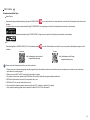
• Directly editing the data on memory card is not recommended. Copy the data to your computer disk before editing is recommended.
• Please turn the product off before removing the memory card. Otherwise, the memory card could be damaged.
• When the product is stored for a long period of time, please backup the data on the memory card and remove the memory card.
Other
Notes:
• Do not disconnect the power or turn the product off during firmware updating process. Doing so may cause incorrect data to be written and the product may not power
on later.
• When using your product on an airplane, observe the relevant rules specified by the airline.
• Due to the limitations of manufacturing technology, the LCD may have a few dead or bright pixels. These pixels do no affect the quality of the photos or videos.
• If the LCD screen is damaged, please pay close attention to the liquid crystal in the screen. If any of the following situations arise, kindly take the recommended actions
immediately as indicated below:
1. If liquid crystal comes in contact with your skin, please wipe your skin with a dry cloth, wash with soap thoroughly, and rinse with plenty of clean water.
2. If liquid crystal gets into your eye, flush your eye with plenty of clean water immediately for at least 15 minutes. Please also seek for medical assistance.
3. If liquid crystal is swallowed incautiously, immediately rinse your mouth with clean water and try to induce vomiting. Please also seek for medical assistance.
Waterproof
Notes:
• This product is splashproof for the purposes of daily activities. Before use, please make sure to firmly tighten the lens cover, lock the battery cover, and tightly close the
side cover.
• Any scratches, cracks, or small foreign objects (such as sand or hair) attached to the rubber ring inside of the side cover will affect the efficacy of splashproof function.
Before use, please check whether the waterproofing rubber is damaged or contaminated with a foreign object before closing the side cover. When there is a foreign
object on the waterproofing rubber and its adjacent surfaces, please use a clean, lint-free dry cloth to clean it. If there are any scratches or cracks, immediately go to a
service center for maintenance and obtain a replacement waterproofing rubber.
• Before using the product in water, please make sure you place it inside the waterproof housing first. It can be submerged to no more than 60 meters (196 feet) under the
water at a temperature not exceeding 40 °C. The product can maintain its waterproof performance for up to 4 hours at the depth of 60 meter(196 feet) under the water.
• Do not open the waterproof housing when submerged in water.
• Do not directly open the side cover or battery cover, nor should you remove the lens cover when the product accidentally comes into contact with water. Please turn off
the power and wipe it with a clean, dry, lint-free cloth before opening the battery cover and side cover in order to remove the battery and the memory card.
• When opening the battery cover and the side cover, if there are water droplets on the surfaces located between the interior and the body, please make sure to wipe
them off.
• After using the product in the presence of sand, mud or other foreign matter, please rinse it with clean water (please make sure to firmly tighten the lens cover, lock the
battery cover, and close the side cover tightly before rinsing). After rinsing, wipe it with a clean, dry, lint-free cloth.
Waterproof
/ Dustproof / Shockproof/ Freeze-proof:
• Installing the lens cover, JIS / IEC waterproof grade 5 (IPX5).
• Installing the lens cover, JIS / IEC dustproof grade 6 (IP6X).
• Installing the lens cover, height for shockproof rating is 2.0m.
• Suitable temperature range for freeze proof capability is -10°C and above.
5