1
6 | ENGLISH
4.3 WiFi configuration
The WiFi connection of the EM7410 by default is unsecured. If you decide not to
connect the EM7410 to your network this will have no security issues with your
network. However when you decide to connect the EM7410 to your local network via
WiFi (see chapter Connect the EM7410 to your LAN) we suggest to secure the WiFi
network of the EM7410 with a password to prevent external users to connect to the
internet/network using the EM7410.
•
•
•
•
•
•
•
•
•
•
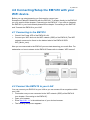
First make sure you are connected to the WiFi network (SSID) of the EM7410.
(see chapter “Connecting to the EM7410”).
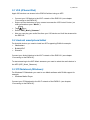
Open your browser.
Enter http://10.1.1.1 in the address bar of your devices browser.
The following setup menu appears
Select “Basic Settings”.
If desired change the name of the WiFi network of the EM7410 in the text field
“DeviceName”.
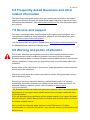
Select the type of encryption at the menu option “Security” We suggest to use
the WPA/WPA2 encryption.
Enter the Password you wish to use to secure your WiFi network of the EM7410 in
the text field “Password”.
Confirm the Password in the text field “Confirm Password”.
Press “Done”.
5.0 APP support
To start streaming to the EM7410 please determine the correct chapter(s) below for
explanation for your device(s).