1
Two methods to switch signal inputs are available, input port switching and input source switching. Press the appropriate
buttons located on the front bezel of the display as follows.
Input port switching
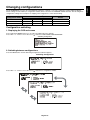
“Input port” here means a combination of the input sources of DisplayPort and DVI.
There are two input ports, INPUT 1 and INPUT 2.
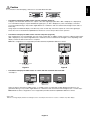
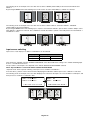
See the following table and figure for the difference between input port and input source.
Input port
Input 1
Input 2
Input Source
DisplayPort 1
DVI 1
DisplayPort 2
DVI 2
INPUT 1 — DisplayPort 1
— DVI 1
INPUT 2 — DisplayPort 2
— DVI 2
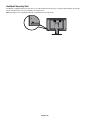
Input ports are located on the side of the display.
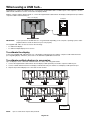
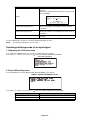
Without displaying the OSD on the screen, press the MENU button to switch the input port displayed on the screen.
The input port is switched in the following order: INPUT 1, INPUT 2, and Input 1 + Input 2.
English-13
English
Changing signal inputs