1
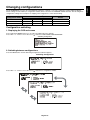
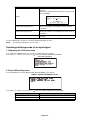
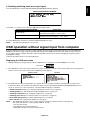
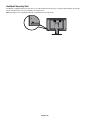
The OSD full menu structure and a brief explanation for each menu item is listed as follows.
The highlighted items are shown in the Reference Menu. The other items are only shown in the Full Menu.
• INFORMATION ........................................................................ Shows display information
• PRESENT STATE .................................................................... Shows luminance and gamma correction information
• DICOM CONFORMANCE TEST .............................................. DICOM conformance test
START TESTING
Yes ..................................................................... Performs DICOM conformance test
CANCEL TESTING ............................................ Cancels DICOM conformance test in execution.
Yes .......................................................... Cancels test
No ........................................................... Continues test
No* ..................................................................... Skips DICOM conformance test
No
• SWITCHING EDID ................................................................... Switches EDID data
6MP+ (3MP+x2)* .......................................................... 1x 3280 x 2048 + 2x 1640 x 2048 resolutions
6MP (3MPx2) ............................................................... 1x 3072 x 2048 + 2x 1536 x 2048 resolutions, for backward
compatibility with original 3MP displays
• SWITCHING CONFIGURATION .............................................. Switches configuration
CONFIG 1* ................................................................... Configuration 1 (400 cd/m2, DICOM GSDF, Clear Base)
CONFIG 2..................................................................... Configuration 2 (400 cd/m2, DICOM GSDF, 6500K)
CONFIG 3..................................................................... Configuration 3 (300 cd/m2, DICOM GSDF, 6500K)
• INPUT SOURCE AUTO SCANNING ....................................... Automatic switching setting of input signal
Disable ......................................................................... Does not switch input signal automatically
Enable* ........................................................................ Switches input signal automatically
• DIRECT OSD SETTING MENU ............................................... Direct OSD menu setting
ENABLE FUNCTIONS ................................................. Functions to be enabled
Disable* ............................................................. Disables both input signal switching and input port switching
Enable Switching Input Source ....................... Enables input signal switching only
Enable Switching Input Port ............................ Enables input port switching only
Enable Both Functions .................................... Enables both input signal switching and input port switching
INPUT SOURCE BUTTON MODE ............................... Selects switching mode of input signal
Separate Mode*................................................. Selects separate mode
Concurrent Mode .............................................. Selects concurrent mode
EXIT.............................................................................. Closes the submenu
• MENU SELECTION ................................................................. Selects OSD menu
Reference Menu
Menu* ........................................................ Reference menu
Full Menu ..................................................................... Full menu
• EXIT ......................................................................................... Closes the OSD main menu
NOTE:
Items with * mark indicate factory default settings.
English-17
English
OSD menu hierarchy