1
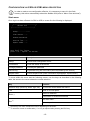
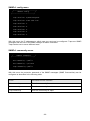
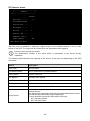
Scheduled NTP menu
/------------------------/
/
Scheduled NTP
/
/------------------------/
NTP server.....:time_server
Sync only at...:13
hour (0 - 23)
Sync only at...:*
day of week (0 - 6) (Sunday=0 or 7) OR sun,mon,tue ...
Sync only at...:1
day of month (1 - 31)
Insert * where the value is not needed.
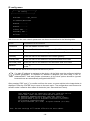
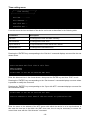
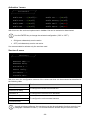
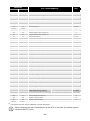
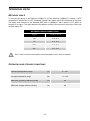
With this menu is possible to schedule the NTP synchronization. Is possible to specify the time and
frequency for performing a synchronization. For each field is possible to enter the precise condition
or leaving ‘*’ which means always. On the example above, synchronization will be performed every
1st day of month at 13:00, regardless of the day of week.
Field
Parameters to be inserted
NTP server
Enter the name or address of the NTP server
Sync only at (h)
Enter the hour when the synchronization should occur, or ‘*’
Sync only at (w)
Enter the day of week when the synchronization should occur, or ‘*’
Sync only at (m)
Enter the day of month when the synchronization should occur, or ‘*’
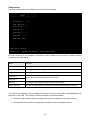
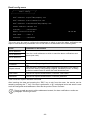
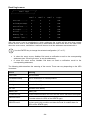
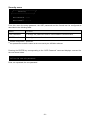
UPS config menu
/------------------------/
/
UPS config
/
/------------------------/
PRTK Code......:GPSER11201XX
Name...........:ups3
UPS Address....:1
Serial number..:324321
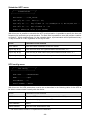
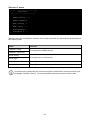
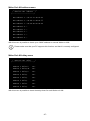
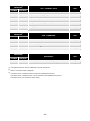
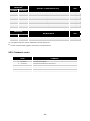
With this menu the UPS parameters must be set as described in the following table, for the UPS to
be able to communicate correctly with the device.
Field
Parameters to be inserted
PRTK Code
Enter the PRTK code indicated at the back of the UPS(1)
Name
Enter the identifying name of the UPS
UPS Address
Insert 1
Serial number
Enter the UPS identification code
(1)
The PRTK code is formed of 12 alphanumeric characters.
- 20 -