1
20
11.4.4
Change the dial mode
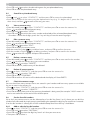
You should normally leave the dial mode at its default setting of “TONE” (also called DTMF) unless the
phone is connected to an old exchange that only recognises “PULSE” dialling.
Note:
If PULSE dialling is set, you can press the * key to switch to “TONE” dialling for the rest of that call.
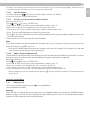
tPress and / to select “BS SET”.
tPress OK and / to select “DIALMODE“.
tPress OK and / to select “TONE” or “PULSE”.
tPress OK to confirm.
11.4.5
Change the recall (flash) time
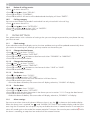
You may need to change the recall (flash) time if your phone is connected to a PBX. The recall time options
are SHORT (the default value of 100ms), MID (300ms) or LONG (600ms).
tPress and / to select “BS SET”.
tPress OK and / to select “FLASH”.
tPress OK and / to select your desired recall(flash) time (“SHORT” / “MID” / “LONG”).
tPress OK to confirm.
11.4.6
Change the system PIN code
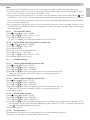
A 4-digit system PIN code is used for changing the system settings of the base station. It is used to protect
your phone against unauthorised use. The default system PIN code is 0000.
tPress and / to select “BS SET”.
tPress OK and / to select “CHG PIN”.
tPress OK and the display shows “OLD PIN?”.
tPress OK and the enter the old system PIN.
tPress OK, the display shows “NEW PIN?”, press OK and enter your new 4-digit system PIN.
tPress OK, the display shows “CONFIRM?”, press OK and enter your new 4-digit system PIN again.
Note:
If the new PIN entered in step 6 is not the same as the new system PIN entered in step5, you must enter
your new PIN at step 5 again.
tPress OK to confirm.
11.5
Reset your cordless handset
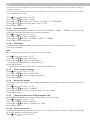
You can reset your phone to the default settings. After reset, all your personal settings, call list entries and
redial list entries will be deleted, but your phonebook remains unchanged.
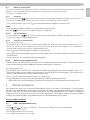
tPress and / to select “DEFAULT.”
tPress OK to show “PIN?”
tEnter the 4-digit system PIN (default value 0000).
tPress OK to show “CONFIRM?”
tPress OK to confirm, and the phone will be reset to its default settings.
12
REGISTRATION
Important:
When you purchase your phone system, all handsets are already registered to your base, so you do not
need to register them. Handset registration is only necessary when you buy extra handsets or if a handset
has become faulty.
You can register additional handsets to have up to five handsets per base unit, with each handset’s number
(1 to 5) shown on its display.
Note:
Each handset can only be registered to one base.