1
1. INTRODUCTION .............................................................................................................................. 6
1.1 HOW TO USE THIS MANUAL.................................................................................................................... 6
1.2 PRECAUTIONS ..................................................................................................................................... 6
1.2.1 Safety....................................................................................................................................... 6
1.2.2 The following classifications are used in this manual.............................................................. 7
1.2.3 Protection ................................................................................................................................ 7
1.2.4 BURN IN TEST................................................................................................................................... 7
2. OVERVIEW ..................................................................................................................................... 9
2.1 APPEARANCE ...................................................................................................................................... 9
2.2 SPECIFICATIONS ................................................................................................................................. 12
2.2.1 Printer Physical Characteristics.............................................................................................. 12
2.2.2 Specifications ......................................................................................................................... 12
2.2.3 Environmental specifications ................................................................................................. 12
3. OPERATION .................................................................................................................................. 13
3.1 PREPARATION.................................................................................................................................... 13
3.1.1 Quick Setup............................................................................................................................ 13
3.1.2 Installing software ................................................................................................................. 17
3.1.3 Installing drivers .................................................................................................................... 17
3.1.4 Updating your ROM .............................................................................................................. 20
3.1.5 Initialising the Printer ............................................................................................................ 21
3.1.6 LOADING THE FILAMENT INTO THE EXTRUDER HEAD............................................................................... 21
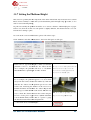
3.1.7 Setting the Platform Height ................................................................................................... 22
3.2 USING THE BASIC FUNCTIONS ............................................................................................................... 24
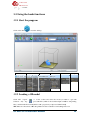
3.2.1 Start the program .................................................................................................................. 24
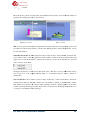
3.2.2 Loading a 3D model............................................................................................................... 24
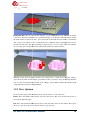
3.2.3 View Options ......................................................................................................................... 26
3.2.4 Model transformations ......................................................................................................... 28
3.3.4 Other Maintenance Options .................................................................................................. 30
3.3.5 Preparing the Platform .......................................................................................................... 32
3.3.6 Print Preferences ................................................................................................................... 33
4. PRINTING ..................................................................................................................................... 36
Options During Printing: ................................................................................................................. 37
Print Options: ................................................................................................................................. 38
4.1 EXTRUDER VENT “WIND BARRIER” ........................................................................................................ 39
4.2 CALCULATING MODEL COSTS ................................................................................................................ 39
5. MODEL REMOVAL ........................................................................................................................ 40
5.1 REMOVING THE RAFT .......................................................................................................................... 41
5.2 REMOVING SUPPORT MATERIAL ........................................................................................................... 41
6. MAINTENANCE ............................................................................................................................. 43
6.1 CHANGING THE MATERIAL ................................................................................................................... 43
6.2 VERTICAL CALIBRATION ....................................................................................................................... 43
6.3 CLEANING THE OUTSIDE OF THE NOZZLE.................................................................................................. 44
6.4 REMOVING / CHANGING THE NOZZLE..................................................................................................... 45
6.5 CLEANING THE PERFBOARD.................................................................................................................. 45
6.6 LUBRICATION OF BEARINGS .................................................................................................................. 45
UP Mini 3D Printer User Manual
4