1
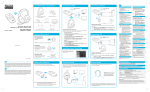
SBX Pro Studio Settings
1 Audio Test controls
Play/Pause or Stop the demo video.
2 SBX Pro Studio enhancements
Select to enable or disable each enhancement.
3 Enhancement Level slider
Adjust the amount of enhancement to apply.
Enhancing your audio experience
You can adjust the amount to apply for each enhancement by dragging its
slider left to decrease or right to increase. To test the effects of the audio
enhancements, click
and listen to the demo video.