1
RK-6000
User Manual
Contents
PACKAGE CONTENTS ............................................................................................................................... 2
SYSTEM REQUIREMENTS ......................................................................................................................... 2
FEATURES ................................................................................................................................................ 2
WARRANTY ............................................................................................................................................... 2
TECHNICAL SUPPORT .............................................................................................................................. 2
HARDWARE AND SOFTWARE INSTALLATION .......................................................................................... 2
SOFTWARE INSTALLATION VERIFICATION .............................................................................................. 3
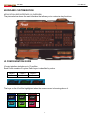
KEYBOARD CUSTOMIZATION ................................................................................................................... 4
UI CONFIGURATION GUIDE ................................................................................................................... 4
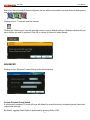
ADVANCED................................................................................................................................................ 5
Custom Personal Quick Switch .......................................................................................................... 5
Custom Personal Quick Switch Key Combination .............................................................................. 6
Media Player ...................................................................................................................................... 6
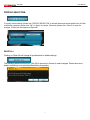
PROFILE SELECTION ................................................................................................................................ 7
Reset All ............................................................................................................................................. 7
Linked Application .............................................................................................................................. 8
KEY ASSIGNMENTS................................................................................................................................ 9
Single Key .......................................................................................................................................... 9
Macro ............................................................................................................................................... 10
Macro Functions............................................................................................................................... 10
Macro Limitation ............................................................................................................................... 12
Mouse Button ................................................................................................................................... 12
Pre-Programmed Funtions ................................................................................................................... 13
Internet Hotkeys ............................................................................................................................... 13
Office Hotkeys .................................................................................................................................. 13
Media Hotkeys ................................................................................................................................. 13
Additional Command ........................................................................................................................ 14
Profile Switch ................................................................................................................................... 14
Launch Program............................................................................................................................... 14
Reset Key to Default ........................................................................................................................ 15
Disable Button .................................................................................................................................. 15
Config............................................................................................................................................... 15
Exit ................................................................................................................................................... 15
1