1
E-SATA 1.5G 1+1 Port PCI Adaptor RC210
User Manual
E-SATA 1.5G 1+1 Port PCI Adaptor RC210
User Manual
This Manual for the Models of 2 Channels SATA HBA:
1.Introtuction
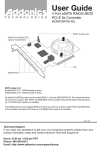
The Low Profile Serial ATA 2 Channels PCI Host Adapter is a PCI to dual Serial ATA host controller
board which can support Low profile PCI and regular size PCI both. It provides a 32bit, 33/66
MHz PCI interface on the host side and dual, fully compliant Serial ATA ports on the device side
to access SATA storage media such as hard disk drive, ZIP drive, CD-ROM, CD-RW, DVD-ROM.
The board can be used to upgrade your desktop computer to have dual Serial ATA Channels. It
accepts host commands through the PCI bus, processes them and transfers data between the
host and Serial ATA devices. The board should be connected to SATA target device and will take
the data, serialize it and output it for transmission over the SATA interface. The board can control
two independent Serial ATA channels. Each channel has its own Serial ATA bus and will support
one Serial ATA device.
The board supports a 32-bit 33/66 MHz PCI bus revision 2.2 and the Serial ATA Generation 1
transfer rate of 1.5 Gb/s (150 MB/s).
It comes completely with drivers for Windows 98, Windows Millennium, Windows NT 4.0,
Windows 2000 and XP.
1.1. Features
1.1.1. PCI Interface
• Compliant with PCI Specification, revision 2.2.
• Integrated PCI DMA engines.
• 32 bit, 33/66MHz fully compliant PCI host interface.
1.1.2. High Speed Serial ATA Interface
• Dual high speed Serial ATA interface Channels, each supporting 1st generation Serial ATA data
rates (1.5Gb/s).
• Fully compliant with Serial ATA 1.0 specifications.
• Supports Spread Spectrum in receiver.
• Independent 256-byte FIFOs (32 bit * 64 deep) per Serial ATA channel for host reads and writes.
1.1.3. The Individual features for different Models
1.1.3.1. External 1 Port + Internal 1 Port
• Supports one External Port and one Internal Port.
• One Special Shell SATA connector on External Port to support Mobile HDD, Mobile CD-ROM,
E-SATA 1.5G 1+1 Port PCI Adaptor RC210
User Manual
Mobile DVD and Mobile CD-RW.
1.2. Package Contents
• Low Profile Serial ATA 2 Channel PCI Host Adapter
• This Users Manual
• Driver CD
• Low Profile Size PCI Bracket ( Not supported on Model D)
2. Software Installation
This section provides the information on how to install the drivers of Low Profile Serial ATA 2 Port
PCI Host Adapter for the operating systems:
New & Existing Windows 98/98 SE
New & Existing Windows ME
New & Existing Windows NT 4.0
New & Existing Windows 2000
New & Existing Windows XP
2.1. Windows 98/98SE Driver Installation
For New Windows 98/98 SE Systems
1. After the SATA PCI Host Adapter and attached drives are configured, follow Microsoft
procedures to install Windows accordingly.
2. Once Windows has been installed, double click My Computer/Control Panel/System, then click
Device Manager.
3. Double click Other Devices then PCI RAID Controller.
4. Click Driver tab, then Update Driver.
5. Insert the Driver diskette and click Next.
6. Select Search for a better driver than the one ...option and click Next.
7. Check Specify a location, uncheck the other boxes, type in E:\ (If your CD-ROM/DVD is E:\)
and click Browse.
8. Points specify a location, example E:\SATA Non-Raid_2Port\ Sil3x12\ Win98_me _2000_xp_
nt4.0 \ Driver, click OK and then Next.
9. Click Next and then Finish.
10.Remove the Driver CD and click Yes to restart Windows to complete driver installation.
E-SATA 1.5G 1+1 Port PCI Adaptor RC210
User Manual
For Existing Windows 98/98 SE Systems
1. After the Serial ATA PCI Host Adapter and attached drives are configured, boot up Windows.
2. At the Add New Hardware Wizard, click Next.
3. Select Search for the best driver for your device option and then click Next.
4. Insert the Driver CD, check Specify a location, uncheck the other boxes, and click Browse.
5. Points specify a location, example E:\SATA Non-Raid_2Port\ Sil3x12\ Win98_me _2000_xp_
nt4.0 \ Driver, click OK and then Next. (If your CD-ROM/DVD is E:\)
6. Click Next and then Finish respectively.
2.2. Windows ME Driver Installation
For New Windows ME Systems
1. After the Serial ATA PCI Host Adapter and attached drives are configured, follow Microsoft
procedures to install Windows accordingly.
2. Once Windows has been installed, click My Computer, then click Properties. Click Device
Manager tab.
3. Double click Other Devices then PCI RAID Controller.
4. Click Driver tab, then Update Driver.
5. Insert the Driver CD, check Specify the location of the driver (Advanced) and click Next.
6. Select Search for the better driver option, check Specify a location, uncheck Removable
Media, type in E:\ (If your CD-ROM/DVD is E:\), and click Browse.
7. Points specify a location, example E:\SATA Non-Raid_2Port\ Sil3x12\ Win98_me _2000_xp_
nt4.0 \ Driver, click OK and then Next.
8. Click Next and then Finish.
9. Remove the Driver diskette and click Yes to restart Windows to complete driver installation.
For Existing Windows ME Systems
1. After the Serial ATA PCI Host Adapter and attached drives are configured, boot up Windows.
2. At the Add New Hardware Wizard, check Specify the location of the driver (advanced), and
click Next.
3. Insert the Driver CD, check Specify a location, uncheck the other boxes, and click Browse.
4. Points specify a location, example E:\SATA Non-Raid_2Port\ Sil3x12\ Win98_me _2000_xp_
nt4.0 \ Driver, click OK and then Next.(If your CD-ROM/DVD is E:\)
5. Click Next and then Finish.
Verification of the Proper Installation for Windows 98/98SE/ME
1. Double click My Computer/Control Panel/System. Click Device Manager tab.
2. Double click SCSI Controllers, Silicon Image Sil-3x12 SATA Raid Controller should be listed.
3. Highlight Silicon Image Sil-3x12 SATALink Controller and click Properties. A message This
E-SATA 1.5G 1+1 Port PCI Adaptor RC210
User Manual
device is working properly is displayed in the dialog box, the driver has been correctly
installed. If any error message is displayed, remove Silicon Image Sil-3x12 SATALink Controller
and restart your system.
2.3. Windows NT 4.0 Driver Installation
For New Windows NT 4.0 System
1. Before installation, copy all the files under directory E:\SATA Non-Raid_2Port\ Sil3x12\ Win98_
me _2000_xp_nt4.0\ driver\ *.* to a blank floppy disk.
2. After the SATA PCI Host Adapter and attached drives are configured, follow Microsoft
procedures to install Windows accordingly.
3. At the Windows Set-up screen, press F6 to specify and add the driver.
4. Press S, select Other, then press Enter.
5. Insert the Driver diskette and press Enter.
6. Select Silicon Image Sil-3x12 SATALink Controller Driver and press Enter.
7. Press Enter to continue and follow on-screen instructions to complete Windows NT 4.0
installation.
Add Windows NT 4.0 Driver on Original Booting Device
1. After the SATA PCI Host Adapter and attached drives are configured, boot up Windows.
Double click My Computer/Control Panel/SCSI Adapters, then click the Drivers tab.
2. Click Add… then Have Disk....
3. Insert the Driver CD in your CD-ROM/DVD drive and type in E:\ (If your CD-ROM/DVD is E:\),
then click Browse.
4. Points specify a location, example E:\SATA Non-Raid_2Port\ Sil3x12\ Win98_me _2000_xp_
nt4.0 \ Driver, click Open then OK.
5. Highlight Silicon Image Sil-3x12 SATALink Controller and click OK.
Verification of the Proper Installation for Windows NT 4.0
1. Double click My Computer/Control Panel/SCSI Adapters.
2. Highlight Silicon Image Sil-3x12 SATALink Controller and click Properties. This device is
working properly is displayed in the dialog box, the driver has been correctly installed.
2.4. Windows 2000 Driver Installation
For New Windows 2000 Systems
1. Before installation, copy all the files under directory E:\SATA Non-Raid_2Port\ Sil3x12\ Win98_
me _2000_xp_nt4.0\driver\ *.* to a blank floppy disk.
2. After the SATA PCI Host Adapter and attached drives are configured, follow Microsoft
procedures to install Windows accordingly.
3. At the Windows Set-up screen, press F6 to specify and add the driver.
4. Insert the Driver diskette. Press S, then press Enter.
E-SATA 1.5G 1+1 Port PCI Adaptor RC210
User Manual
5. Select Silicon Image Sil-3x12 SATALink Controller Driver and press Enter.
6. Press Enter to continue and follow on-screen instructions to complete installation.
Add Windows 2000 Driver on Original Booting Device
1. After the SATA PCI Host Adapter and attached drives are configured, boot up Windows.
2. At the Found New Hardware Wizard, click Next.
3. Select Search for a suitable driver for my device (recommended) and click Next.
4. Insert the Driver CD in your CD-ROM/DVD drive, check Specify a location, uncheck the other
boxes, click Next, type in E:\ (If your CD-ROM/DVD is E:\). Click Browse.
5. Points specify a location, example E:\SATA Non-Raid_2Port\ Sil3x12\ Win98_me _2000_xp_
nt4.0 \ Driver, click Open then OK.
6. If the Digital Signature Not Found message appears, click Yes. (Note If prompted for Windows
2000 CD-ROM, insert the CD and click OK. Type in E:\I386, click OK and Finish.
(assuming E: is your CD-ROM drive))
7. Click Finish.
2.5. Windows XP Driver Installation
For New Windows XP Systems
1. Before installation, copy all the files under directory E:\SATA Non-Raid_2Port\ Sil3x12\ Win98_
me _2000_xp_nt4.0\driver\ *.* to a blank floppy disk.
2. After the SATA PCI Host Adapter and attached drives are configured, follow Microsoft
procedures to install Windows accordingly.
3. At the Windows Set-up screen, press F6 in order to specify and add the driver.
4. Insert the Driver diskette. Press S then press Enter.
5. Select Silicon Image Sil-3x12 SATALink Controller Driver and press Enter.
6. Press Enter to continue and follow on-screen instructions to complete Windows XP installation.
Note: When the Software Installation warning pops up, click Yes. And when the Hardware
Installation warning pops up, click Yes again.
Add Windows XP Driver on Original Booting Device
1. After the SATA PCI Host Adapter and attached drives are configured, boot up Windows.
2. At the Found New Hardware Wizard, check Install from a list or specific location (advanced),
then click Next.
3. Insert the Driver CD. Check Include this location in the search, uncheck the other box, type in
E:\, and click Browse.
4. Points specify a location, example E:\SATA Non-Raid_2Port\ Sil3x12\ Win98_me _2000_xp_
nt4.0 \ Driver, click OK then Next.
5. When a warning message pops up, click Continue Anyway, then click Finish.
E-SATA 1.5G 1+1 Port PCI Adaptor RC210
User Manual
Verification of the Proper Installation for Windows 2000/XP
1. Double click My Computer/Control Panel/System.
2. Click Hardware then click Device Manager.
3. Double click SCSI and RAID Controllers, then double click Silicon Image Sil-3x12 SATALink
Controller to display driver properties.
4. A message This device is working properly is displayed in the dialog box, the driver has been
correctly installed.
Thank you for purchasing a quality Rosewill Product.
Please register your product at : www.rosewill.com/ for complete warranty information and future support
for your product.