1
8 SMS
(Model-dependent)
(Function is not supported in all countries and
networks)
Press i and 8 to print the instructions for SMS
functions.
(model dependent)
Function is not supported in all countries and networks
EN
Help 8 · SMS
SMS Requirements
CLIP for SMS
Your device is preset for using the SMS (Short Messaging
Service) services. Caller Line Identification (CLIP) must be
activated for the SMS to work. It is possible that you will
not be able to send and receive SMS messages from a private branch exchange (depending on the country and network).
Should you face problems in sending SMS, the reason for the same could be that you are using a secret
number or that the device is connected to an old
ISDN System.
SMS with secret number
SMS Requirements
Ask your telephone service provider...
... whether you must register for the SMS Service.
... to which mobile telephone service providers you
can send SMS
... which costs are applicable.
... which functions are available.
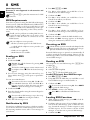
Sending an SMS
1 Press _.
2 Confirm with OK.
You can also call the function by pressing OK,
61 and OK.
The last five SMS messages written remain saved
as templates. Press @ until the desired message
appears.
3 You can enter characters using the numeric keys (see
button labels). Press 0 to enter space or special characters.
You can enter 160 characters.
You can move the cursor using [. Use C to delete individual characters. Press and hold C (at
least two seconds) to delete the entire text. Press
COPY to print the message before sending it.
4 Confirm with OK.
5 Enter the desired number using the numeric keypad or
select a saved entry.
You can send an SMS message to up to five recipients. Press OK after entering the number.
1 Press OK, 65 and OK.
2 Use [ to select whether you would like to be informed about new SMS messages.
3 Confirm with OK.
4 Use [ to select whether you would like to be informed about calls in your absence.
5 Confirm with OK.
6 Use [ to select whether you would like to be informed about new fax messages.
7 Confirm with OK.
8 Use [ to select whether you would like to be informed about new messages on the answering machine.
9 Confirm with OK.
10 Enter the number to which the SMS should be sent.
11 Confirm with OK. A message appears on the display
stating the notification by SMS is activated.
Receiving an SMS
Receiving
Paper
Error
an SMS on the Machine
Check whether you have inserted and clamped in the
paper correctly. The lever on the right next to the paper feed mechanism must be pushed back.
SMS Reception
Received SMS messages are printed out automatically. If
you have turned the automatic printing function off, the
SMS messages will be stored. Your machine stores up to 30
received SMS messages.
Reading an SMS
Reading an SMS on the Machine
After reception of a new SMS message, the ä button lights up.
1 Press ä.
2 Select the SMS using [.
3 Press ä. The Read SMS menu opens.
Loading Previously Read SMS Messages
1 Press OK, 62 and OK.
2 Using [ select the SMS that you would like to read.
Unread SMS messages are marked with a *.
3 Confirm with OK.
You can move the cursor using [. Press COPY
to print the SMS message.
4 Press STOP to return to the SMS list.
Press OK to call additional SMS functions.
Loading SMS Functions
SMS Functions on the Machine
6 Press _. The message is sent.
Notification by SMS
SMS Notification
You can have an SMS message sent to a telephone number
of your choice when faxes or SMS messages are received or
the answering machine receives calls or voice messages in
your absence.
20
1 While reading an SMS message, press OK to load additional SMS functions.
2 Use [ to select an option: You can display information about the SMS message, print or delete the message, forward the message to another recipient or send
an SMS response. You can return to the list of SMS
messages, or view the next or previous SMS message.
3 Confirm with OK.
Philips PPF 631 · 632 · 675