1
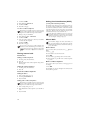
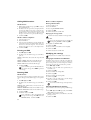
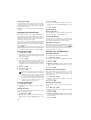
Deleting Heard Messages
Deleting New Messages
Messages not yet heard must be heard first before deleting them.
1 Press b.
2 Use / to select MESSAGES.
3 Confirm with _.
reached, the machine calls the number. If the call is answered, a greeting text is played. Then the person on the line
must enter the access code. If no code is entered or an incorrect code is entered three times, the machine hangs up.
1 Press b.
2 Use / to select FORWARDING.
3 Confirm with _.
You can also load the function by pressing _,
72 and _.
4 Use / to select MESSAGE: DELETE.
5 Confirm with _. The heard messages are deleted.
You can also delete the already heard messages by
pressing V and _ in the starting mode.
On the cordless telephone
Deleting single message
During the playback, press 0 to delete the current message.
Deleting messages already played
Deleting New Messages
Messages not yet heard must be heard first before deleting them.
1
2
3
4
5
6
7
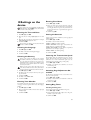
Press /, and using / select VOICE MAIL.
Confirm using _.
Using / select MESSAGES.
Confirm with _.
Using / select DELETE OLD.
Confirm with _.
Confirm the deletion with ô Yes. Using õ No you
can cancel the function.
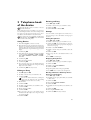
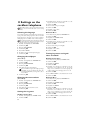
Setting up forwarding and remote
access
You can also load the function by pressing _,
77 and _.
4 Use / to select whether you would like to switch forwarding on or off.
5 Confirm with _.
6 Enter the number to which the received messages
should be forwarded.
7 Confirm with _.
8 Use / to select how many messages should be collected and forwarded together.
9 Confirm with _.
When you record a message, you are asked, if you
would like to use the old message or would like to
record a new one. Confirm using _.
10 Recording a new greeting text: Press _ to
record the greeting text. Wait until hearing the confirmation tone before starting the text.
11 Press _ to end the recording. The recording is played
back.
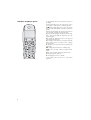
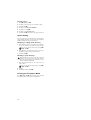
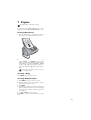
Using the Remote Control
Remote Control
With a telephone call, you can listen to and delete messages, record a new outgoing message or switch the answering
machine on or off.
Tone Dialling
Available only on the device
These functions are available only on the device.
Entering the Access Code
1
2
Access Code
In order that you can receive forwarded messages as well as
check or control the answering machine from other telephones, you must enter an access code.
Access Code <> VIP Code
The access code may not be identical to the VIP
code.
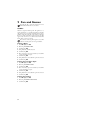
1 Press b.
2 Use / to select ACCESS CODE.
3 Confirm with _.
You can also load the function by pressing _,
79 and _.
4 Enter a four-digit code.
5 Confirm with _.
Forwarding Messages
Forwarding Messages
The machine forwards messages to a specified telephone
number. Once the configured number of messages is
3
4
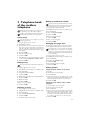
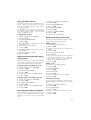
The telephone on this connection must be set to tone
dialling. Press a button within 50 seconds, otherwise
the connection is cut-off (country and network dependent).
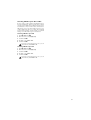
Call your telephone number.
Wait until the answering machine switches on and
plays back the outgoing message.
Enter the access code.
The machine interrupts the outgoing message and plays
new messages. If no new messages have been received,
you will hear two confirmation tones.
If you select the 5/2 option for the number of
rings of the answering machine, the answering
machine switches on after two rings, when you
have received new messages. If there are no new
messages, the device rings five times. If the device
does not pick up after two rings, you have no new
messages. You can terminate the remote access
without incurring any telephone costs.
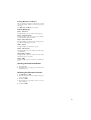
5 The functions below are available via the number buttons.
6 Hang up to end the remote control session.
23