1
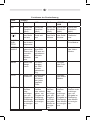
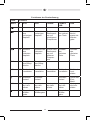
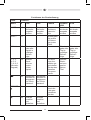
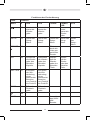
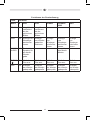
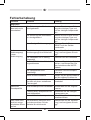
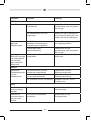
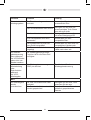
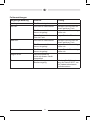
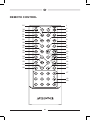
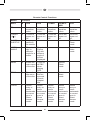
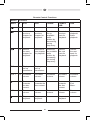
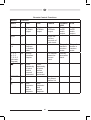
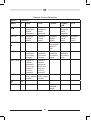
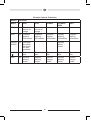
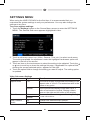
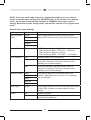
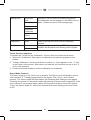
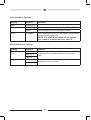
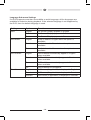
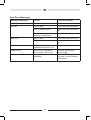
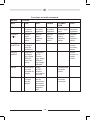
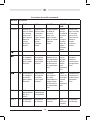
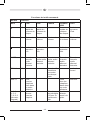
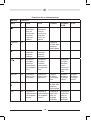
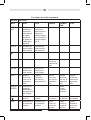
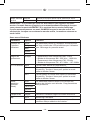
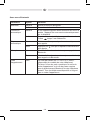
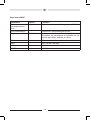
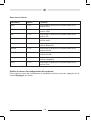
Remote Control Functions
Button
Function
Name
#
DVD
VCD
TUNER
CD/MP3/
USB
iPod
EQ
1
Accesses
equalizer
menu.
Accesses
equalizer
menu.
Accesses
equalizer
menu.
Accesses
equalizer
menu.
Accesses
equalizer
menu.
POWER
(( ))
2
Turns the
power on/
off.
Turns the
power on/
off.
Turns the
power on/
off.
Turns the
power on/
off.
Turns the
power on/
off.
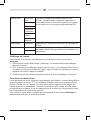
PHOTO/
SUBTITLE
3
Language
selection
for subtitle.
VIDEO/
ANGLE
4
Plays back
disc in
different
angle for a
scene.
Plays back
Picture
CD with
different
angle of
picture
displayed.
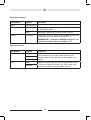
MENU
5
Enters the
main menu
of the disc.
Turns on/
off PBC
when
playing
VCD.
Selects
Photo
mode.
TITLE
6
Enters the
title menu
of the disc.
Plays the
first ten
seconds
of each
chapter/
title.
Selects
Music
mode.
CLEAR
7
Delete
entry or
move
backwards
to correct
error in
Direct
Access
mode.
Delete
entry or
move
backwards
to correct
error in
Direct
Access
mode.
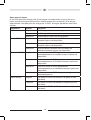
Selects
Photo
mode.
83
Selects
Video
mode.
Delete
entry or
move
backwards
to correct
error in
Direct
Access
mode.
Delete
entry or
move
backwards
to correct
error in
Direct
Access
mode.
Delete
entry or
move
backwards
to correct
error in
Direct
Access
mode.