1
1
2
3
5
4
English
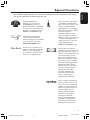
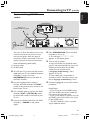
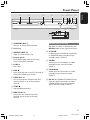
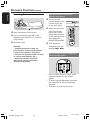
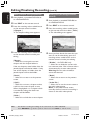
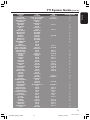
Front Panel
9
67 8
1.3
CH-
! @
0
1 STANDBY-ON 2
– Turn on or off the DVD recorder.
2 Disc tray
CH+
#
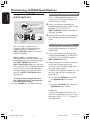
DV IN
CAM 1
CAM 2
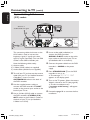
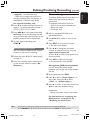
Sockets behind the flap
Flip down the door as indicated by the
OPEN 2 label at the right hand corner.
0 S-VIDEO
3 OPEN/CLOSE ç
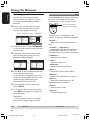
4 Display panel
– S-video input for SVHS/Hi8 camcorders
or SVHS/Hi8 video recorders (input
channel number 'CAM 1').
– Show information about the current
status of the DVD recorder.
! VIDEO
– Open or close the disc tray.
– Play a disc.
– Video input for camcorders or video
recorders (input channel number
'CAM 1').
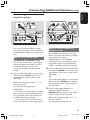
6 REC 0
@ L/R AUDIO
– Start recording the current TV channel or
the current video input source.
– Audio input for camcorders or video
recorders (input channel number
'CAM 1').
5 PLAY 2
7 PREV/CH- ∞
– Go to the previous chapter/track, do a
reverse search, or go to the previous
channel.
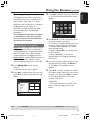
# DV IN (for DVDR615, DVDR616 only)
– Input for digital camcorders or other
suitable devices using this connector
(input channel number 'CAM 2').
8 STOP 9
– Stop playback/recording.
9 NEXT/CH+ §
– Go to the next chapter/track, do a
forward search, or go to the next
channel.
17
1DVDR6xx_Eng00_13454c
17
9/28/04, 1:25 PM
3139 246 13454