1
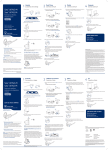
Wearing the headset
Fitting the headset with a headband
When you wear the headset, the microphone should rest as close
to your cheek as possible without touching. The microphone
can be adjusted inward by the pivoting earpiece to optimise the
position of the headset.
The headset can be rotated for wearing on the left or right ear.
1 Hold the headband so it is aligned to receive the headset
as shown and insert the headset into the headband.
1 Slide the headset over and behind your ear and fit the
ear tip into your ear.
2 Place your index finger on the headset indicator light
and gently push it in towards your cheek. As the headset
is pushed in, you will feel soft clicks as the pivoting earpiece
moves the microphone close to your mouth.
2 Rotate the headset up.
3 To optimise the position of the headset, push the
headset in so the microphone is close to your mouth.
Plantronics Savi User Guide
7