1
Creating a Profile with WPS
Besides adding a profile manually, you can connect to a wireless network and create
a profile based on WPS technology. Wi-Fi Protected Setup, also known as Wi-Fi
Simple Config, is a computing standard that attempts to allow easy establishment
of a secure wireless home network. It lets you join a secure wireless network simply
by pushing a button or entering a PIN code) — without entering a complicated
password. WPS is still relatively new, and some wireless routers, especially older
models, don’t support it. If you’re not sure whether or not your router supports WPS,
there’s a simple way to find out. The housing of the router must have a WPS button
(also called N-connect). If there’s no such button, you can stop reading this section
now because everything that follows would not be applicable to your network.
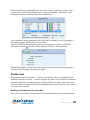
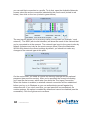
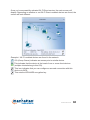
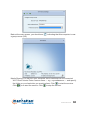
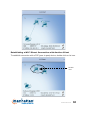
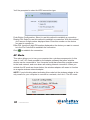
To begin, click on the Add WPS Profile button.
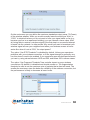
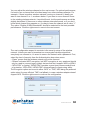
You’ll then see the screen below, presenting you with two choices:
• Push-Button Configuration (PBC)
• PIN / numeric code
CONFIGURATION
15