1
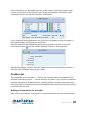
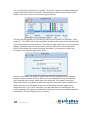
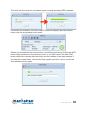
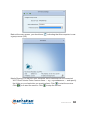
 Access Control List Advanced settings AP Setup Connected devices Wireless signal is active Wireless connection is not encrypted AP mode is active AP Setup
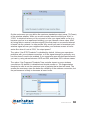
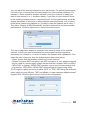
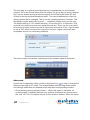
Now that your computer acts as a wireless access point, you can give the network
a proper name so that other computers can easily find it. Enter a new name for
your wireless network in the SSID field or leave the current one. If you don’t want
to openly broadcast the name of the network, activate the Hide SSID option.
The wireless mode is of importance on systems running a dual-band wireless
adapter as it defines which frequency band, 2.4 or 5 GHz, is to be used for the
access point. If you aren’t sure what to use, it’s always good advice to keep the
value at 2.4 GHz. Click the right arrow to move to the next screen.
28
CONFIGURATION