1
book.book Page 150 Tuesday, June 18, 2013 3:03 PM
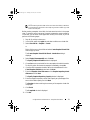
Preparing Host Servers to Create the Snapshot Using the Simple Path
NOTE: Before using the Snapshot Virtual Disks Premium Feature in a Microsoft
Windows clustered configuration, you must first map the snapshot virtual disk to
the cluster node that owns the source virtual disk. This ensures that the cluster
nodes correctly recognize the snapshot virtual disk.
NOTE: Mapping the snapshot virtual disk to the node that does not own the source
virtual disk before the Snapshot enabling process is completed can result in the
operating system mis-identifying the snapshot virtual disk. This, in turn, can result in
data loss on the source virtual disk or an inaccessible snapshot.
NOTE: For more information on mapping the snapshot virtual disk to the secondary
node, see the Dell PowerVault MD3600f and MD3620f Storage Arrays With
Microsoft Windows Server Failover Clusters at dell.com/support/manuals.
NOTE: You can create concurrent snapshots of a source virtual disk on both the
source disk group and on another disk group.
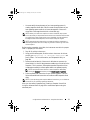
Before creating a Snapshot Virtual Disk:
•
The following types of virtual disks are not valid source virtual disks:
–
Snapshot repository virtual disks
–
Snapshot virtual disks
–
Replication repository virtual disks
–
Target virtual disks that are participating in a virtual disk copy
NOTE: Virtual Disk Copy is an Advanced (Premium) feature.
•
You cannot create a snapshot of a virtual disk that contains unreadable
sectors.
•
You must satisfy the requirements of your host operating system for
creating snapshot virtual disks. Failure to meet the requirements of your
host operating system results in an inaccurate snapshot of the source
virtual disk or the target virtual disk in a virtual disk copy.
NOTE: Before you create a new snapshot of a source virtual disk, stop any
data access (I/O) activity or suspend data transfer to the source virtual disk to
ensure that you capture an accurate snapshot of the source virtual disk. Close
all applications, including Windows Internet Explorer, to ensure all I/O activity
has stopped.
150
Configuration: Premium Feature—Snapshot Virtual Disks