1
BATTERY CHANGE:
It is recommended to replace the batteries in all units on an annual basis to ensure optimum accuracy of these
units.
Please participate in the preservation of the environment. Return used batteries to an
authorised depot.
SETTING UP:
WHEN ONE TRANSMITTER IS USED
1.
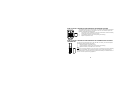
First, insert the batteries in the transmitter (see “How to install and replace batteries in the Termo-hygro
outdoor transmitter” above).
2.
Within 2 minutes of powering up the transmitter, insert the batteries in the Temperature Station (see “How to
install and replace batteries in the Weather Station” above). Once the batteries are in place, all
segments of the LCD will light up briefly and a short signal tone will sound. Following the indoor
temperature/humidity and the time as 0:00 will be displayed. If these information are not displayed on the
LCD after 60 seconds, remove the batteries and wait for at least 60 seconds before reinserting them. Once
the indoor data is displayed user may proceed to the next step.
3.
After the batteries are inserted, the Weather station will start receiving data signal from the transmitter. The
outdoor temperature and humidity data should then be displayed on the Weather station. If this does not
happen after 2 minutes, the batteries will need to be removed from both units and reset from step 1.
4.
In order to ensure sufficient 868 MHz transmission however, the distance between the Weather Station and
the transmitter should not be more than 100 meters (see notes on “Positioning” and “868 MHz
Reception”).
34