1
Note: in 24hr time display mode, the day is set by using the IN key. In 12hr time display mode, the month is set by
using the IN key
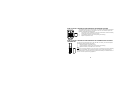
OUT key (Outdoor)
•
•
To toggle between the current/ minimum/ maximum outdoor temperature and humidity
Press for around 3 seconds to reset the outdoor maximum and minimum temperature and humidity records
(will reset all records to current level of the relative transmitter being reset- each transmitter’s data must be
reset separately)
Note: The time/date information of MIN/MAX temperature will be reset to default time as well.
•
To change minute, day, month units in setting modes
Note: in 24hr time display mode, the month is set by using the OUT key. In 12hr time display mode, the day is set
by using the OUT key
CH key (Channel)
•
•
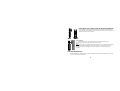
To toggle between the Thermo-Hygro outdoor transmitters 1, 2 and 3 (if more than 1 transmitter is used)
To exit manual setting mode
37