1
Useful features
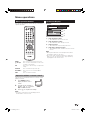
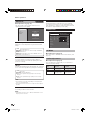
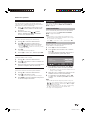
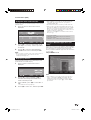
Time display
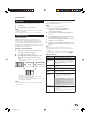
Still image
You can freeze a motion picture on the screen.
1
2
Press 3.
You can display the time information included in the
DTV and Teletext broadcasts.
NOTE
• Skip step 1 if receiving DTV broadcasts.
Press 3 again to exit still image.
NOTE
• When this function is not available, “No still image display
available.” will display.
• The still image automatically goes out after 30 minutes.
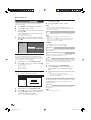
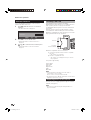
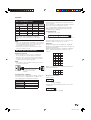
Teletext function
1
Select a TV channel providing Teletext
information. (The time information is
automatically captured.)
2
Press p. The channel display will appear on
the TV.
3
Press p again within the several seconds that
the channel display is on the screen.
Time information will display below the channel
display for several seconds.
4
Even when you change the TV channel, you can
display the time information with steps 2 and 3
above.
What is Teletext?
Teletext broadcasts pages of information and
entertainment to specially equipped television sets.
Your TV receives Teletext signals broadcast by a TV
network, and decodes them into graphical format for
viewing. News, weather and sports information, stock
exchange prices and programme previews are among
the many services available.
1
Select a TV channel or external input source
providing the Teletext programme.
NOTE
• The time display cannot be stored once the power is
turned off. When you turn on the power, perform steps 1 to
4 again.
• If acquired successfully, the time information will appear in
the upper-right corner of the screen by pressing MENU.
2
3
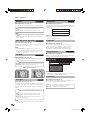
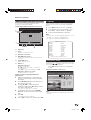
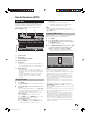
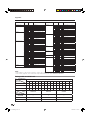
Press m to display the Teletext.
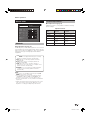
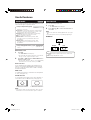
Button functions
Turning on and off Teletext
Press m again to display the Teletext on the
right screen and normal image on the left
screen.
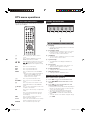
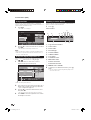
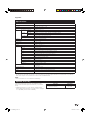
Buttons
P (r/s)
Increase or decrease the page number.
• Each time you press m, the screen switches as
shown below.
Colour (Red/
Green/Yellow/
Blue)
Select a group or block of pages displayed in
the coloured brackets at the bottom of the
screen by pressing the corresponding Colour
(Red/Green/Yellow/Blue) on the remote
control unit.
0–9
Directly select any page from 100 to 899 by
using 0–9.
DATA*
TELETEXT
Description
Reveal or hide hidden information such as an
k (Reveal
hidden Teletext) answer to a quiz.
TELETEXT
3 (Freeze/
Hold)
Stop updating Teletext pages automatically or
release the hold mode.
[ (Subtitle for
Teletext)
Display the subtitle or exit the subtitle screen.
• Subtitle will not be displayed when the
service does not contain the subtitle
information.
* May appear in DTV input mode.
• If you select a programme with no Teletext signal,
“No Teletext available.” displays.
• The same message displays during other modes if no
Teletext signal is available.
User for LC-32D44E:
• Subtitle is set to off when the power is
turned on.
User for LC-32D44S:
• Subtitle is set to on when the power is
turned on.
NOTE
• Teletext will not work if the selected signal type is RGB.
(See page 19.)
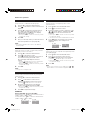
1 (Subpage)
Reveal or hide subpages.
• Red button: Move to the previous subpage.
• Green button: Move to the following
subpage.
• These two buttons are shown on the screen
by the signs l and k.
21
LC-32D44E-gb.indd 21
2008/02/21 9:44:46