1
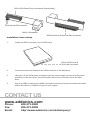
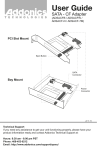
15-Pin SATA Power Plug Connected to Power Supply
+Drive Activity LED connector
USB 3.0 Receptacle
SATA Hard Drive Power and Data Connector
Installation Instructions
1.
Locate the SATA connector of your SATA drive.
15-pin SATA Power &
7-pin Data Connector
2.
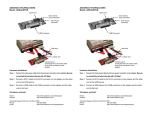
Connect the converter board to the SATA connector of the hard drive.
3.
Using the 15-pin SATA power connector from the power supply, connect it to the power
connector on the converter. This will provide power to the converter and to the hard
drive.
4.
Plug-in a USB3.0 cable to the USB3.0 receptacle on the converter and connect the other
end of the cable to a USB2.0/3.0 port on your system.
CONTACT US
www.addonics.com
Phone:
Fax:
Email:
408-573-8580
408-573-8588
http://www.addonics.com/sales/query/