1
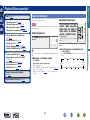
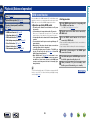
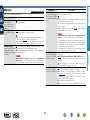
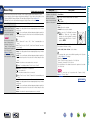
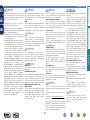
Listening to FM/AM broadcasts
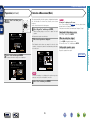
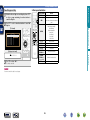
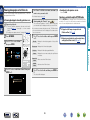
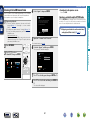
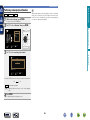
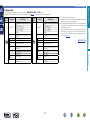
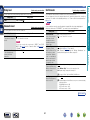
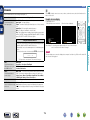
You can set in advance, the stations you do not want to be
displayed when tuning in, by groups or by stations.
The preset skip setting is useful when tuning in, because only your
favorite stations are displayed.
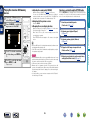
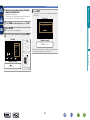
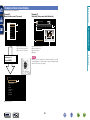
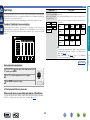
The option menu screen is displayed.
The Preset Skip screen is displayed.
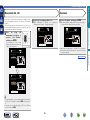
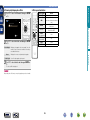
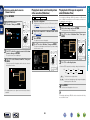
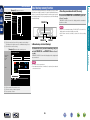
GTV ScreenH
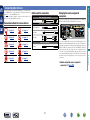
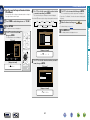
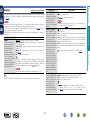
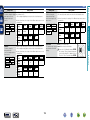
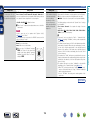
stations you want to skip.
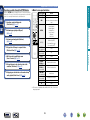
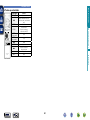
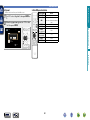
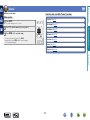
•Each time o p is pressed, the setting is changed as
shown below.
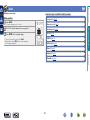
1–8
9 – 16
49 – 56
TUNE+/-
Tune
CH+/-
Preset
OPTION
Option
33 – 40
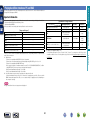
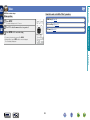
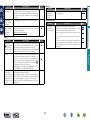
All broadcast stations in the group “z – z” you selected
are not displayed.
(z are the selected group numbers)
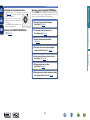
ePress BACK.
1–8
9 – 16
49 – 56
17 – 24
41 – 48
25 – 32
33 – 40
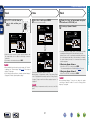
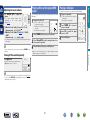
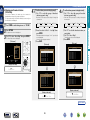
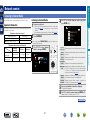
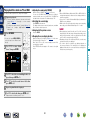
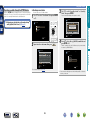
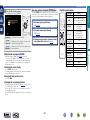
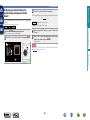
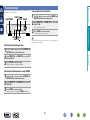
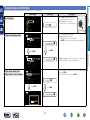
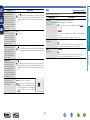
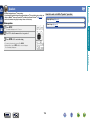
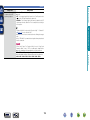
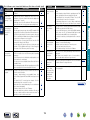
wUse ui to select the broadcast station you
want to skip.
eUse o p to select “Skip”.
The station you selected is not displayed.
rPress BACK.
GTV ScreenH
GTV ScreenH
Preset Skip
Preset Skip
Set No. 1-8 to skip
1-8
Preset Group
CH 1 FM 92.10MHz
On
CH 2 FM 92.30MHz
On
CH 3 FM 92.50MHz
On
CH 4 FM 92.70MHz
On
CH 5 FM 93.10MHz
On
CH 6 FM 93.50MHz
On
CH 7 FM 93.70MHz
On
CH 8 FM 94.10MHz
On
Set No. 1-8 to skip
1-8
Preset Group
CH 1 FM 92.10MHz
On
CH 2 FM 92.30MHz
On
CH 3 FM 92.50MHz
On
CH 4 FM 92.70MHz
On
CH 5 FM 93.10MHz
On
CH 6 FM 93.50MHz
On
CH 7 FM 93.70MHz
On
CH 8 FM 94.10MHz
On
Information
FM 92.10MHz
TUNER
41 – 48
25 – 32
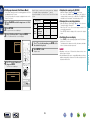
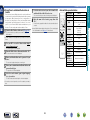
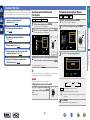
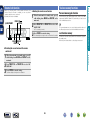
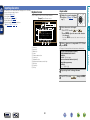
wPress u to select “Set No.z – z to Skip”, then
press ENTER.
Option
FM/AM
Direct Tune
Preset Memory
Tune Mode
Auto Preset
Preset Name
Preset Skip
AUTO
Video Select CH 1
17 – 24
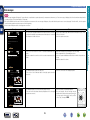
stations you want to skip.
•Each time o p is pressed, the setting is changed as
shown below.
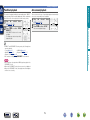
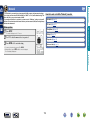
GDisplay of this unitH
Preset Skip
Preset Skip
Preset Skip
Set No. 1-8 to skip
1-8
Preset Group
CH 1 FM 92.10MHz
On
CH 2 FM 92.30MHz
On
CH 3 FM 92.50MHz
On
CH 4 FM 92.70MHz
On
CH 5 FM 93.10MHz
On
CH 6 FM 93.50MHz
On
CH 7 FM 93.70MHz
On
CH 8 FM 94.10MHz
On
GDisplay of this unitH
Set
1- 8to Skip
Set No. 1-8 to skip
1-8
Preset Group
Skip
CH 1 FM 92.10MHz
CH 2 FM 92.30MHz
On
CH 3 FM 92.50MHz
On
CH 4 FM 92.70MHz
On
CH 5 FM 93.10MHz
On
CH 6 FM 93.50MHz
On
CH 7 FM 93.70MHz
On
CH 8 FM 94.10MHz
On
GDisplay of this unitH
1
92.10M:•Skp–
v See overleaf
DVD
45
Advanced instructions
1
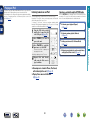
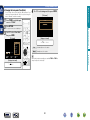
2 Press OPTION.
3 Use ui to select “Preset Skip”, then press ENTER.
Press TUNER to switch the input source to “TUNER”.
set the stations you want to skip by stationsH
set the stations you want to skip by groupsH
4-2 GTo
4-1 GTo
qUse o p to select the group of broadcast
qUse o p to select the group of broadcast
Basic instructions
nnSkipping preset broadcast stations
(Preset Skip)