1
Contents
Connections
Playback
Settings
Tips
Appendix
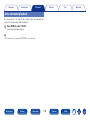
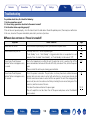
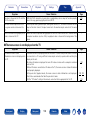
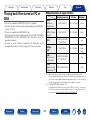
22No sound comes out
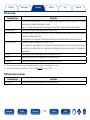
Symptom
Cause / Solution
Page
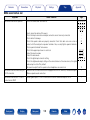
25, 33, 34, 35,
37, 38, 39, 40,
41, 43, 45, 47,
48, 49
–
•Insert connection cables all the way in.
–
•Check that input connectors and output connectors are not reversely connected.
–
•Check cables for damage.
25
•Check that speaker cables are properly connected. Check that cable core wires come in
contact with the metal part on speaker terminals. Also, securely tighten speaker terminals.
Check speaker terminals for looseness.
52, 129
•Check that a proper input source is selected.
53, 129
•Adjust the master volume.
53, 130
•Cancel the mute mode.
34, 35, 37, 38
•Check the digital input connector setting.
–
•Check the digital audio output setting on the connected device. On some devices, the digital
audio output is set to off by default.
12
•No sound is output from the speakers when headphones are connected.
No sound comes out of speakers.
•Check the connections for all devices.
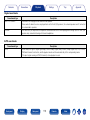
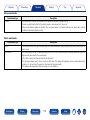
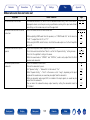
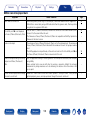
No sound comes out when using the
DVI-D connection.
•When this unit is connected to a device equipped with a DVI-D connector, no sound is output.
Make a separate audio connection.
–
No sound comes out of a TV that is
connected via HDMI.
•Audio signals input to 7.1CH IN connectors on this unit cannot be output to the TV.
–
Front panel
Display
Rear panel
190
Remote
Index