1
Contents
Connections
Playback
Settings
Tips
Appendix
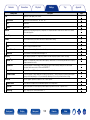
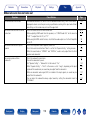
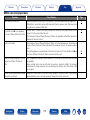
22iPod cannot be played back
Symptom
Cause/Solution
Page
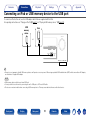
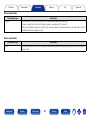
•When using iPod by connecting it to the USB port, some iPod variations are not supported.
•When iPod is connected by using a USB cable other than the genuine cable, iPod may not be
recognized. Use a genuine USB cable.
34
–
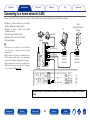
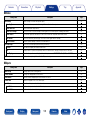
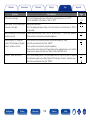
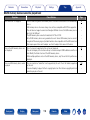
•This unit and PC / iPhone / iPod touch / iPad are not connected to the same network (LAN).
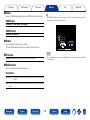
The AirPlay icon ' is not displayed
Connect it to the same LAN as this unit.
on iTunes / iPhone / iPod touch / iPad.
•The firmware on iTunes / iPhone / iPod touch / iPad is not compatible with AirPlay. Update the
firmware to the latest version.
36
iPod cannot be connected.
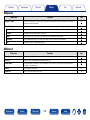
Audio is not output.
•The volume on iTunes / iPhone / iPod touch / iPad is set to the minimum level. The volume on
iTunes / iPhone / iPod touch / iPad is linked with the volume on this unit. Set a proper volume
level.
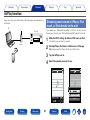
•The AirPlay playback is not performed, or this unit is not selected. Click the AirPlay icon ' on
the iTunes / iPhone / iPod touch / iPad screen and select this unit.
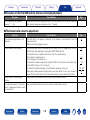
–
–
80
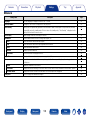
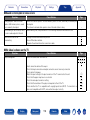
Audio is interrupted during the AirPlay •Quit the application running in the background of the iPhone/iPod touch/iPad, and then play
playback on iPhone / iPod touch /
using AirPlay.
iPad.
•Some external factors may be affecting the wireless connection. Modify the network
environment by taking measures such as shortening the distance from the wireless LAN
access point.
–
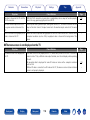
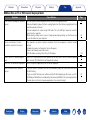
iTunes cannot be played back through •Enable the “Allow iTunes control from remote speakers” setting on iTunes. Then, you can
the remote control unit.
perform playback, pause, and skip operations through the remote control unit.
–
Front panel
Display
Rear panel
157
Remote
Index
–