1
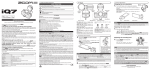
Part functions
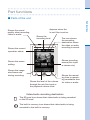
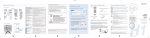
■■Parts of the unit
Appears when the
lo-cut filter is active.
Shows the
recording level.
Shows the current
operation status.
The icon shows
the recording
destination where
the video or audio
recording is saved.
Shows recording
source (line input
or stereo mic).
Shows the scene
setting.
Shows the image
size/frame rate
during recording.
Shows the level of the volume
through the mic/line input or
the playback volume level.
Shows the recording time or remaining recordable time
for video or audio.
Video/audio recording destination
The SD card icon shows that video/audio is being recorded
to the SD card.
The built-in memory icon shows that video/audio is being
recorded to the built-in memory.
2
Part functions
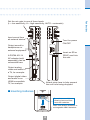
Shows the sound
quality when recording
video or audio.