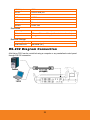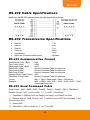
1
Making the Connections
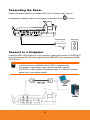
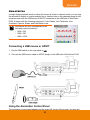
Before making the connection, make sure the power of all devices are turned off. If you
are not sure on where to connect, simply follow the illustrated connections below and also
refer to the user manual of the device you are connecting the AVerVision PL50 with.
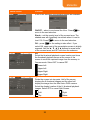
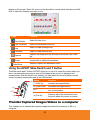
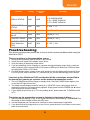
S e t t h e T V- RG B S w i t ch S e t t i n g
The TV-RGB switch determines the display output selection. Switch it to RGB (right) to
output signal using RGB/HDMI connection and TV (left) to output signal using RCA
connection. (see fig. 1.2 # 5)
Switch
AVerVision Port
Display Device Port
RGB 1/2 OUTPUT
RGB INPUT
RGB
To
HDMI OUTPUT
HDMI INPUT
TV
VIDEO OUT
VIDEO IN
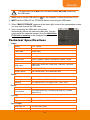
C o n n e c t to a Mo n ito r o r LC D / D L P Pr o je c to r
Locate the RGB (VGA) input port of the graphics display device and connect it to RGB
OUTPUT port of AVerVision PL50.
Make sure the TV/RGB switch is set to RGB.
8