1
Performance
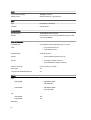
Default Setting: Enable Intel TurboBoost
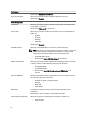
Hyper-Thread Control
Allows you to enable or disable the HyperThreading in the processor.
Default Setting: Enabled
Power Management
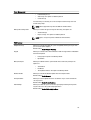
AC Behavior
Allows you to enable or disable the computer from turning on automatically when
an AC adapter is connected.
Default Setting: Wake on AC is not selected.
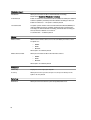
Auto On Time
Allows you to set the time at which the computer must turn on automatically. The
options are:
•
•
•
•
Disabled
Every Day
Weekdays
Select Days
Default Setting: Disabled
USB Wake Support
Allows you to enable USB devices to wake the system from Standby.
NOTE: This feature is only functional when the AC power adapter is connected.
If the AC power adapter is removed during Standby, the system setup will
remove power from all of the USB ports to conserve battery power.
•
•
Wireless Radio Control
Allows you to enable or disable the feature that automatically switches from wired
or wireless networks without depending on the physical connection.
•
•
•
Wake on LAN/WLAN
Control WLAN Radio
Control WWAN Radio
Default Setting: Control WLAN radio or Control WWAN radio is not
selected
Allows you to enable or disable the feature that powers on the computer from the
Off state when triggered by a LAN signal.
•
•
•
•
Block Sleep
Enable USB Wake Support
Default Setting: Enable USB Wake Support is not selected
Disabled: This option is enabled by default
LAN Only
WLAN Only
LAN or WLAN
This option lets you block entering to sleep (S3 state) in Operating System
environment.
Block Sleep (S3 state) - This option is disabled by default. POST
Primary Battery Configuration
Allows you to select the charging mode for the battery. The options are:
•
•
64
Standard Charge
Express Charge