1
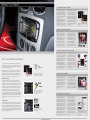
User-friendliness: Intuitive Operation
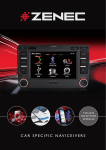
Top-class are the touchscreen displays of the ZENEC moni- and naviceivers: high-quality, non-reflective
TFT LCD panels with LED backlight,
that guarantee a sharp, brilliant and
contrast-rich picture.
The controlling of the devices is
absolutely straightforward. With the
touch-sensitive, very responsive
touchpanel you can operate all functions at the touch of your fingertips.
Special focus has been applied to the
user-controlled menu navigation. The
menus are – at first glance – easy
to comprehend and intuitive to use.
The graphical user interface (GUI) has
been optimized in consideration of
user-friendliness, enhancing daily use
and interaction. The dual main menu
with large control icons ensures that
you control all functions conveniently
while driving.
For a clear overview, the main menu is divided
into two pages.
Multimedia: Versatile Entertainment
ZENEC’s moni- and naviceivers
are mobile entertainment centers,
which offer you entertainment
functions in abundance. The naviand moniceivers recognize all
modern data media – such as
CD, DVD, USB, iPod, iPhone or
SD cards (except for ZE-MC194,
ZE-NC514, and ZE-NC524).
Of course, you can also play your
private collection of CD-R/RW,
DVD±R/RW disks as well as compressed digital audio formats such
as MP3, WMA, or AVI with the new
ZENEC multimedia stations.
Prepared and ready even for the
latest encoding technology: all
ZENEC devices support, for
example, the modern video format
DivX, going as far as version DivX6.
MP3
DivX Certified to play DivX video
Connection possibilities: Limitless Connectivity
Enter a New Multimedia World...
Do you want to make do with a permanently installed navigation that was
developed at the same time as your car – years before your vehicle left the
manufacturer’s lot? You desire to replace your outdated CD/MP3 head unit
with an up-to-date multimedia system?
With ZENEC you can choose from a large range of A/V devices, which next
to the implemented top technology, also offer you all the required up-todate features: starting with the all-round moniceiver units ZE-MC194 and
ZE-MC294, to the innovative naviceivers ZE-NC620D, ZE-NC514 and the
ZE-NC524, to the car specific range of E>GO naviceiver models.
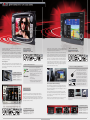
ZENEC
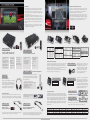
Dual Main GUI
Clearly laid out touchscreen menus, arranged
over two pages with large icons, simplify the
control of your ZENEC devices while driving.
Unlimited Functionality
Premium quality, immense variety of features and unlimited functionality – ZENEC's moni- and naviceiver units meet all your entertainment
requirements and make even the longest journey to become a fascinating
multimedia experience. With the top modern mobile-media devices you
can play back various A/V formats from different media, connect your
iPod, iPhone, or a USB memory stick and thanks to the integrated Parrot
Bluetooth module, you can comfortably use your cell phone in your
automobile while driving. All functions are controlled and operated via
the large, high-quality touchscreen display. However, if that wouldn’t be
enough: The flexible moni- and naviceiver units offer numerous additional
connection options for further auxiliary sources, so that your multimedia
system can always be extended – according to your very own personal
desires.
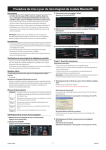
Thanks to the integrated Parrot hands-free kit,
the ZENEC moni- and naviceivers allow you to
use your cell phone in your vehicle when
you’re driving on the road.
Always up-to-date
Of course, ZENEC’s innovative navigation and entertainment systems don’t
only grow by adding additional sources, but they can keep up with the future.
To make sure your multi-functional media center is also state of the art in
the future, you can apply software updates via the USB port: From the main
system software, the navigation and the Parrot Bluetooth software to the CANbus protocol of the E>GO models – ZENEC’s digital entertainment centers can
easily be kept up-to-date free of charge.
4
Or else, connect your iPod or iPhone and
enjoy music, watch videos or podcasts on the
way to your destination.
Almost unlimited are the connection
options – due to the integrated USB
port and the various A/V in and
outputs, there is almost nothing that
cannot be connected to a
ZENEC moniceiver or naviceiver.
For example, a game console, a
USB memory stick, your iPod or
iPhone – ideal media to save songs,
files or podcasts and play them over
the ZENEC multi-media center.
Optimally aligned with the moni- or
naviceiver units are the additional
accessory components from the
ZENEC program. You can connect
all external devices – such as
headphones, roof mount monitors, a
DVB-T tuner or a rear view camera –
to your ZENEC moni- or naviceiver
and comfortably control these components via touchscreen or with an
IR remote control.
Many expansion possibilities and varied.
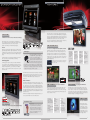
iPod/iPhone: Fully Compatible
Enjoy your music and movie collection while you are driving by connecting your iPod or iPhone to one of the
ZENEC moni- or naviceivers.
With a separately attainable interface cable, you can connect both
Apple devices through the
USB port and control them via
touchscreen.
The batteries of both Apple players
even get recharged during playback.
The folder structure of your iPod or
iPhone is also imported and overtaken
completely. The high speed USB port
not only enables quick access to all
files, but also provides full playback
control of videos or podcasts through
the touchscreen of the ZENEC device.
Bluetooth: Relaxed Communication
Uncomplicated calling and talking
while driving: All A/V centers,
except ZE-NC514 and ZE-MC194,
are equipped with a high quality
Bluetooth module from Parrot. And
this means excellent speech intelligibility for caller and the callers,
because of the innovative Audio-DSP
signal-processing to filter out background, echo and ambient noise.
In case you have music saved on
your mobile phone, thanks to A2DP
with AVRCP, you can listen and
control your song collection via the
touch-screen of your ZENEC device.
Parrot guarantees for easiest
control throughout the journey:
The caller’s number, phonebook
entries and further infos appear
clearly on the display. The address
book of your ZENEC device is automatically synchronized with the
entries in your mobile phone. The
Parrot Bluetooth module allows an
extremely practical alphanumeric
search of contacts. You can also
store voice tags for up to 50 phone
numbers.
In order to obtain the best possible compatibility with new mobile phone models, the firmware of the Parrot Bluetooth module can be
updated via USB.
5