1
DMP-BDT330_230_VQT4V26_eng.book
30 ページ 2012年12月27日 木曜日 午前11時13分
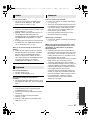
¾24p Output [BDT230]
When this unit is connected to a TV supporting
1080/24p output, movies and other material
recorded at 24p*1 are output at 24p.
≥ When playing DVD-Video, set to “On” and
then set “24p” in “Video Settings” (> 28) to
“On”.
≥ When BD-Video/DVD-Video images other
than 24p are played, images are output at
60p.
¾HDMI Color Mode
This setting is for selecting color-space
conversion of the image signal.
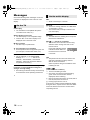
Audio
∫ Dialog Enhancer
(> 28)
∫ Dynamic Range Compression
You can listen at low volumes but still hear dialog
clearly.
(Dolby Digital, Dolby Digital Plus and Dolby
TrueHD only)
≥ “Auto” is effective only when playing Dolby
TrueHD.
∫ Digital Audio Output
Press [OK] to show the following settings:
¾Deep Color Output
This setting is for selecting whether to use Deep
Color output when a TV that supports Deep
Color is connected.
¾Contents Type Flag
Depending on the playback content, the TV will
output adjusting to the optimal method when a
TV that supports this function is connected.
¾HDMI(SUB) Output Mode [BDT330]
Set to output the video from the HDMI AV OUT
SUB terminal or not.
*1
*2
A progressive image recorded at a rate of 24 frames per
second (motion-picture film). Many BD-Video movie
contents are recorded in 24 frames/second in accordance
with the film materials.
A high resolution image/display technology of
approximately 4000 (width) k 2000 (height) pixels.
30
VQT4V26
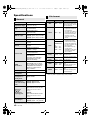
¾ Dolby D/Dolby D +/Dolby TrueHD
¾ DTS/DTS-HD
Select the audio signal to output.
≥ Select “PCM”, when the connected equipment
cannot decode the respective audio format. This
unit decodes the audio format and transmits to the
connected equipment.
≥ Not making the proper settings may result in noise.
¾ BD-Video Secondary Audio
Select whether or not to mix the primary and
secondary audio (including the button click sound).
If “Off” is selected, the unit outputs the primary
audio only.
¾ HDMI Audio Output
This setting selects whether or not to output
audio from HDMI.
≥ Select “Off” when the TV is connected to this
unit via HDMI AV OUT terminal, and this unit
is also connected to other devices, such as
an amplifier/receiver via an OPTICAL
terminal.