1
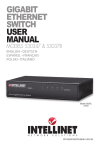
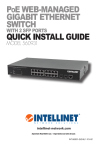
Web-Managed Gigabit Ethernet Switch • Quick Install Guide
English
This guide presents the basic steps to set up and operate this device.
For detailed instructions and specifications, refer to the user manual
enclosed with this product or at intellinet-network.com.
Placement
Prior to use, it is recommended that the switch be placed/positioned:
• on a level surface that can support the weight of the switch (and
any other items that need to be considered);
• with a minimum of 25 mm (approx. 1”) of clearance on the top and
sides for adequate ventilation;
• away from sources of electrical noise: radios, transmitters,
broadband amplifiers, etc.;
• where it cannot be affected by excessive moisture.
The switch includes brackets and screws for optional rack mounting.
1. Disconnect any cables from the switch.
2. Position a bracket over the mounting holes on one side of the switch
and secure it in place with screws.
3. Repeat Step 2 on the other side of the switch.
4. Position the switch in the rack and screw the brackets to the rack.
5. Reconnect any cables.
Connections
• All ports on the switch support Auto-MDI/MDI-X functionality, so
you can use straight or crossover UTP/STP cables to connect the
RJ45 ports to PCs, routers, hubs, other switches, etc.
• Use the included power cable to connect the receptacle on the
back of the switch to a power outlet, and confirm that the Power
LED lights.
LED
Status
Operation
Link/ ACT
On Blinking
Off Valid port connection Data transmitted/received
No link established
Power 2
ENGLISH
On Off Unit is receiving power
Check connection